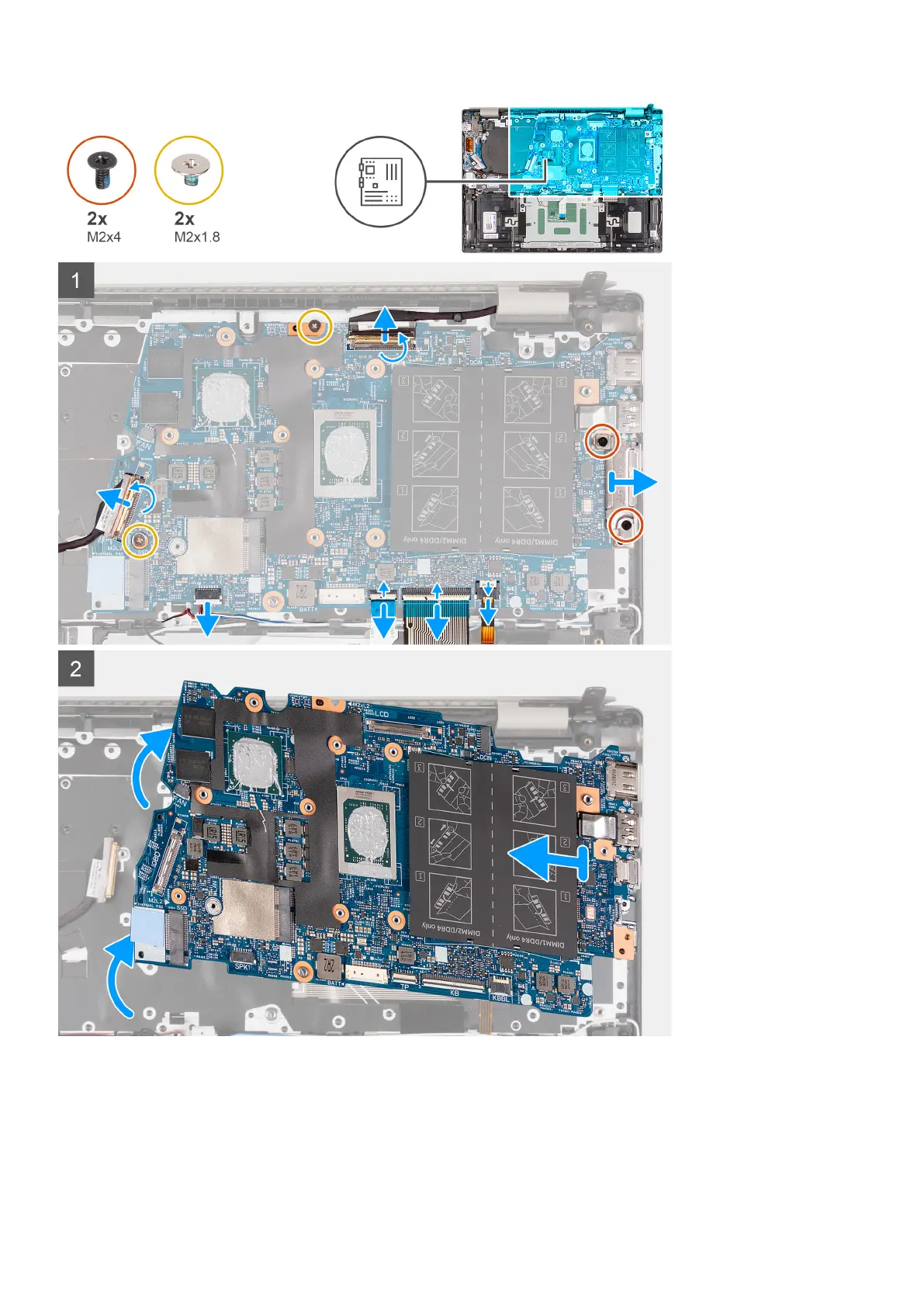
Steps
1. Peel off the tape that secures the display cable to the system board.
2. Lift the latch and disconnect the display cable from the system board.
3. Peel off the tapes that secure the I/O-board cable and antenna cables to the palm-rest and keyboard assembly.
4. Lift the I/O-board cable and antenna cables and move them out of the way.
5. Peel off the tape that secures the speaker cable to the palm-rest and keyboard assembly.
54
Removing and installing components



 To Next Page