Operating the monitor │ 49
Hue This feature can shift the color of the video image to
green or purple. This is used to adjust the desired flesh
tone color. Move the joystick to adjust the hue level
from '0' to '100'.
NOTE: Th
e feature is available only when you select
Movie or Game preset mode.
Saturation This feature can adjust the color saturation of the
video image
. Move the joystick to adjust the saturation
level from '0' to '100'.
NOTE: Th
e feature is available only when you select
Movie or Game preset mode.
Reset Color Resets your monitor’s color settings to the factory
se
ttings.
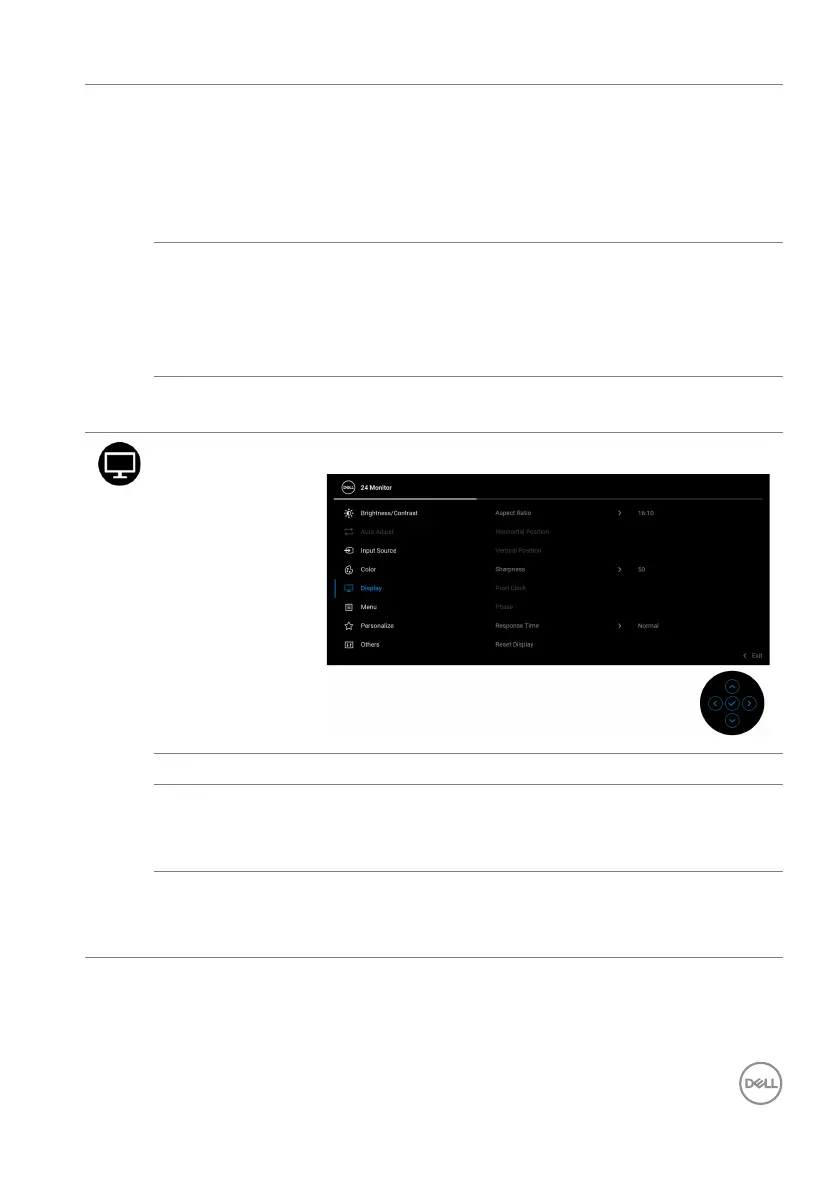
Display Use Display to adjust the images.
Aspect Ratio Adjusts the image ratio to 16:10, 4:3, or 5:4.
Horizontal
Po
sition
Move the joystick to adjust the image left or right
(min. 0 / max. 100).
NOTE: T
he feature is only available for VGA input.
Vertical
Po
sition
Move the joystick to adjust the image up or down
(min. 0 / max. 100).
NOTE: T
he feature is only available for VGA input.



 To Next Page