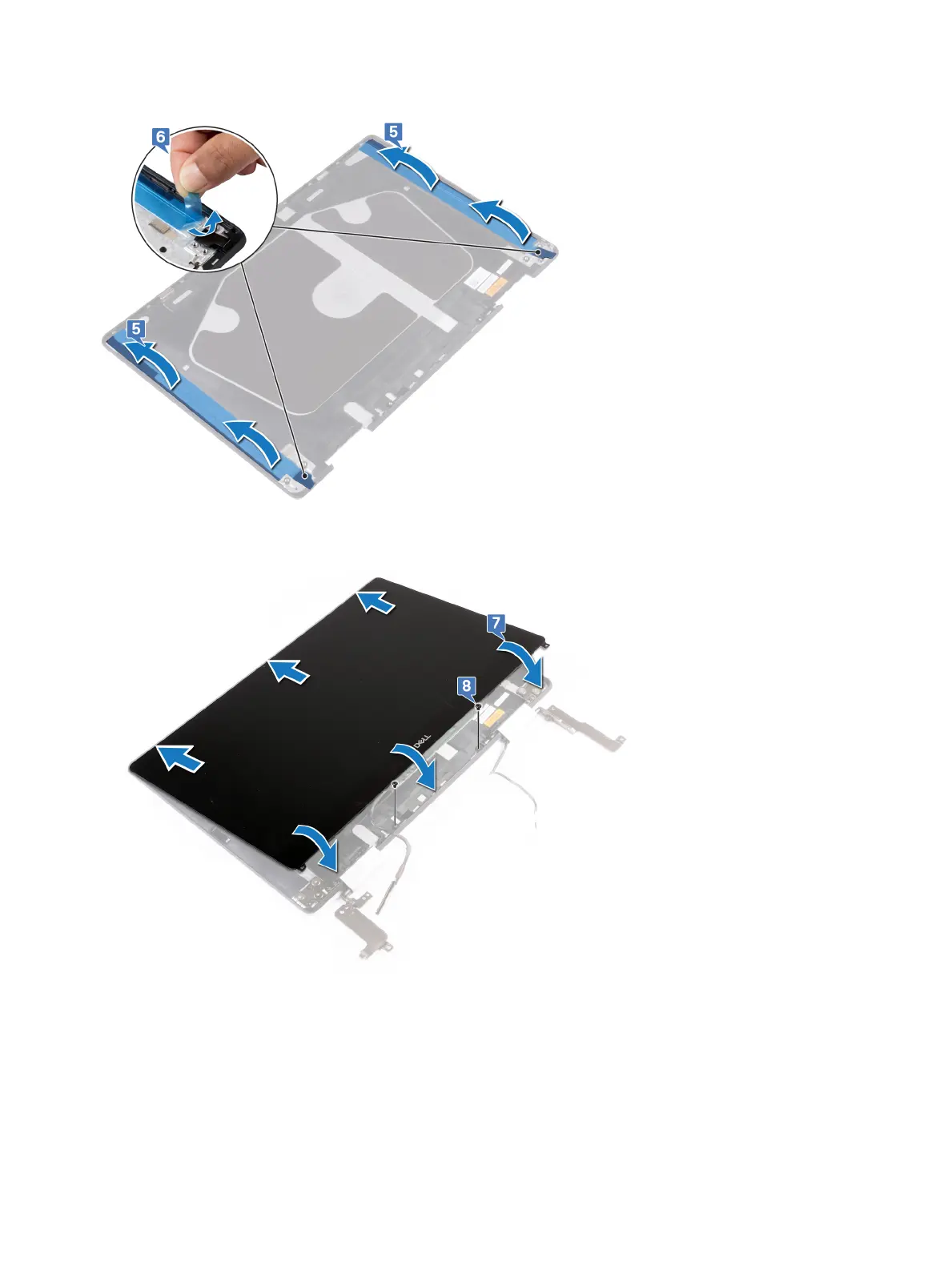
5 Align both the SR tapes to the plastic edge of the display back-cover and antenna assembly and paste them.
6 Remove the blue release paper of SR tape.
7 Slide the top of display panel into the display back-cover and antenna assembly and place the display panel onto the display back-
cover and antenna assembly.
8 Replace the two screws (M2x3) that secure the display panel to the display back-cover and antenna assembly.
9 Route the display cable and the touchscreen-board cable through the routing guides on the display hinge.
10 Place the display bezel on the display back-cover and antenna assembly and snap it into place.
Replacing the display panel
71



 To Next Page