Installing System Components 137
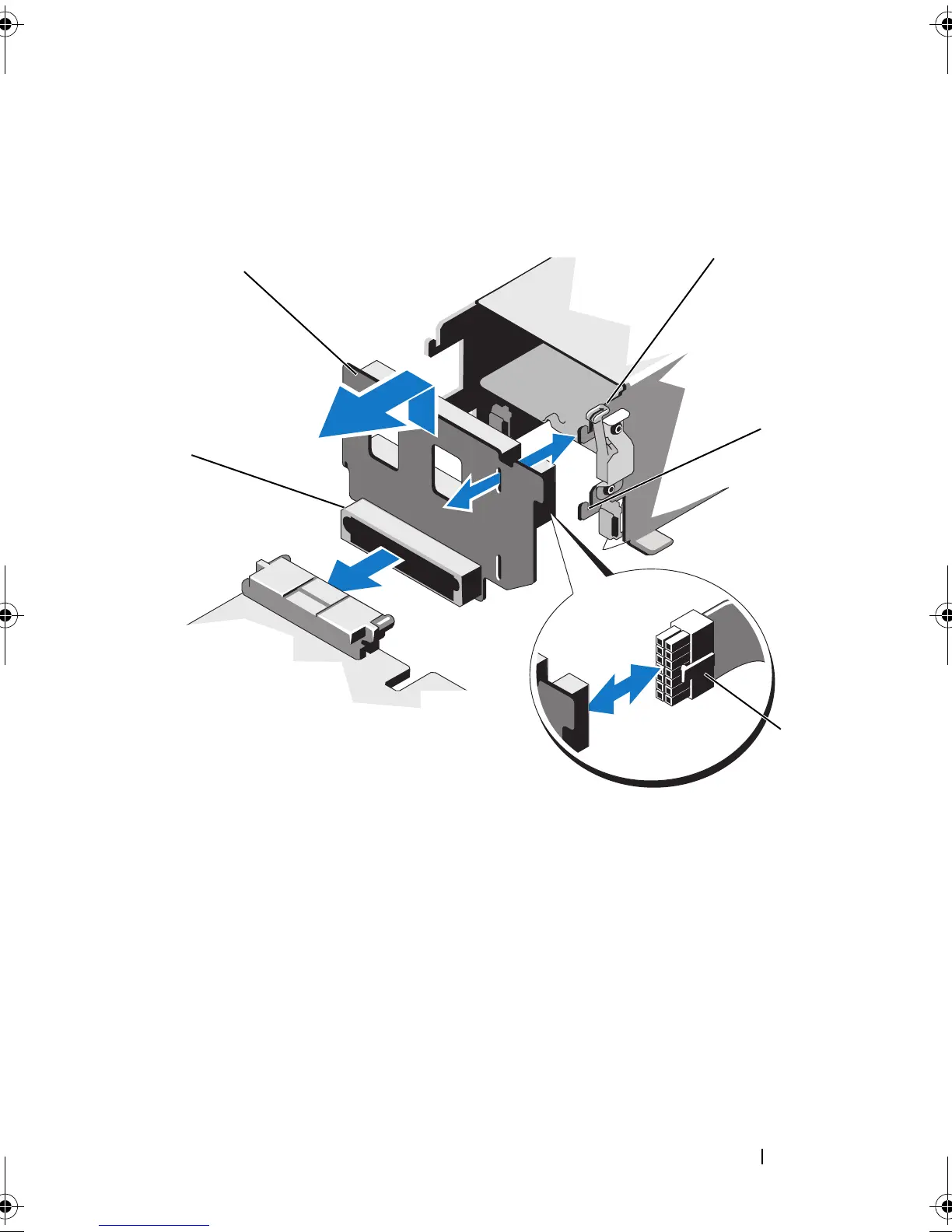
Figure 3-28. Removing and Installing the Power Distribution Board
1 power distribution board 2 release tab
3 securing slot 4 power cable
5 power distribution board connector
book.book Page 137 Wednesday, February 17, 2010 6:17 PM










 To Next Page