● One USB Type-A port for more file storage
● One MicroUSB Type-B console port for management
● Intel Denverton C3758 eight-core central processing unit (CPU), 2.2 GHz, 32 GB DDR4 ECC
● One 10/100/1000BaseT Ethernet management port
● Temperature monitoring
● Software-readable thermal monitor
● Real-time clock (RTC) support
● Two hot-pluggable redundant PSUs
● Six hot-pluggable replaceable fan modules
● Power management monitoring
Physical dimensions
The S5448F-ON switch have the following physical dimensions:
● 438.5 x 550 x 43 mm (W x D x H)
● 17.26 x 21.65 x 1.693 inches (W x D x H)
● PSU handle 29.3 mm (1.15 in)
● PSU latch 34.6 mm (1.37 in)
● Fan tray handle 25.0 mm (0.99 in)
LED display
The S5448F-ON switch includes LED displays on the I/O side of the switch. This section describes open networking installation
environment (ONIE) LED behaviors. Some LED behaviors may change after you install your software.
LED behavior
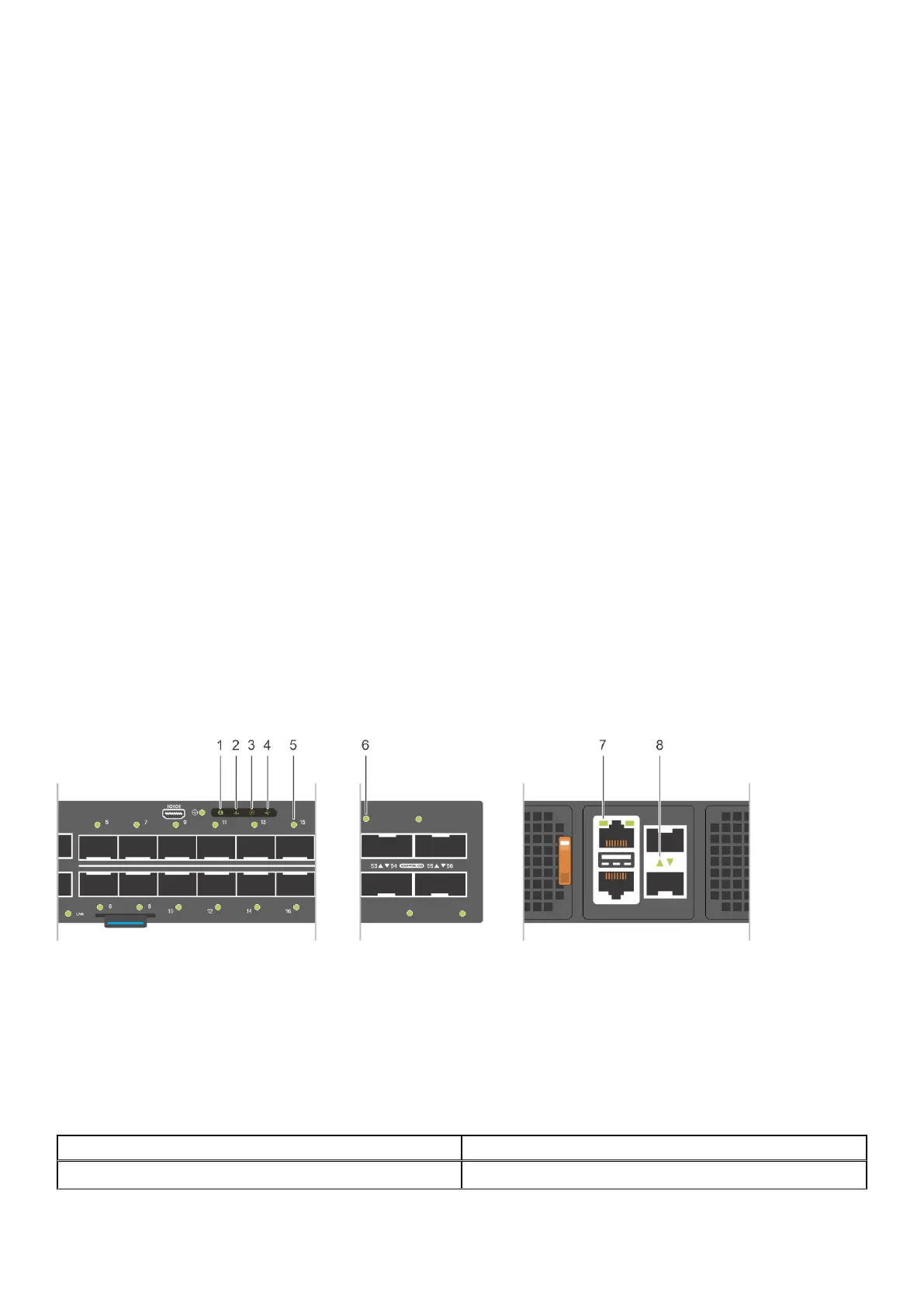
The following S5448F-ON switch LED behavior is seen during startup:
1.
Locator LED 2. System LED
3. Power LED 4. Fan LED
5. Port activity LED 6. Port activity LED
7. Top: RJ-45 Ethernet Management Port LED. Bottom: RJ-45
Serial Console Port (no LED). Left is link; right is activity.
8. Port activity LED
Table 1. S5448F-ON switch LED behavior
LED Description
System Health Status LED
● Solid green—Normal operation
The S5448F-ON switch 9











 To Next Page