Using Your Dell™ Streak 43
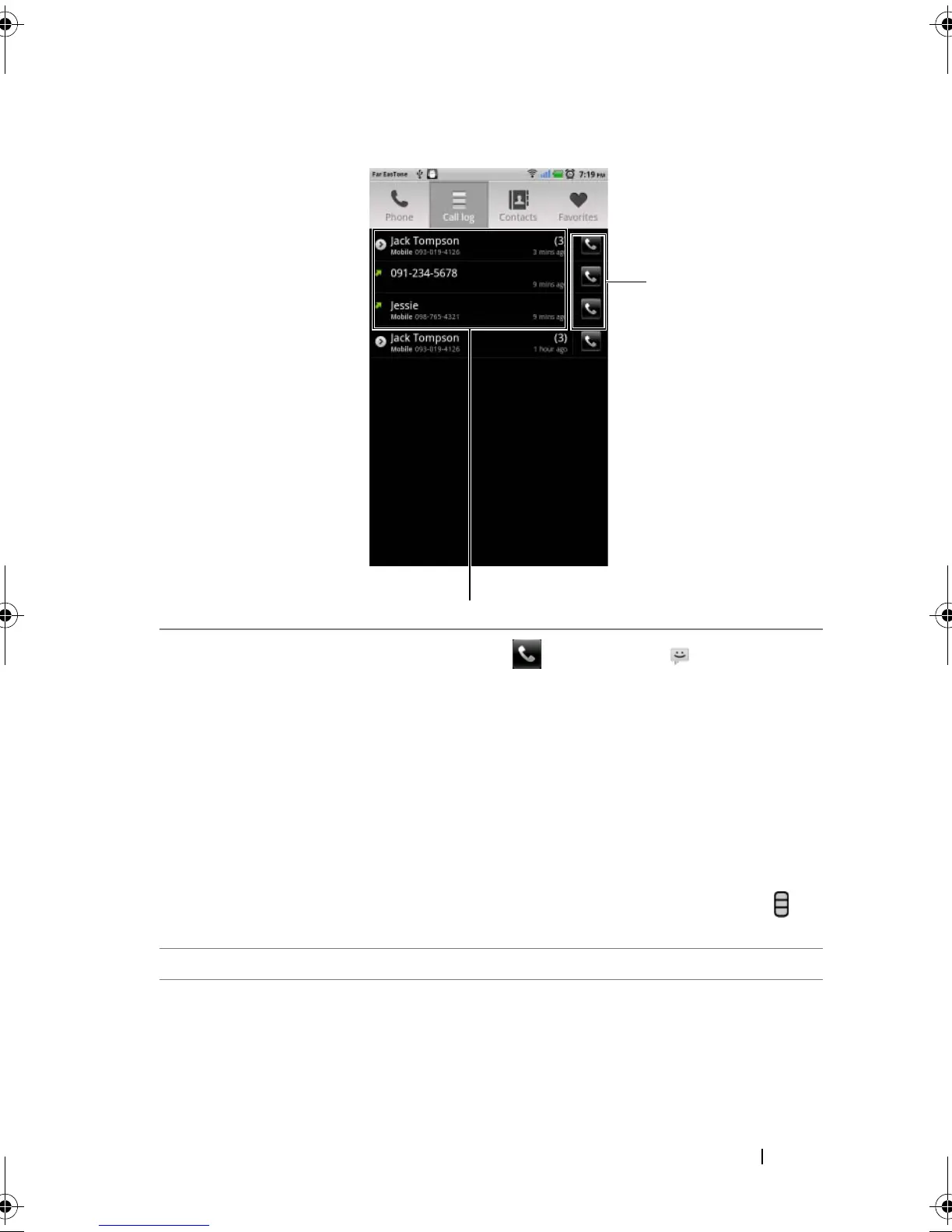
To use the call log
To call a number with an extension
1 Type the number to call using the on-screen dialpad.
2 Touch and hold the asterisk key on the dialpad until “p” appears.
1
• Touch a contact and then touch to call, touch to text
message, or touch View contact to view the information of the
contact.
• Touch a phone number and then touch Add to contacts to save the
caller in Contacts.
• If a caller entry shows the number of calls, touch the caller to view all
the calls from the caller.
• Touch and hold a contact or phone number to remove it from the
call log.
NOTE: To erase all calls from the call log, touch the Menu button →
Clear call log
→ OK.
2 Touch to call a contact or phone number directly.
bk0.book Page 43 Friday, November 19, 2010 12:24 PM














 To Next Page