Using Your Dell™ Streak 45
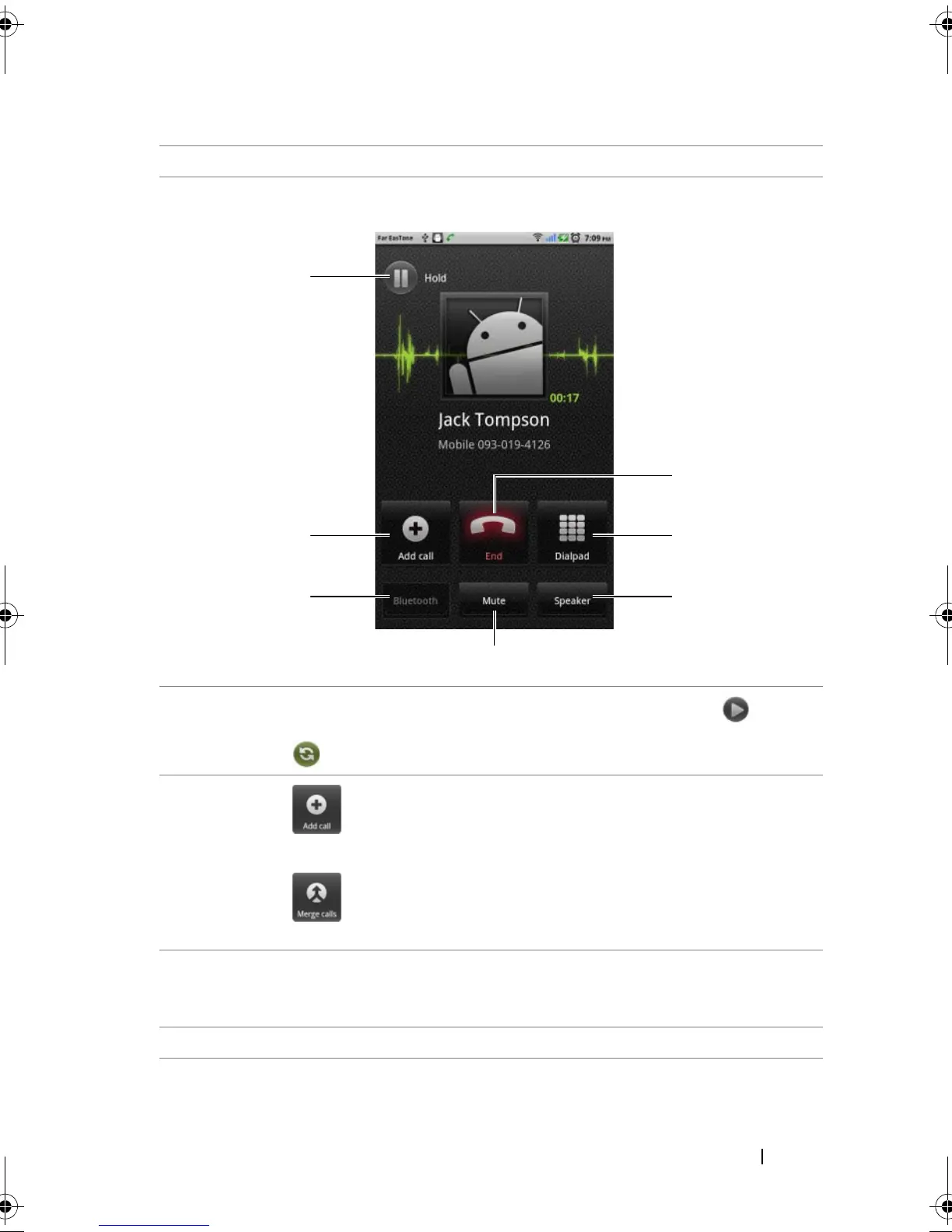
Controls during a call
2 Drag left to reject an incoming call.
1
• Touch to hold an active call. To resume a held call, touch .
• Touch to swap between active and held calls.
2
• Touch to bring up the dialpad and make another call. The first
call is placed on hold automatically.
• Touch to connect active and held calls to have a conference
call.
3 Touch to accept calls using a Bluetooth headset when a Bluetooth
headset is connected to your device. For information on connecting a
Bluetooth headset to your device, see "Bluetooth®" on page 137
4 Touch to mute the microphone during a call.
bk0.book Page 45 Friday, November 19, 2010 12:24 PM














 To Next Page