Internet 91
To view e-mails in different folders or with labels
To view e-mails stored in the folders other than the inbox, such as in
the Sent or All Mail folders, or to view labeled or starred e-mails:
1 Touch the Menu button → Go to labels.
2 Touch the folder that stores the e-mails you want to view, or
touch the label with which the e-mails are marked.
To read e-mails
• When you receive a new e-mail, the e-mail icon appears on
the status bar to alert you of a new e-mail. Drag down the status
bar to open the Notifications panel and touch the new e-mail to
view it.
• While in the inbox or in any other folder, scroll the e-mail threads
on the screen, and then touch an e-mail thread to view the e-
mails inside.
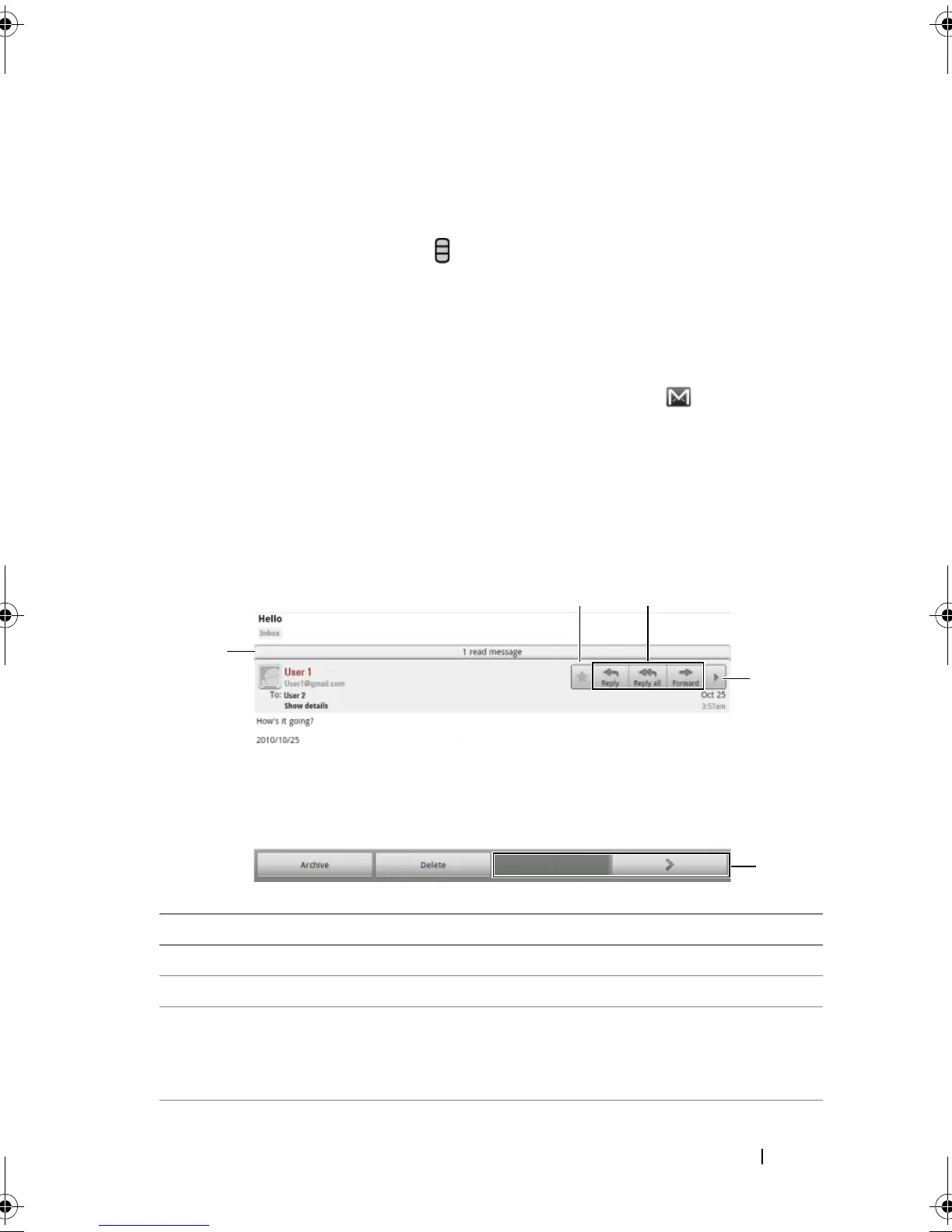
1 Touch to view previous e-mails with the same subject.
2 Touch to read the next or previous e-mail thread.
3 Touch to open or close the Reply all and Forward buttons.
4 Touch Reply to reply to the contact.
Touch Reply all to reply to all contacts in the mail loop.
Touch Forward to forward the e-mail to another contact.
bk0.book Page 91 Friday, November 19, 2010 12:24 PM














 To Next Page