Back to Contents Page
Replacing the RF Receiver Board
Dell™StudioHybridServiceManual
Removing the RF Receiver Board
Installing the RF Receiver Board
Removing the RF Receiver Board
1. Follow the procedures in Before You Begin.
2. Remove the computer cover (see Removing the Computer Cover).
3. Remove the drive cage (see Removing the Drive Cage).
4. Remove the front panel (see Removing the Front I/O Panel).
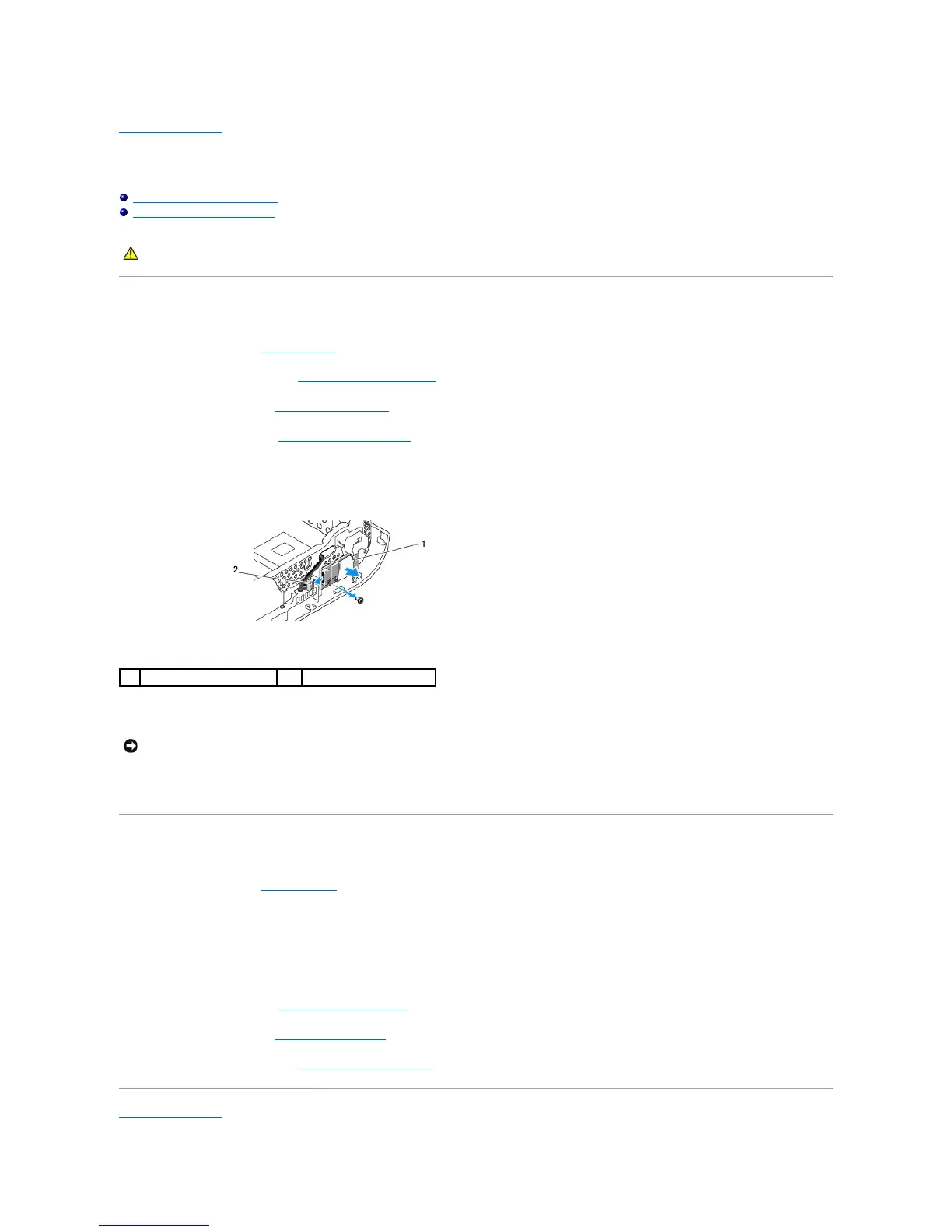
5. Remove the screw that fastens the RF receiver board to the front of the chassis.
6. Lift the RF receiver board away from the chassis.
7. Disconnect the cable that connects the RF receiver board to the system board.
Installing the RF Receiver Board
1. Follow the procedures in Before You Begin.
2. Connect the cable to the connector (J2) on the RF Receiver board.
3. Align the RF receiver board with the groove on the chassis.
4. Replace the screw that secures the RF receiver board to the front of the chassis.
5. Replace the front panel (see Installing the Front I/O Panel).
6. Replace the drive cage (see Installing the Drive Cage).
7. Replace the computer cover (see Installing the Computer Cover).
Back to Contents Page
CAUTION: Before working inside your computer, read the safety information that shipped with your computer. For additional safety best
practices information, see the Regulatory Compliance Homepage at www.dell.com/regulatory_compliance.
NOTICE: Carefully note the routing of each cable before you disconnect it, so that you re-route the cable correctly. An incorrectly routed or a
disconnected cable could lead to computer problems.







 To Next Page