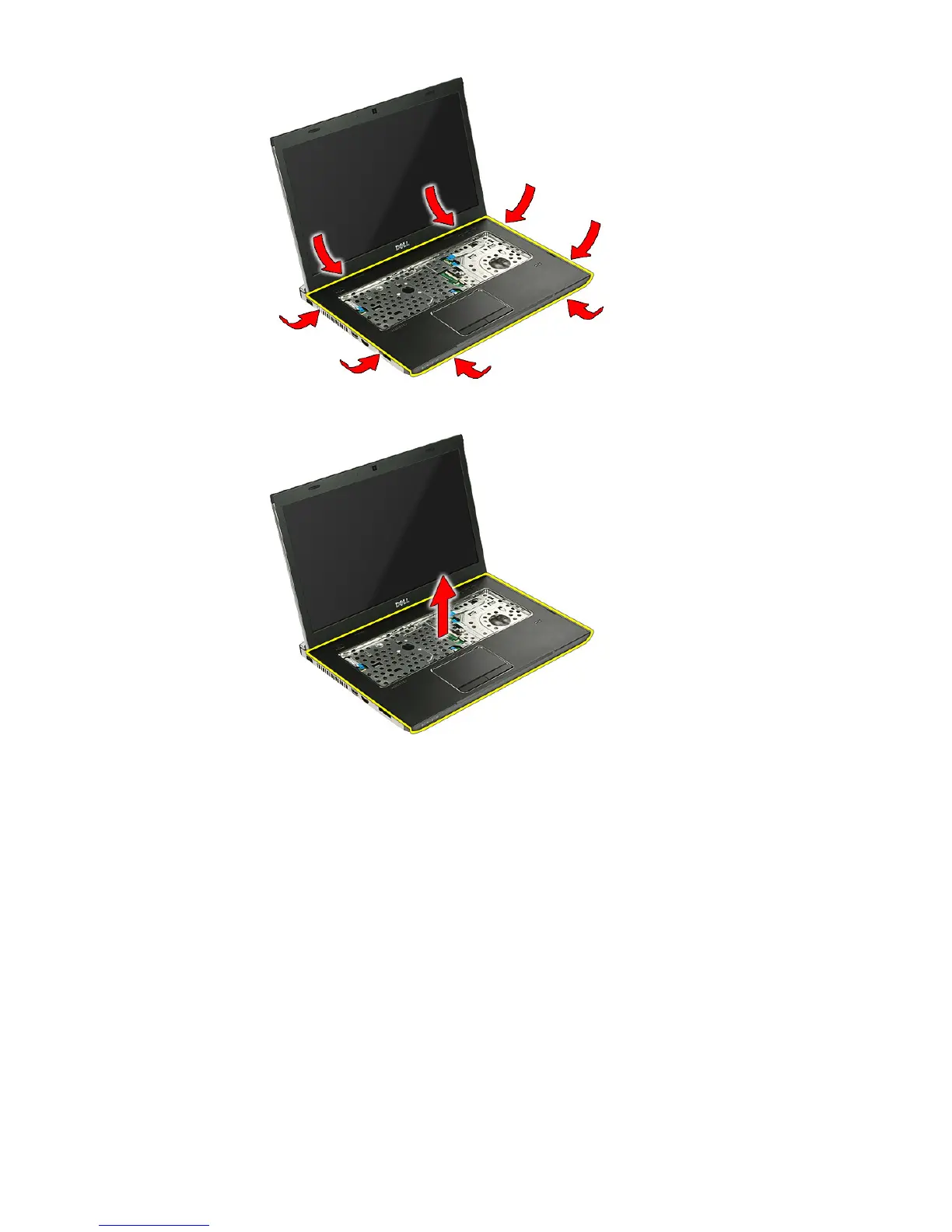
17. Lift up the palm rest from the computer and remove.
Installing The Palm Rest
1. Install the palm rest on the computer.
2. Press down on the edges to secure the palm rest.
3. Tighten the captive screws to secure the palm rest.
4. Connect the touch pad, fingerprint reader and the quick-launch button
board cables to the palm rest.
5. Tighten the screws on the bottom of the system securing the palm rest in
place.
6. Install the rubber pads to the bottom of the computer
7. Install the
keyboard
.
44














 To Next Page