EasyManua.ls Logo

Dell Vostro 3550 - How to Install the Speakers

Dell Vostro 3550
113 pages
Print Icon
To Next Page IconTo Next Page
To Previous Page IconTo Previous Page
Loading...
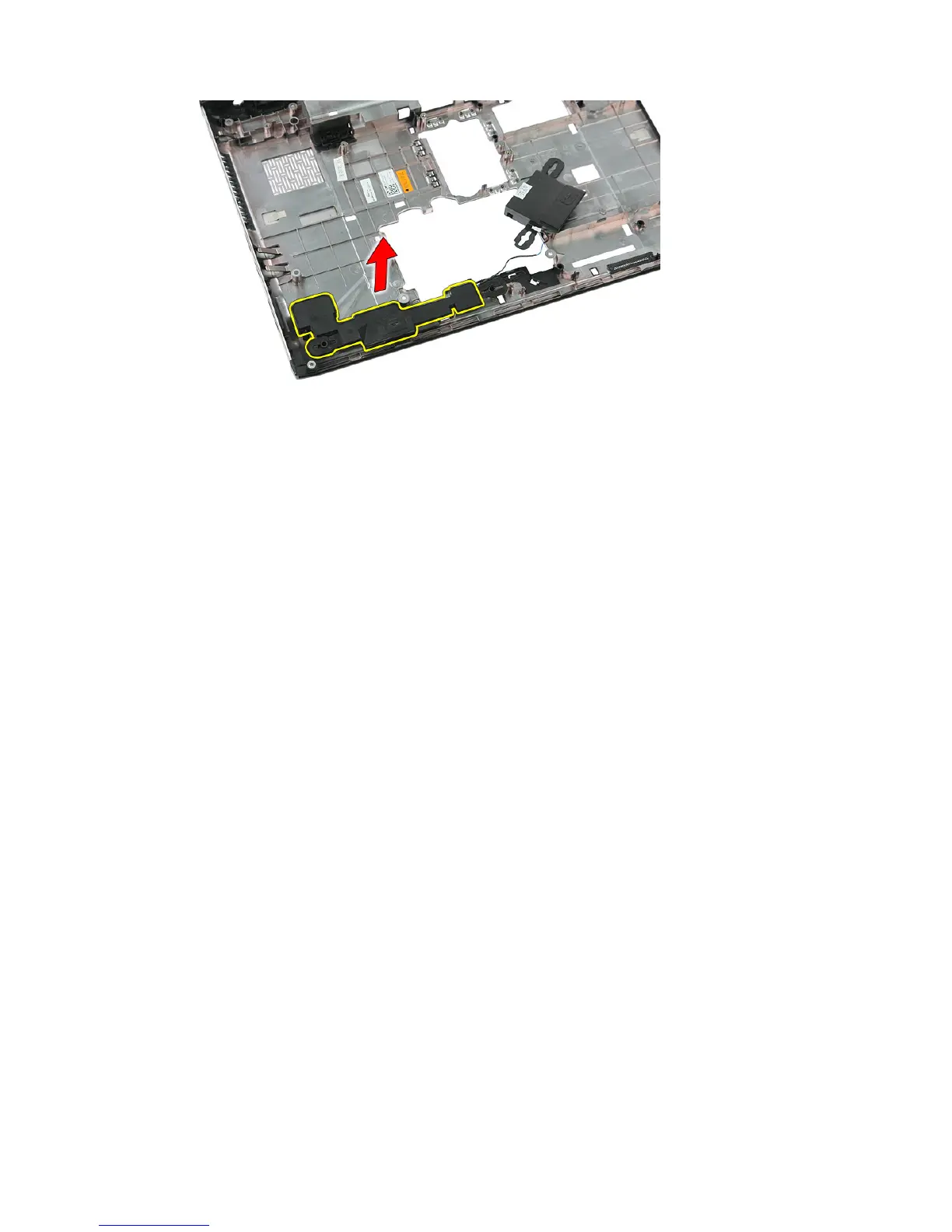
20. Lift up the left speaker and remove.
Installing The Speakers
1. Install the left speaker.
2. Secure the speaker cables through the routing channel.
3. Install the right speaker.
4. Replace the screws to secure the right and left speakers.
5. Install the
system board
.
6. Install the
display assembly
.
7. Install the
ExpressCard board
.
8. Install the
hold switch
.
9. Install the
WLAN card
.
10. Install the
palm rest
.
11. Install the
keyboard
.
12. Install the
WWAN card
.
13. Install the
hard drive
.
14. Install the
optical drive
.
15. Install the
memory module
.
16. Install the
access panel
.
17. Install the
ExpressCard
.
18. Install the
memory card
.
19. Install the
battery
.
55

Table of Contents

Related product manuals