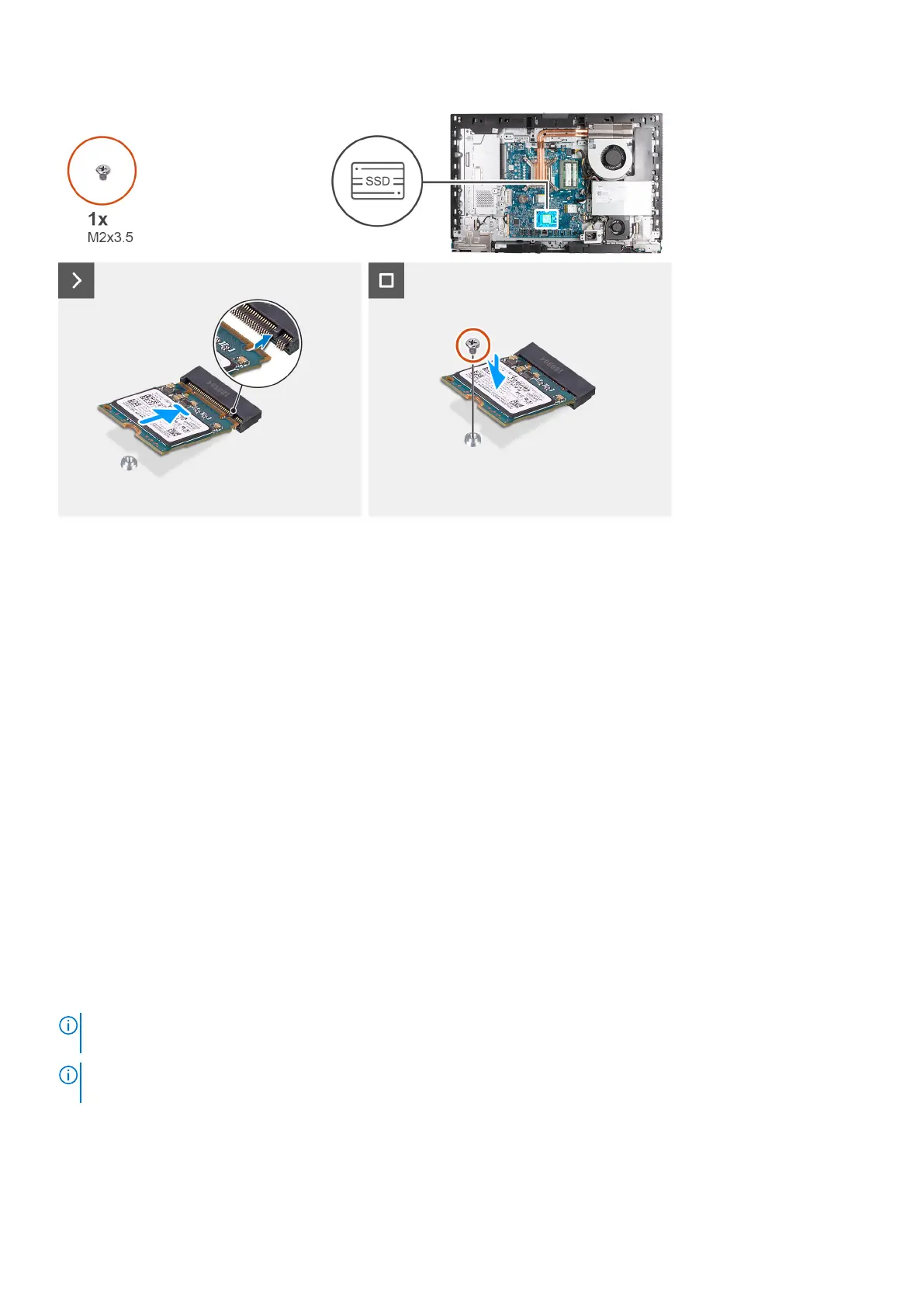
Steps
1. Align the notch on the M.2 2230 solid-state drive with the tab on the solid-state drive slot (M.2 PCIe SSD 1).
2. Slide the M.2 2230 solid-state drive into the solid-state drive slot (M.2 PCIe SSD 1) on the system board.
3. Replace the screw (M2x3.5) that secures the M.2 2230 solid-state drive to the system board.
Next steps
1. Install the I/O cover.
2. Install the system-board shield.
3. Install the back cover.
4. Install the stand.
5. Follow the procedure in After working inside your computer.
Removing the M.2 2280 solid-state drive in M.2 slot 1
Prerequisites
1. Follow the procedure in Before working inside your computer.
2. Remove the stand.
3. Remove the back cover.
4. Remove the system-board shield.
5. Remove the I/O cover.
About this task
NOTE:
Depending on the configuration ordered, your computer may have up to two M.2 2230 or 2280 solid-state drives
installed in the solid-state drive slots on the system board.
NOTE: This procedure is applicable for computers where an M.2 2280 solid-state drive is installed in the solid-state drive
slot (M.2 PCIe SSD 1) on the system board.
The following image(s) indicate the location of the M.2 2280 solid-state drive in M.2 slot 1 and provides a visual representation
of the removal procedure.
60
Removal and installation procedures for High Performance processors



 To Next Page