PMAC-PCI Hardware Reference
Mating Connectors 39
Serial Port (JRS422 Port)
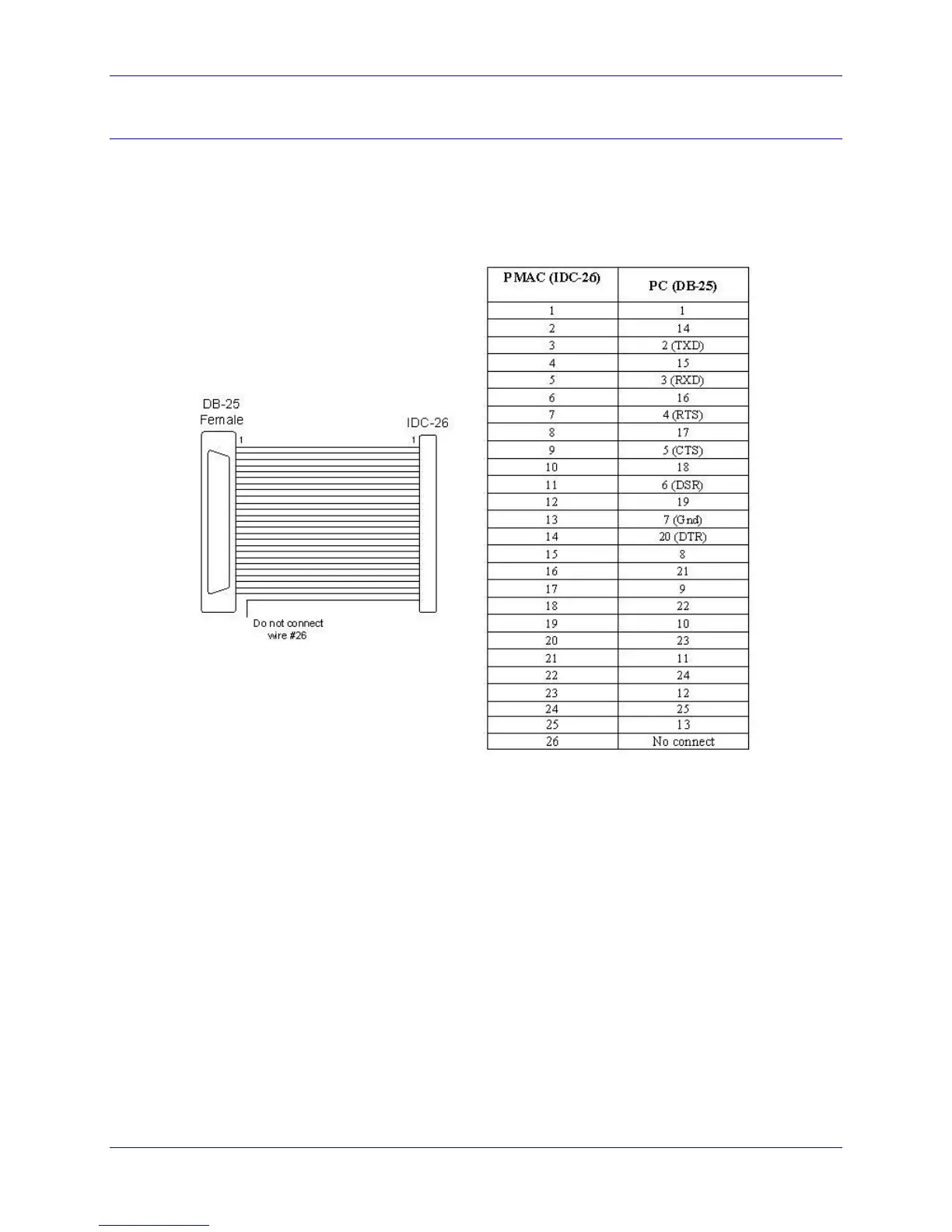
For serial communications, use a serial cable to connect your PC’s COM port to the PMAC’s J4 serial
port connector. Delta Tau provides the Acc-3D cable that connects the PMAC PCI to a DB-25 connector.
Standard DB-9-to-DB-25 or DB-25-to-DB-9 adapters may be needed for a particular setup. Jumper E110
selects between RS-232 and RS422 signals type for the J4 connector. If a cable needs to be made, the
easiest approach is to use a flat cable prepared with flat-cable type connectors as indicated in the
following diagram:



 To Next Page