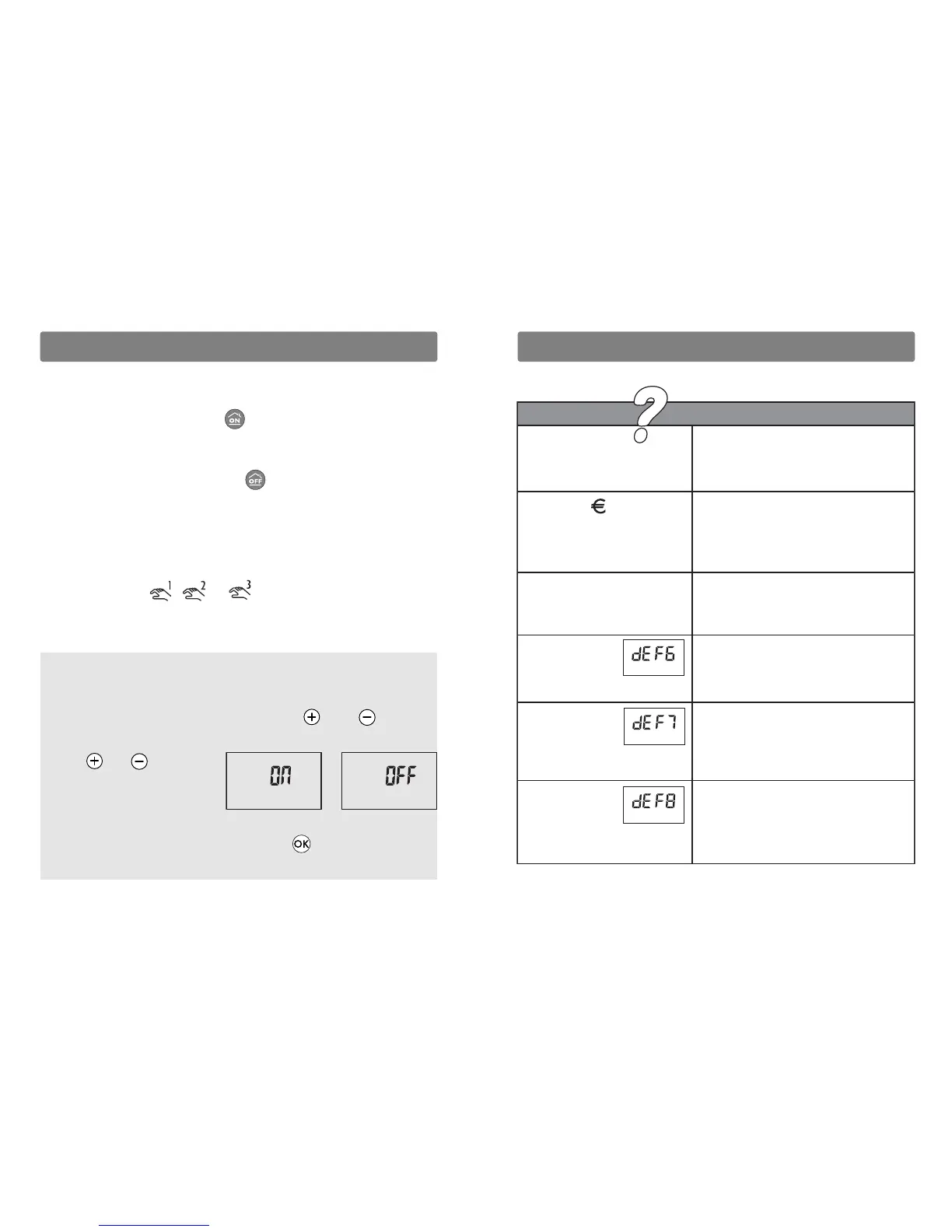
Nothing is displayed
on the room unit screen.
The symbol is displayed.
You have just switched the unit on.
You have just switched the unit on.
There is no power supply
Check your circuit breaker.
An economy period interrupts
automatic operation.
The reduced tariff operating mode can
be modified (§ Price Programming).
Overrides are permitted.
Yo u cannot access the Comfort.
-1°C and Comfort -2°C
operating modes.
You have 4 order pilot wire heating or
it has been defined as such (see
installation guide § Allocation
of receivers).
• Communication fault with the GECPL1
or GPCPL.
Check the power supply of the GECPL1
or GP4 CPL or reconfigure your units.
• Communication fault with electronic
meter.
Check the connection between the
electronic meter and the energy manager
or contact your installer.
• Communication fault with the
TYPHONE 2 CPL.
Check the power supply of the TYPHONE 2
CPL or reconfigure your units (see
installation guide, § Allocation of receivers).
Diagnosis/Solutions
The equipment
displays:
The equipment
displays:
The equipment
displays:
Override according to the alarm status
In the AUTO position only and if the function
(1)
is activated:
- Starting up the control unit fully sets the installation to
Economy mode in the 3 zones (up to the next change of pro-
gram).
- Shutting down the control unit sets the installation to
Comfort mode in the 3 zones (up to the next change of pro-
gram).
The override is cancelled:
By zone:
- the next time the program switches over in the zone,
- by pressing the ,
or
button of the DRIVER CPL.
On the 3 zones:
- by changing the position of the DRIVER CPL selector.
(1)
The override function is enabled by default depending on
the status of the alarm, it can be deactivated during the radio
configuration:
From the radio screen, press the buttons and together
to display ON or OFF. Release.
Press or to select
ON or OFF.
After 2 seconds without
pressing, the screen of the DRIVER CPL returns to the radio
display, press the DRIVER CPL button until the time
displays.











 To Previous Page