90
9.3 Alarm & Silence Function
When a fault condition occurs, there will be an alarm message shown on the LCD and audible
warning from the buzzer. Please see the table below for details.
No. UPS Status Alarm
1 Battery Mode The buzzer sounds once every 2 seconds.
2 Battery Low Warning The buzzer sounds once every 0.5 second.
3
Battery Missing/ Weak Battery/
Battery Replacement
The buzzer sounds once every 2 seconds.
4 UPS Overload
1. Overload_ 105% ~ 125%: The buzzer sounds
once every 2 seconds.
2. Overload_ 125% ~ 150%: The buzzer sounds
once every 0.5 second.
5 UPS Internal Fault
The buzzer sounds continuously for 5 seconds
when the UPS detects an internal fault. After the 5-
second long beep, the buzzer sounds once every 2
seconds.
Press and hold the Escape button ( ) for 3 seconds to clear the audible warning; however, the
alarm message will still be on the screen.
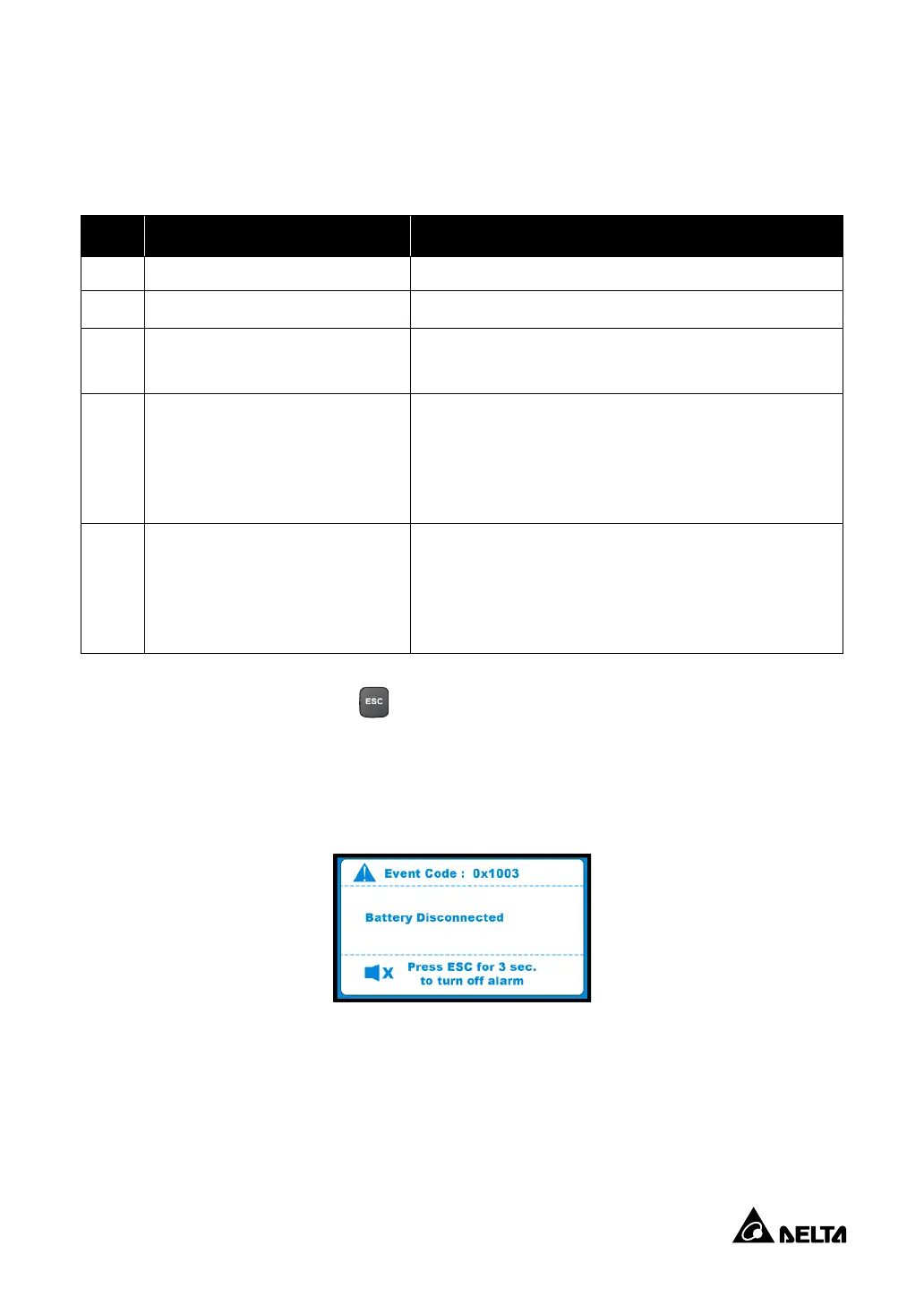
For example, if the UPS detects ‘Battery Disconnected’, it will show the event code and alarm
message as below.
After 5 seconds, the LCD display will go back to the main screen automatically but the event code
and alarm message will still appear alternately every 5 seconds at the bottom of the main screen
unless the fault condition is cleared.



 To Next Page
 Loading...