EasyManua.ls Logo

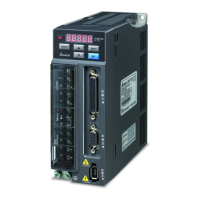
Delta ASD-B2-1521-B - User Manual

Delta ASD-B2-1521-B
345 pages
Print Icon
To Next Page IconTo Next Page
Loading...
..
..
..
..
一.
..
..
..
--
..
..
.•



AELT"
Asia

Zhangjiagang Haina Automation Equipment Co., Ltd.
Sales office
No. 11, Yuefeng Road, Economic Development Zone,
Zhangjiagang, Jiangsu, China (Mainland)
TEL:0086-0512-56322086 008615262314665
EMAIL:info@haina-auto.com

www.haina-auto.com
DELTA_IA-ASDA_B2_UM_EN_20180509

Table of Contents

Questions and Answers

  • B
    Brian ParksAug 6, 2025
    What to do if my Delta Servo Drives motor is overheating?
    • H
      hernandezveronicaAug 6, 2025
      If your Delta Servo Drives motor is overheating, check the mounting surface for flatness and any obstructions like paint or gaskets that could impair heat dissipation between the motor and the mounting surface. Remove any such objects. You can also use methods to improve heat dissipation, such as forced air cooling.
  • R
    Rose GallagherAug 21, 2025
    Why is my Delta Servo Drives motor making abnormal noise?
    • J
      James HansenAug 21, 2025
      Abnormal noise from a Delta Servo Drives motor can stem from a vibration source in the connecting component, such as the coupling. Consider replacing the connecting component or contacting the manufacturer. Alternatively, the encoder might be experiencing excessive vibration or shocks, in which case you should replace the servo motor.

Summary

Safety Precautions

Inspection

Follow instructions for servo drive and motor usage to prevent fire or malfunction.

Installation

Avoid exposing the product to water, corrosive gas, or flammable gas to prevent electric shock or fire.

Wiring

Operation

Adjust parameter settings as needed; ensure emergency stop is activated before starting operation.

Maintenance and Inspection

Prohibits touching internal parts and disassembly when power is on; caution about residual voltage.

Chapter 1 Installation and Model Explanation

Chapter 2 Installation

Chapter 3 Wiring

Chapter 4 Panel Display and Operation

4.2 Parameter Setting Procedure

Step-by-step guide on how to navigate and set parameters using the drive's panel interface.

Chapter 5 Trial Operation and Tuning

5.1 Inspection without Load

Procedures for inspecting the servo motor and drive before operation without load, focusing on safety and correct setup.

5.2 Applying Power to the Servo Drive

Instructions for correctly wiring and applying power to the servo drive, including checks for overvoltage and encoder errors.

Chapter 6 Control Modes of Operation

Chapter 8 Communications

Chapter 9 Troubleshooting

9.1 Alarm of Servo Drive

Lists servo drive alarms, their descriptions, corresponding DO signals, and servo status for quick reference.

9.2 Causes and Corrective Actions

Provides a systematic approach to diagnosing and resolving servo drive issues by listing causes, checking methods, and corrective actions for specific alarms.

Chapter 10 Specifications

Appendix B Maintenance and Inspection

Basic Inspection

Periodic checks for screw tightness, connections, and cleanliness of cooling fans and control chambers.

Delta ASD-B2-1521-B Specifications

General IconGeneral
BrandDelta
ModelASD-B2-1521-B
CategoryController
LanguageEnglish

Related product manuals