13
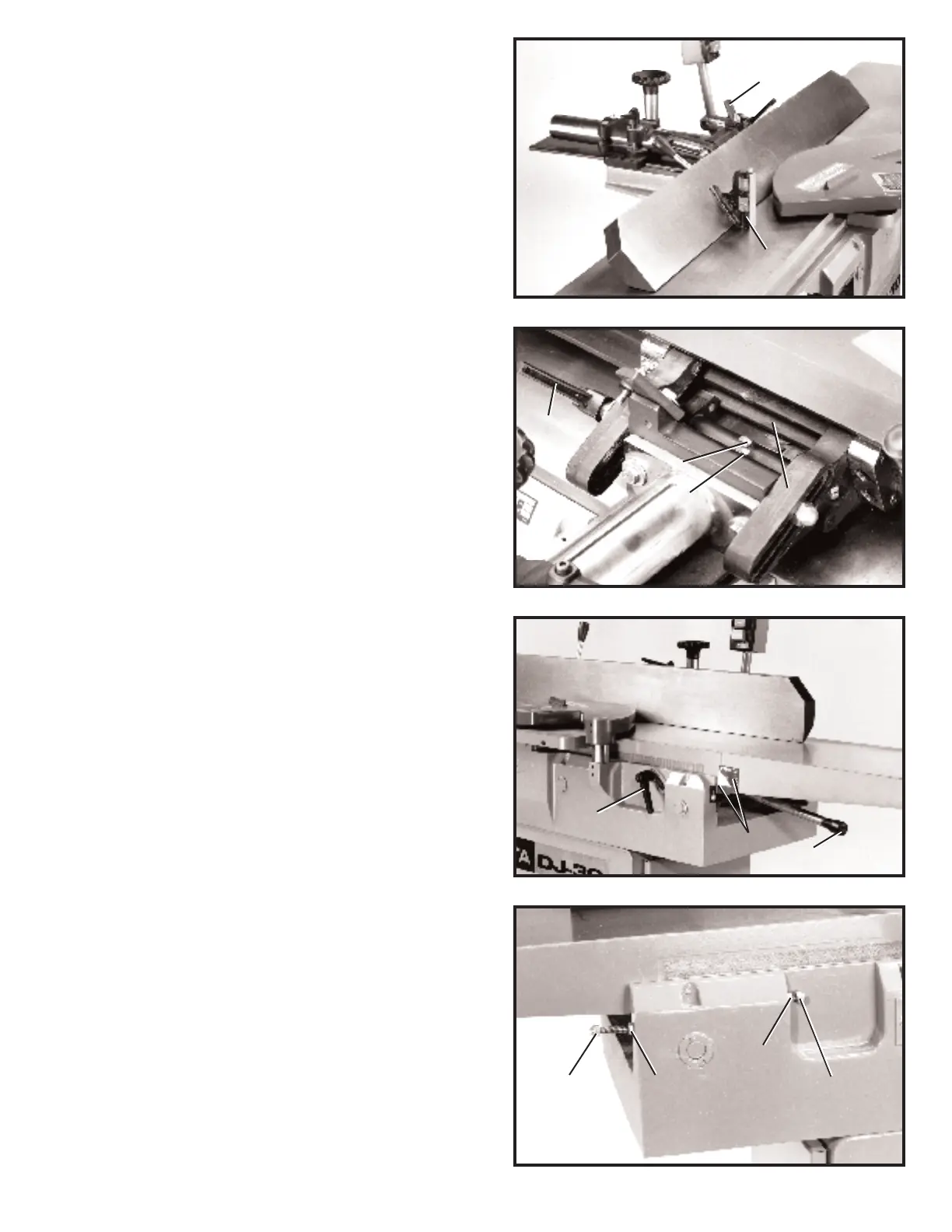
Fig. 26
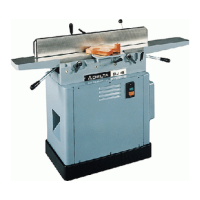
Fig. 27
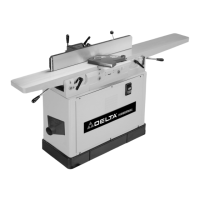
Fig. 28
5. T ilt the fence outward as far as possible and using a
combination square (F) Fig. 26, check to see if the fence is
tilted outward 45 degrees to the t able, as shown. NOTE:
90 degree stop (B) must be rot ated up in order to tilt the
fence outward. If an adjustment is necessary, loosen lock
nut (K) Fig. 27, and adjust screw (L) until head of screw (L)
cont act s back of fence (M) when the fence is at 45 degrees
to the t able. IMPORTANT:Always make sure fence locking
handle (E) is tightened before operating machine.
INFEED TABLE
ADJUSTMENTS
To raise or lower the infeed t able, loosen t able lock handle
(A) Fig. 28, and move the t able raising and lowering hand
lever (B) up or down until the t able is at the desired position
and tighten t able lock handle (A). NOTE: The t able lock
handle (A) can be repositioned by pulling out the handle
and repositioning it on the serrated nut located under the
handle.
The depth of cut of the infeed t able (position of t able in
relationship with the cutting circle) can be read with the
English/Metric scale and pointer (G) Fig. 28.
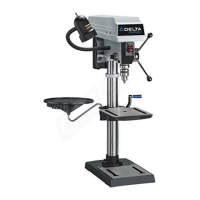
Positive stop s are provided on the jointer to limit the height
and depth of the infeed t able. To adjust the stop s, simply
loosen two locknut s (C) and (D) Fig. 29, and turn the two
adjustment screws (E) and (F) as necessary.Retighten
locknut s (C) and (D). W e recommend that the height of the
infeed t able be adjusted so the t able at it s highest point will
be 1/2mm below the highest point of the knives. This is an
import ant feature of your jointer which enables you to
rapidly position the infeed t able for a finish or a final cut.
B
F
M
K
L
E
A
B
G
Fig. 29
E
C
D
F


 To Next Page