13
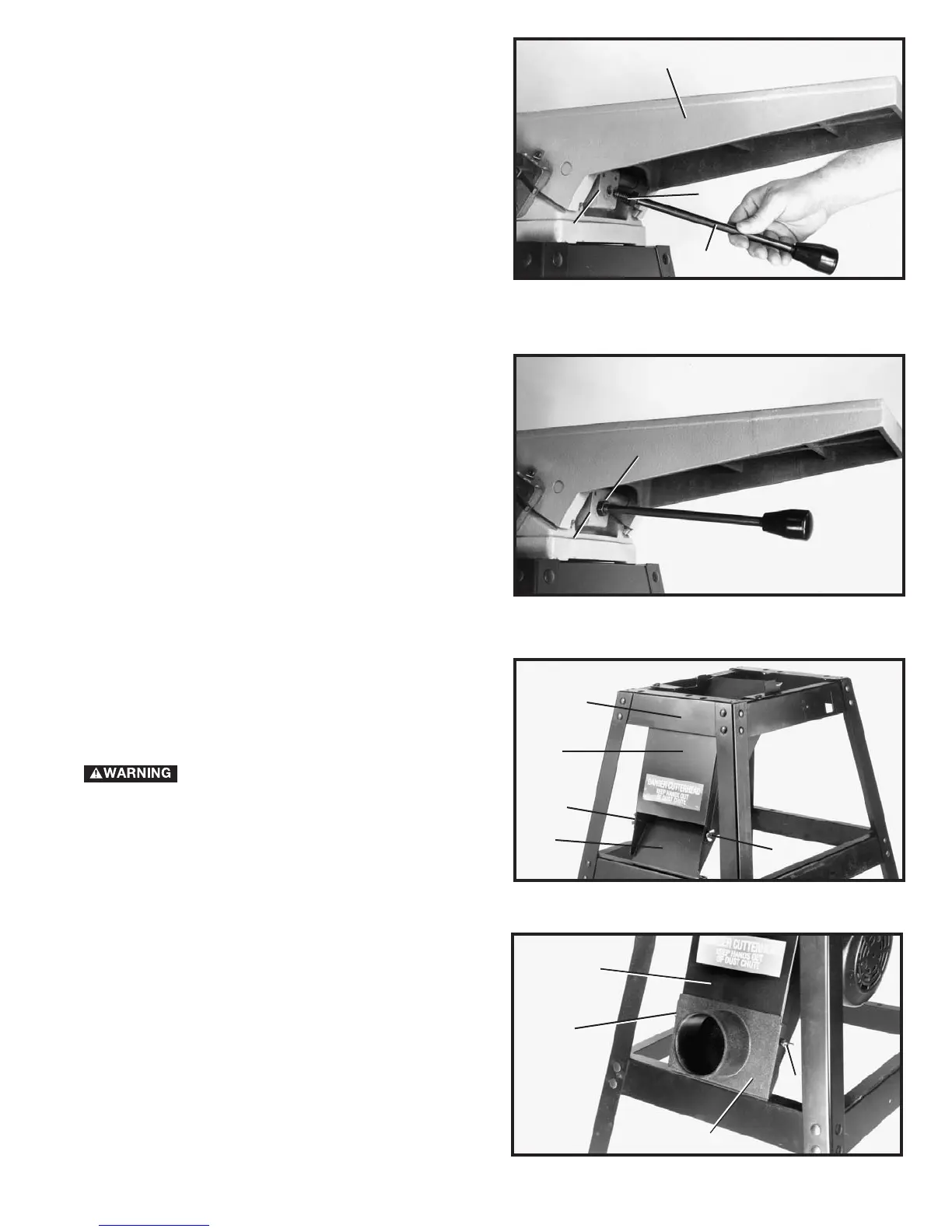
Fig. 13
Fig. 12
INFEED TABLE ADJUSTMENT
HANDLE
1. Turn locknut (C) Fig. 12, clockwise on infeed table
adjustment handle (B) as far as it will go.
2. Thread handle (B) Fig. 12, into block (D) which is
located below infeed table (E).
3. Turn locknut (C) Fig. 13 clockwise to tighten against
block (D).
E
D
C
B
C
D
Fig. 14
DUST CHUTE COVER
1. Assemble dust chute cover (A) Fig. 14, to dust chute
(B) using two wing screws (C). IMPORTANT: Top of dust
chute cover (A) must be inside top brace (D) of stand.
DURING OPERATION, THE DUST
CHUTE COVER (A) MUST ALWAYS BE
ASSEMBLED AS SHOWN AND SHOULD ONLY BE
REMOVED FOR CLEANING.
B
C
C
A
D
Fig. 15
DUST COLLECTOR ADAPTER
If the machine is to be connected to a dust collection
system, a dust collector adapter with a 4" O.D. opening
is supplied with the jointer. To assemble the adapter:
1. Remove two wing screws (C) Fig. 14, from dust
chute cover (A).
2. Assemble adapter (E) Fig. 15, over dust chute (A).
Align two holes in dust chute (A) with holes in adapter (E)
and fasten with two wing screws (C) which were
removed in STEP 1.
C
E
C
A


 To Next Page