EasyManua.ls Logo

Delta M60U - User Manual

Delta M60U
130 pages
Print Icon
To Next Page IconTo Next Page
Loading...
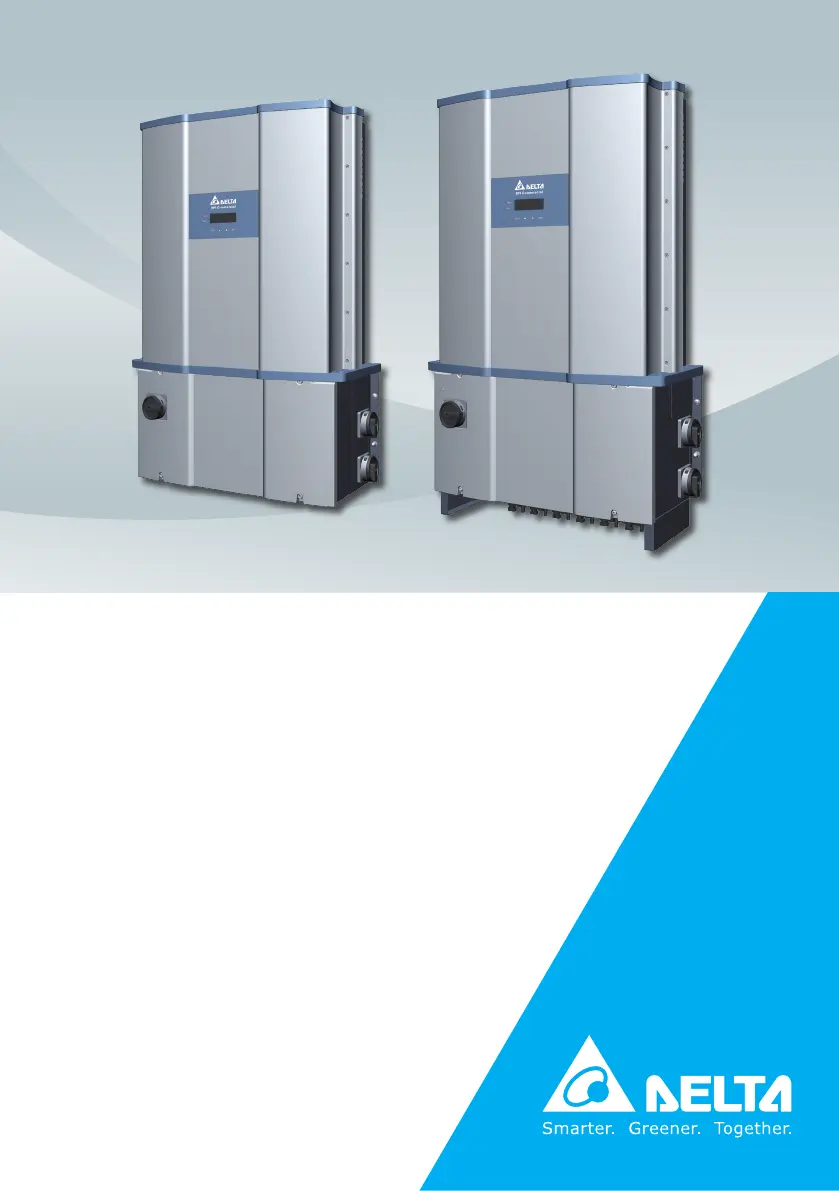
M80U
M60U
Operation and Installation Manual
Grid-tie Transformerless Solar Inverter
The power behind competitiveness
www.deltaww.com

Table of Contents

Questions and Answers

  • K
    Kathleen GonzalezAug 26, 2025
    How to fix AC Freq High (E01) error on my Delta M60U Inverter?
    • T
      Tracy MitchellAug 26, 2025
      If the Delta Inverter displays 'AC Freq High (E01)', it could be due to several reasons: 1. The actual utility frequency is over the OFR setting, so check the utility frequency. 2. The Grid code setting is incorrect, so check it. 3. In case the issue persists, there may be a detection circuit malfunction, and you should contact customer service for technical support.
  • J
    Johnny JohnsonAug 25, 2025
    Why does my Delta M60U show 'No Grid (E09)' error?
    • C
      Cassandra WebsterAug 26, 2025
      If your Delta Inverter is showing a 'No Grid (E09)' error, the possible causes are: 1. The AC breaker is OFF. In this case switch on the AC breaker. 2. There is a disconnection in the AC terminal. In this case check the connection in the AC terminal and ensure it connects to the inverter.
  • L
    lucasrobersonAug 25, 2025
    What should I do if my Delta Inverter displays AC Volt Low (E10, E15, E20)?
    • E
      Eric ParkAug 25, 2025
      If your Delta Inverter displays 'AC Volt Low' (E10, E15, E20), the issue might stem from a few potential causes. Initially, verify that the actual utility voltage is within the suitable range, as it may be under the UVR setting. Also, incorrect Grid code or Grid settings could be the cause, so check them. Another potential cause is wrong connections in the AC terminal, so check the AC terminal connections. If these steps don't resolve the issue, there might be a detection circuit malfunction, in which case you should contact customer service for technical support.
  • J
    jensenlaurenSep 4, 2025
    What does HW Red ADC2 (F19) error mean on my Delta Inverter?
    • J
      Jennifer LopezSep 4, 2025
      If your Delta Inverter displays 'HW Red ADC2 (F19)', potential causes include: 1. Insufficient input power, so check the input voltage, which must be >150Vdc. 2. Auxiliary power circuitry malfunction, so check the auxiliary circuitry inside the inverter. 3. A detection circuit malfunction, and you should contact customer service for technical support.
  • V
    Vanessa MartinezSep 7, 2025
    What does HW AC OCR (F45) error mean on my Delta M60U?
    • P
      Pam RodriguezSep 7, 2025
      If your Delta Inverter displays 'HW AC OCR (F45)', it could be due to: 1. Large Grid harmonics, so check the utility waveform. Grid connection of inverter needs to be far away from non-linear load if necessary. 2. Switching device is defective, so check all switching devices in inverter stage. 3. A detection circuit malfunction, so contact our customer service for technical support.
  • D
    David GilbertSep 7, 2025
    What does Bus Unbal. (F30) error mean on my Delta Inverter?
    • R
      Rachel FloresSep 7, 2025
      If your Delta Inverter displays 'Bus Unbal. (F30)', it may be caused by: 1. Not totally independent or parallel between inputs, so check the inputs connections. 2. PV Array short to Ground, so check the PV Array insulation. 3. Driver for boost is defective or disconnected, so contact customer service for technical support.
  • T
    Thomas LopezSep 6, 2025
    What does RLY Short (F28) error mean on my Delta Inverter?
    • E
      elizabethfletcherSep 7, 2025
      If your Delta Inverter displays 'RLY Short (F28)', the possible causes are: 1. One or more relays are sticking, so check the connection in AC terminal. 2. The driver circuit for the relay malfunction, so contact customer service for technical support.
  • M
    Mr. Christopher HarrisonSep 6, 2025
    What does RCMU Fail (F27) error indicate on my Delta Inverter?
    • D
      David WhiteSep 6, 2025
      If your Delta Inverter displays 'RCMU Fail (F27)', it could be due to: 1. RCMU is disconnected, so check the RCMU connection inside the inverter. 2. A detection circuit malfunction, and you should contact customer service for technical support.
  • K
    karen20Sep 6, 2025
    What causes HW Con. Fail (F26) error on my Delta M60U?
    • K
      kevinwrightSep 6, 2025
      If your Delta Inverter is showing 'HW Con. Fail (F26)', the problem might be: 1. Power line is disconnected inside the inverter, so check the power lines inside the inverter. 2. Current feedback circuit is defective and you should contact customer service for technical support.
  • K
    Karen JohnstonSep 5, 2025
    What does Ground Cur. (F24) error mean on my Delta Inverter?
    • M
      Melissa MoranSep 5, 2025
      If your Delta Inverter displays 'Ground Cur. (F24)', it might be because: 1. PV array insulation fault, so check the insulation of Solar inputs. 2. Large PV array capacitance between Plus to Ground or Minus to Ground, so check the capacitance (+ GND & - GND), must < 2.5uF. Install external transformer if necessary. 3. Either side of boost driver or boost choke malfunction, so contact customer service for technical support.

Summary

Safety

Information of the Inverter

Provides legal provisions and identifies the target audience for the manual.

General Safety

Covers essential safety practices, warnings, and symbols for safe operation.

Introduction

Valid Model

Lists the supported inverter model numbers for which this manual is applicable.

Product Overview

Details the inverter's components, models, and general features with diagrams.

Installation

Mechanical Installation

Guides on physical mounting of the inverter, including wall and tilt options.

Electrical Installation for AC Wiring

Covers AC wiring procedures, connections, and required devices for grid connection.

Electrical Installation for DC Wiring

Covers DC wiring procedures, connections, and grounding for PV array inputs.

Communication Module Connections

Explains how to connect communication modules and RS-485 interfaces.

Commissioning

First startup

Outlines the initial setup routine for language, grid code, and ID settings.

Main Menu Functions

Introduces the inverter's operational menu, including monitoring and settings.

Install Settings

Accesses critical configuration parameters like Inverter ID, Grid Code, and Grid Settings.

Maintenance

Removing and re-installing the Wiring Box (WB) cover

Provides procedures for accessing the inverter's internal components.

Component Replacement

Procedures for replacing SPD, fuses, and fans, ensuring system integrity.

De-Commissioning

Outlines the safe procedure for removing the inverter from operation.

Error message and Trouble Shooting

Error, Warning, and Fault Codes

Lists common error messages, their causes, and troubleshooting actions.

Calling for Help

Provides information required for contacting technical support efficiently.

Technical Information

M80 U Series Specifications

Lists detailed technical specifications for the M80U inverter models.

M60 U Series Specifications

Lists detailed technical specifications for the M60U inverter models.

APPENDIX: Grid Support Utility Interactive Inverters

Appendix A: Rule 21

Details CA Rule 21 settings for voltage and frequency ride-through.

Appendix B: HECO

Provides HECO specific settings for ride-through capabilities.

Appendix C: Assembly Note

Offers assembly guidance and screw torque specifications for various models.

Delta M60U Specifications

General IconGeneral
AC Voltage [V]400
Output Power60 kVA
Frequency50 / 60 Hz
CategoryInverter
Output Voltage400 V
Protection FeaturesOvervoltage protection

Related product manuals