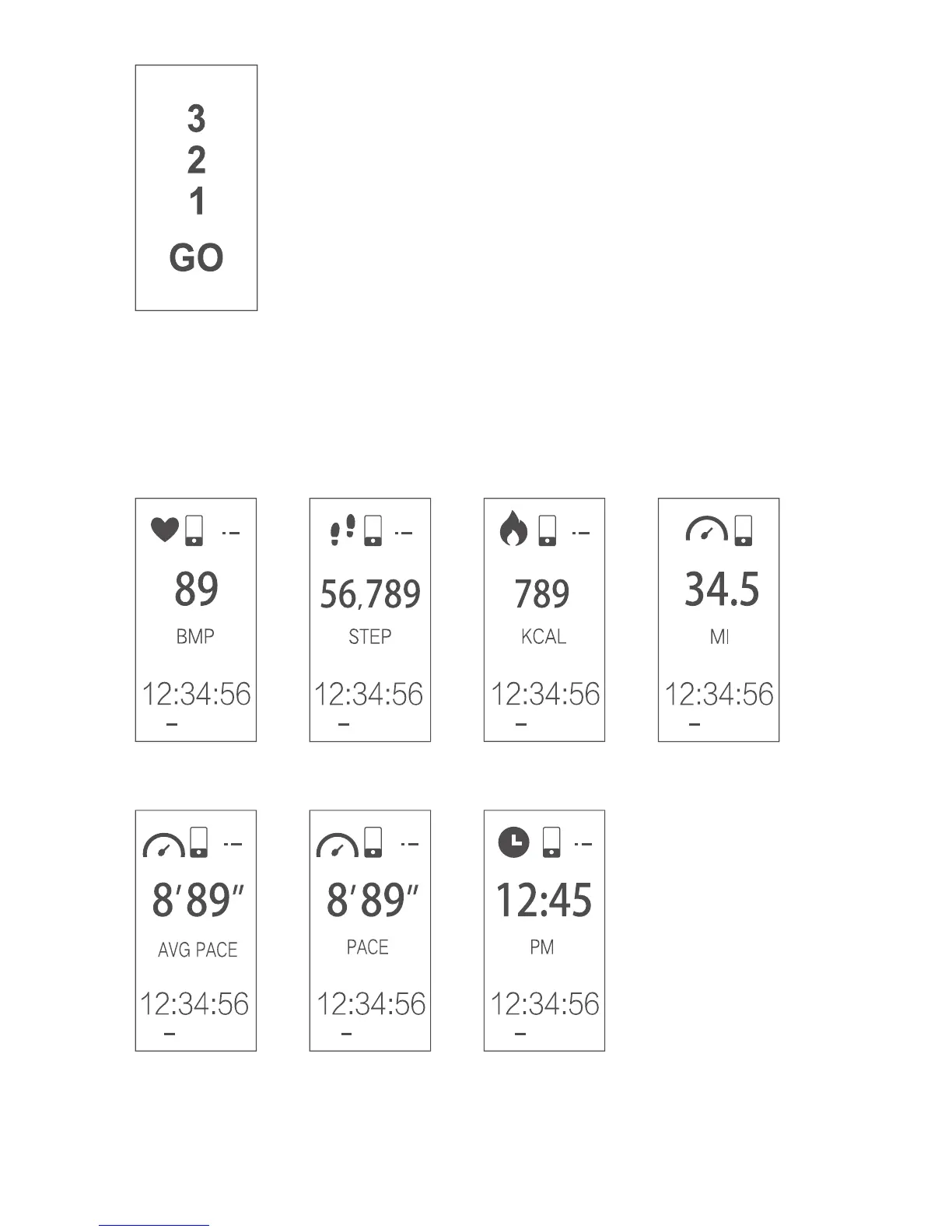
5.2 Starting a Sports Mode
To start a sports mode, scroll to the desired
sport on your fitness tracker (by tapping the
function button). When the desired sport is
selected, press and hold the function button. A
count of 3 and then ‘Go’ will appear to signify
that tracking for this activity has started.
Heart Rate Steps Calories Distance
Avg. Pace Pace Time
5.3 Sports Mode in Progress
Once sports mode has started you can review your progress
along with other information by tapping the function button.
08


 To Next Page