03
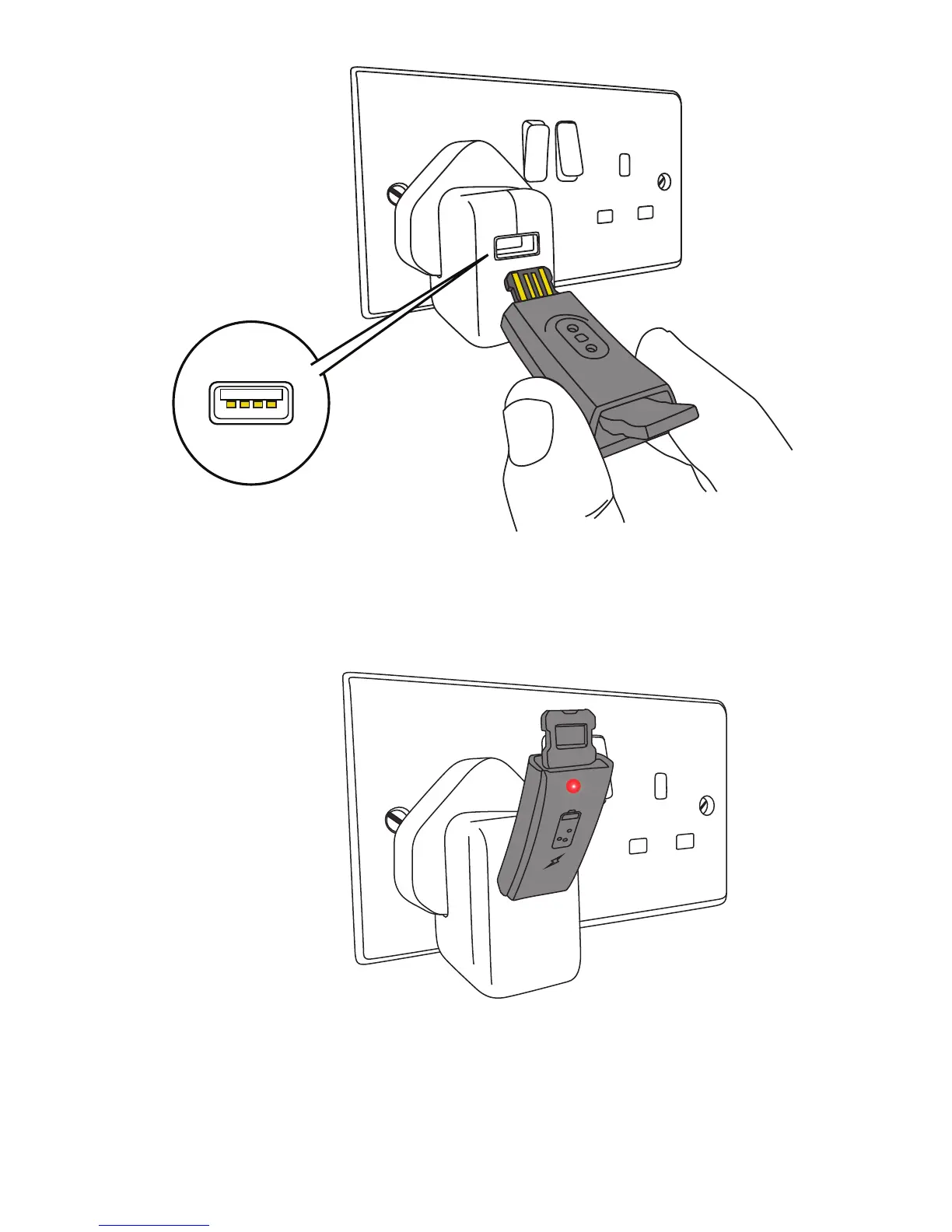
Plug in the body of your tracker directly into a USB socket,
ensuring that the 4 gold coloured charging strips on the
tracker are facing the 4 charging contacts inside the USB
socket (Fig. 2).
Once plugged into a USB socket, a red light will illuminate and
a charging icon will appear on screen to indicate that your
tracker is charging. If the red light does not illuminate, check
Fig. 2
Fig. 3


 To Next Page