44
Children’s Doctor Function
5
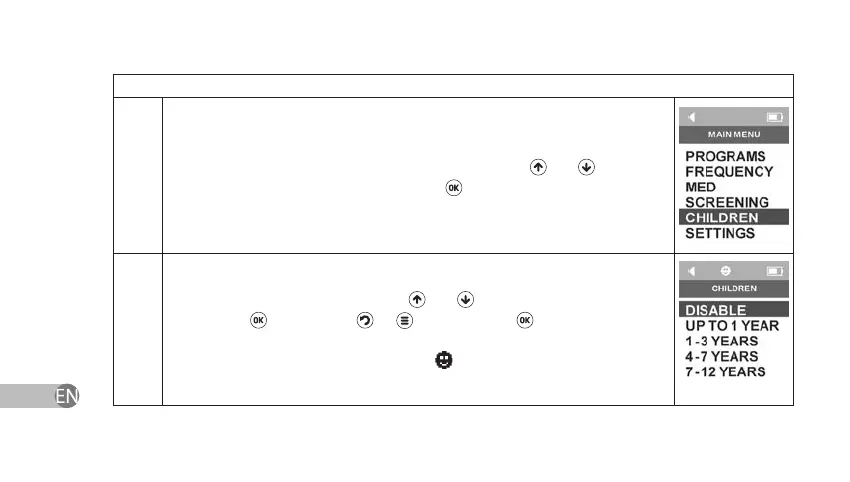
Select Children’s Doctor section in Main Menu by using
and navigation
keys and conrm your choice by pressing
.
5.1
The device has a function of limiting the intensity for sessions with the
children. Set the child’s age by using
and keys and conrm your choice
by pressing . If you press
or key instead of key or if you power
o the device, Children’s Doctor settings will return to earlier saved settings.
If Children’s Doctor function is enabled,
symbol will appear in the status
bar.


 To Next Page