58
6.7.1
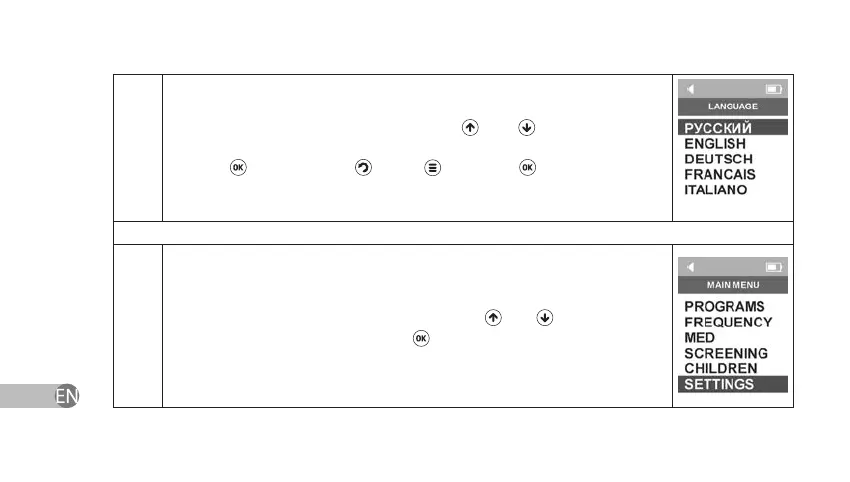
The user interface of the device is available in ve languages: Russian,
English, German, Italian, and French. Use and keys to select the
necessary language in Language Menu and conrm your choice by
pressing
key. If you press key or instead of
key or you turn o
the power, the language setting will return to the previously saved one.
Colour Menu
6
Select Settings section in Main Menu by using
and navigation keys
and conrm your choice by pressing
.


 To Next Page