61
7.1
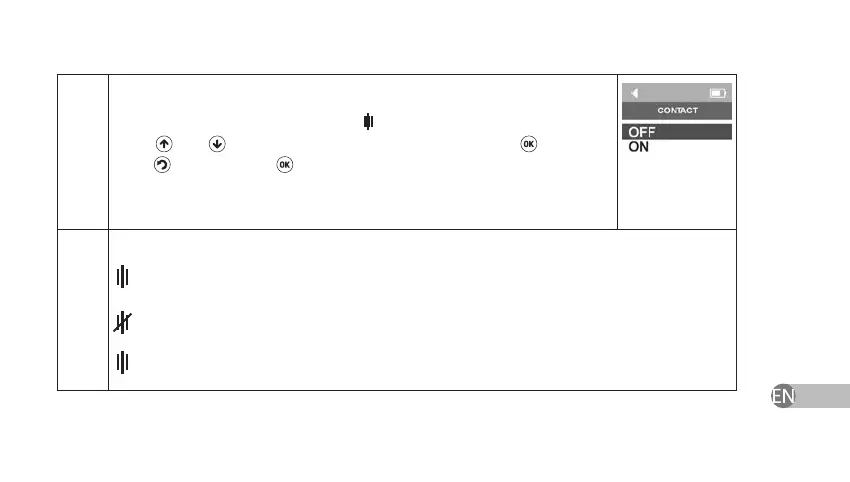
The device will show Contact Menu
. Enable or disable this function by
using and keys and conrm your choice by pressing key. If you
press
key instead of
key in order to close Therapy without Contact
Control Function its settings will not change.
Contact status indication:
indication is on without interruption – electrodes contact the skin, Therapy without
Contact Control Function is disabled;
electrodes do not contact the skin; it is recommended to slightly moisture the skin for
better contact or to enable Therapy without Contact Control Function;
indication ashes on and o – Therapy without Contact Control Function is enabled.


 To Next Page