EasyManua.ls Logo

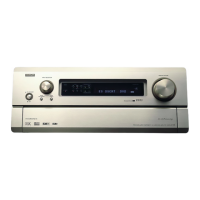
Denon AVP-A1HD - User Manual

Denon AVP-A1HD
128 pages
Print Icon
To Next Page IconTo Next Page
Loading...
AV SURROUND PRE-AMPLIFIER
AVP-A1HDCI
Owner’s Manual
GraphicalUserInterface
Use this manual in combination with the
operating guide displayed on the GUI screen.
GUI Menu Operation (vpage 24)
GUI Menu Map (vpage 25)
Language (vpage 44)
Remote Control Unit Operations (vpage 77)

Table of Contents

Other manuals for Denon AVP-A1HD

Questions and Answers

  • X
    xrichardsonSep 8, 2025
    Why does my Denon AVP-A1HD have no sound from the center speaker?
    • M
      melissamillsSep 8, 2025
      If no sound is produced from the center speaker, it may be because you are playing a monaural source (TV, AM radio broadcast, etc.) in the “STANDARD” (Dolby/ DTS Surround) or “HOME THX CINEMA” mode. Change the mode to something other than “STANDARD” (Dolby/ DTS Surround) or “HOME THX CINEMA.”
  • J
    Jillian AndradeAug 25, 2025
    What to do if my Denon Amplifier subwoofer is not producing sound?
    • T
      Tammy CollinsAug 25, 2025
      If your Denon Amplifier isn't producing sound from the subwoofer, first, ensure the subwoofer is powered on. Next, check the “Subwoofer” setting in “Speaker configuration” and make sure it is set to “Yes.” Verify that the subwoofer is properly connected. Finally, adjust the subwoofer's volume to an appropriate level, ensuring it is not turned off.
  • A
    Alejandro GutierrezAug 25, 2025
    Why is there no sound coming from my Denon Amplifier speakers?
    • E
      Elizabeth HowardAug 26, 2025
      If no sound comes from the speakers connected to your Denon Amplifier, first, check all the connections to ensure they are secure. Then, verify that the input source selected on the amplifier matches the device you are trying to play. Also, make sure that the master volume isn't set too low and that mute mode is off. Disconnect any headphones that may be plugged in. Finally, confirm that the correct input source is selected for digital input and that the input mode matches the connectors assigned to the digital inputs.
  • J
    Joseph PhillipsSep 18, 2025
    How to fix no sound from front height speaker on Denon AVP-A1HD?
    • C
      cwongSep 18, 2025
      If there's no sound from the front height speakers on your Denon Amplifier, check these settings: * In the “Amp Assign” settings, make sure the settings are configured to use front height speakers. * Ensure the front height speaker setting is not set to “None”. * Confirm that the “Extension Channel” setting is set to “Front Height”.
  • A
    Allen Robinson MDSep 9, 2025
    How do I fix a Denon AVP-A1HD that won't turn on?
    • C
      cadamsSep 9, 2025
      If the power does not turn on, or turns off directly after it was turned on, check that the power plugs are securely inserted into the amplifier's AC inlet and the wall power outlet.
  • L
    Lauren Roberts DVMSep 13, 2025
    Why is there no on-screen display on my Denon AVP-A1HD Amplifier?
    • S
      stephenschristopherSep 13, 2025
      If the on-screen display does not appear, the format of the GUI and TV (PAL or NTSC) may not match. Ensure that you match the format of the GUI and TV.
  • P
    Paul JenkinsSep 3, 2025
    What does “CHECK ANTENNA” mean on my Denon AVP-A1HD?
    • M
      Martin LevineSep 3, 2025
      If your Denon Amplifier displays “CHECK ANTENNA”, check that the amplifier's XM connector and the XM Mini-Tuner and Home Dock are properly connected.
  • S
    Seth AllenSep 4, 2025
    Why are there no test tones on my Denon AVP-A1HD?
    • S
      Sonia JamesSep 4, 2025
      If test tones are not produced when you press the TEST button on your Denon Amplifier's remote, ensure that the surround mode is set to “STANDARD” (Dolby/DTS Surround) or “HOME THX CINEMA” mode.
  • S
    simmonsnathanSep 23, 2025
    Why saved contents cannot be called using the Web Control function on Denon Amplifier?
    • M
      Mark ThompsonSep 23, 2025
      If you cannot call saved content using the Web Control function, it may be because contents saved before the upgrade cannot be called. After completing the upgrade, reconfigure the settings.
  • C
    Christopher BaileyAug 29, 2025
    Why can't I play Internet radio on my Denon AVP-A1HD?
    • S
      Shannon ThompsonAug 29, 2025
      If your Denon Amplifier is not playing Internet radio, verify that the Ethernet cable is properly connected and that your network is connected. Note that only Internet radio programs in MP3 and WMA formats can be played. Check your computer’s or router’s firewall settings to ensure they are not blocking the connection. Also, the radio station might not be currently broadcasting, so try another station. Finally, check the amplifier's IP address to ensure it is correct.

Denon AVP-A1HD Specifications

General IconGeneral
Receiver typeSurround
Input sensitivity200 mV
Audio output channels7.1 channels
Signal-to-Noise Ratio (SNR)102 dB
Total Harmonic Distortion (THD)0.005 %
Power output per channel (1KHz@6 Ohm)170 W
Power output per channel (20-20KHz@8 Ohm)- W
RS-232 ports2
Connectivity technologyWired
Speakers connectivity typeXLR
Multichannel pre out connectivityRCA
Ethernet LANYes
Supported radio bands-
Optical drive includedNo
HDMI version1.3a
Product colorSilver
Audio decodersDolby Surround, DTS-HD
USB 2.0 ports quantityUSB 2.0 ports have a data transmission speed of 480 Mbps, and are backwards compatible with USB 1.1 ports. You can connect all kinds of peripheral devices to them.
Apple docking compatibilityNot supported
HDMI in6
Audio (L/R) in10
Composite video in8
Digital audio optical in5
Ethernet LAN (RJ-45) ports1
AC input voltage230 V
AC input frequency50 Hz
Power consumption (standby)0.3 W
Power consumption (typical)150 W
Composite video out3
Audio formats supportedAAC, FLAC, MP3, WAV, WMA
Image formats supportedJPG
Weight and Dimensions IconWeight and Dimensions
Depth214 mm
Width434 mm
Height485 mm
Weight27500 g

Related product manuals