ENGLISH
15
ENGLISH
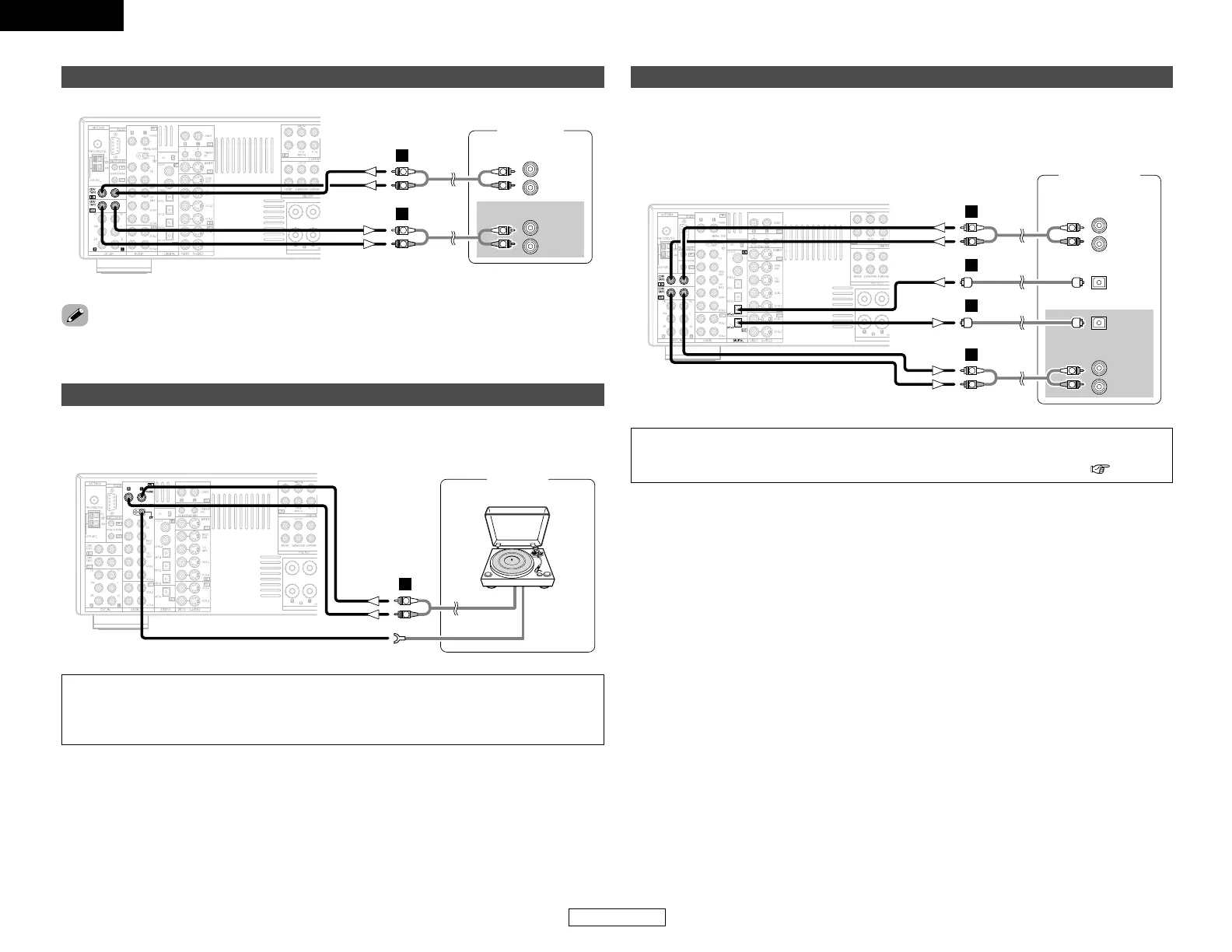
Connecting Other Sources Connecting Other Sources
Connecting a tape deck
R
L
AUDIO OUT
R
L
AUDIO IN
Tape deck
R
L
R
L
A
R
L
R
L
A
• If humming noise is generated, move the tape deck further away from the source of such noise.
Connecting a turntable
AUDIO OUT
GND
Turntable
(MM cartridge)
R
L
A
If humming or other noise is generated when the ground wire is connected, disconnect the ground
wire.
NOTE:
• The phono input can accept signals from moving magnet (MM) and high output moving coil
(MC) phono cartridges. If your turntable is equipped with a low output MC cartridge, you will
need to use a separate MC head amplifier or step-up MC transformer.
Connecting a CD recorder or MD recorder
R
L
AUDIO IN
R
L
AUDIO OUT
CD recorder /
MD recorder
OPTICAL
OUT
OPTICAL
IN
R
L
R
L
A
R
L
R
L
A
D
D
If you wish to perform analog dubbing from a digital source, such as a CD or MD recorder to an
analog recorder such as a tape deck, you will need to connect the analog inputs and outputs as
shown below, in addition to the digital audio connections.
NOTE:
• Do not connect the output of the component connected to the OPTICAL 3 OUT terminal on
the AVR-2106’s rear panel to any terminal other than the OPTICAL 3 IN terminal ( page 42).


 To Next Page
 Loading...