EasyManua.ls Logo

Denon AVR-X2100W - Connecting an FM;AM Antenna

Denon AVR-X2100W
262 pages
Print Icon
To Next Page IconTo Next Page
To Previous Page IconTo Previous Page
Loading...
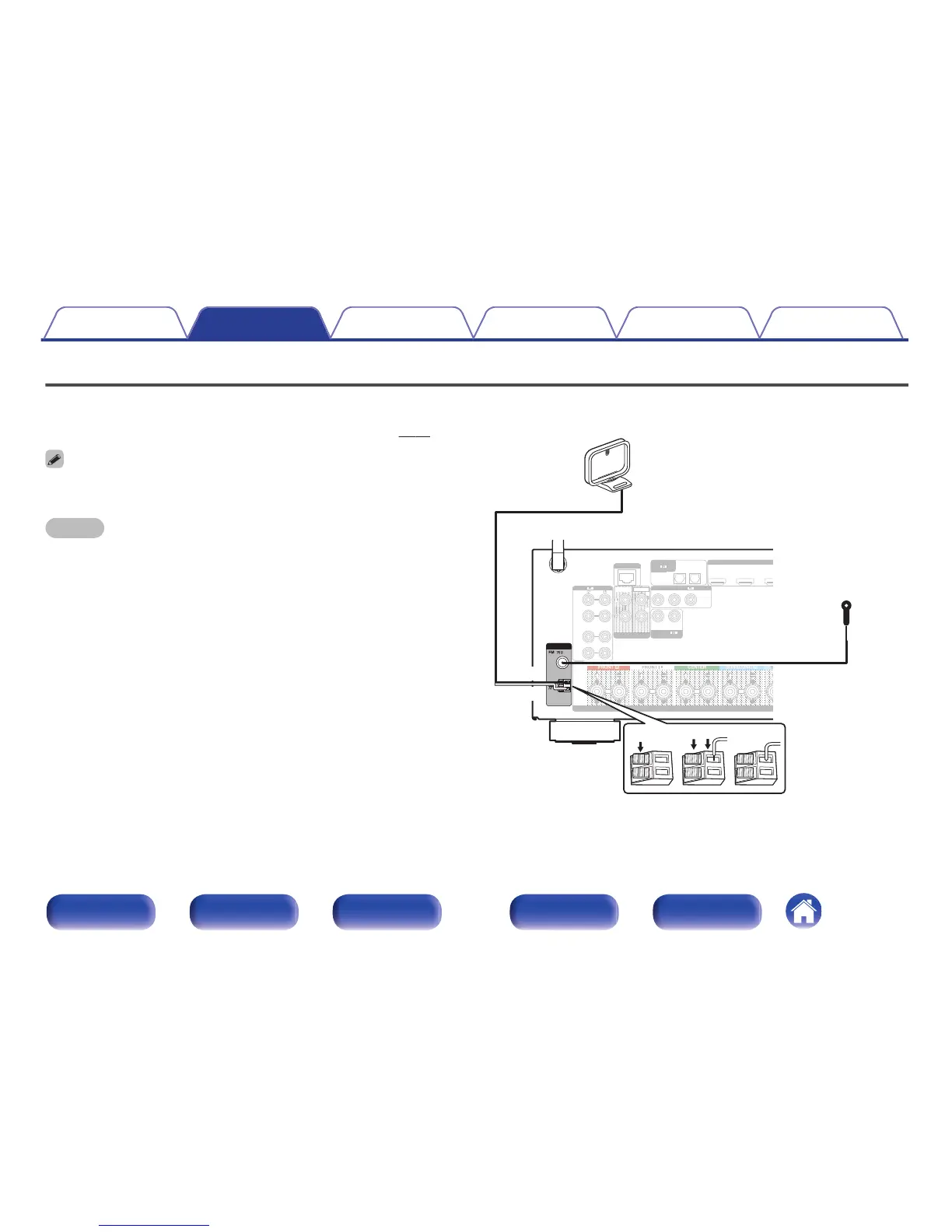
Connecting an FM/AM antenna
Connect the antenna, tune in to a broadcast and then move the antenna to
the location where there is least noise. Then use tape, etc. to fix the
antenna in this location. (
“Listening to FM/AM broadcasts” (v
p. 70))
If you are unable to receive a good broadcast signal, we recommend installing an
outdoor antenna. For details, inquire at the retail store where you purchased the unit.
NOTE
0
Do not connect two FM antennas simultaneously.
0
Make sure the AM loop antenna lead terminals do not touch metal parts of the
panel.
.

SPEAKERS
1
CBL/
SAT
2
DVD
1
CBL/SAT
2
DVD
NETWORK
(ASSIGNABLE)
VIDEO
ZONE2
2
1
PRE OUT
SUBWOOFER
CBL/
SAT
OPTICAL
12
CBL/
SAT
(ASSIGNABLE)
DIGITAL AUDIO
TV
AUDIO
3
Blu-ray
4
CD
2
DVD
(ASSIGNABLE)
AUDIO
1
CBL/
SAT
(ASSIGNABLE)
COMPONENT VIDEO
YPB/CB PR/CR
ANTENNA
AM
wq e
Black
White
AM loop antenna
(supplied)
FM indoor antenna
(supplied)
Contents Connections Playback Settings Tips Appendix
48
Front panel Display Rear panel Remote Index

Table of Contents

Other manuals for Denon AVR-X2100W

Related product manuals