1.2. Unzip Download File
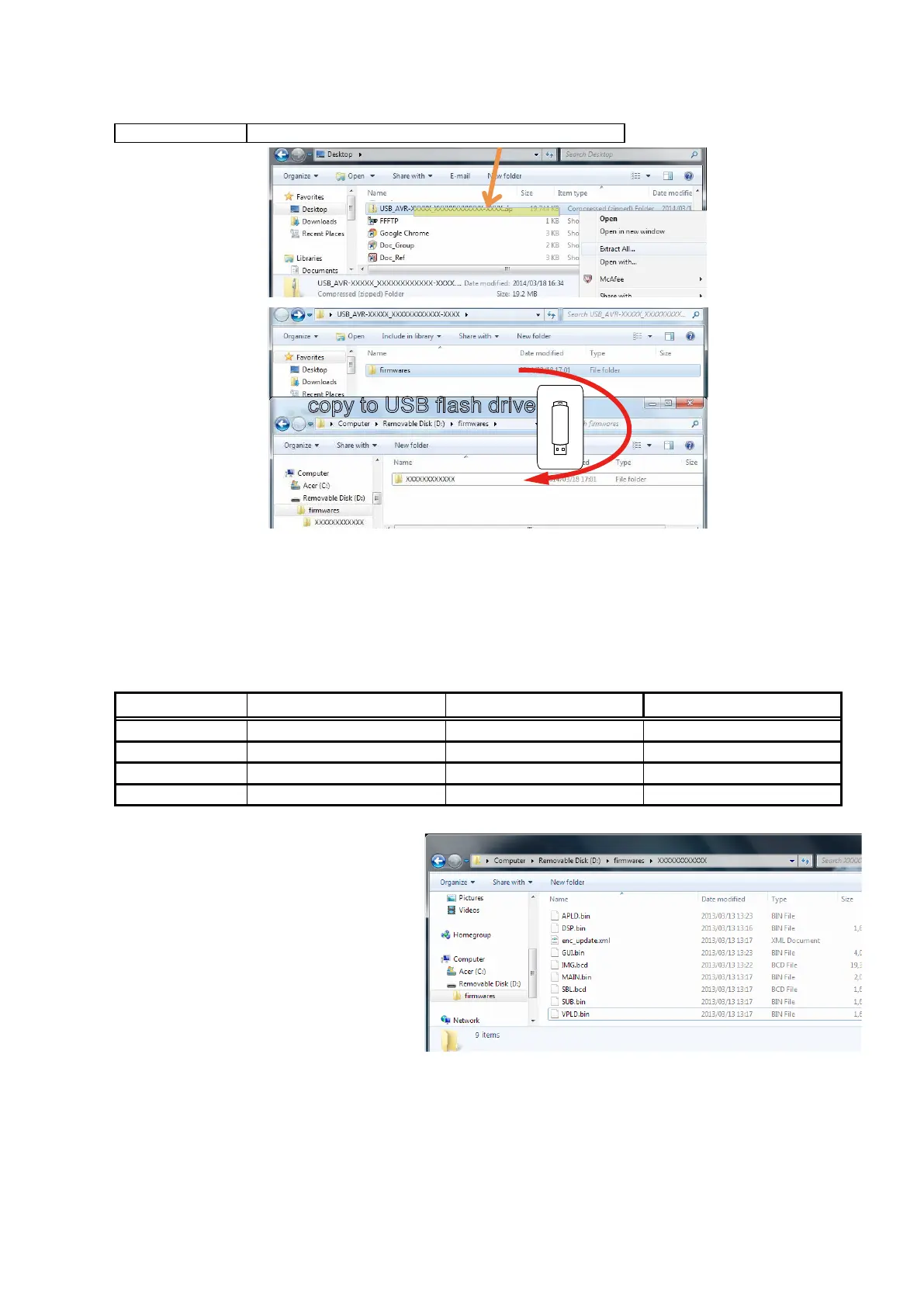
Unzip the downloaded le on your computer.
AVR-XXXXXXX USB_AVR-XXXXXXX_XXXXXXXXXXXX-XXXX.zip
You can nd "rmwares" folder after unzipped.
Copy that folder to USB ash drive.
You have to put "rmwares" folder on root directly on USB ash drive(memory).
1.3. File structure on USB Memory
Copy the update les to the USB memory with the following structure:
USB memory root
Model Name Model Area Product ID(AVR-X7200W) Product ID(AVR-X7200WA)
d
AVR-X7200W_A_E3
NorthAmerica(E3) 000100720100 0001008720100
AVR-X7200W_A_E2
Europe(E2) 000100720200 000100870200
AVR-X7200W_A_JP
Japan(JP) 000100720400 000100870400
AVR-X7200W_A_E1C
China(E1C) 000100720500 000100870500
+ rmwares
+ 000100XXXXXX
+ APLD.bin
+ DSP1.bin
+ DSP2.bin
+ DSP3.bin
+ DSP4.bin
+ enc_update.xml
+ GUI.bin
+ IMG.bcd
+ MAIN.bin
+ SBL.bcd
+ SUB.bin
+ VPLD.bin
copy to USB flash drive
81

 To Next Page
 Loading...