9
5
Enjoying music using PC or Mac
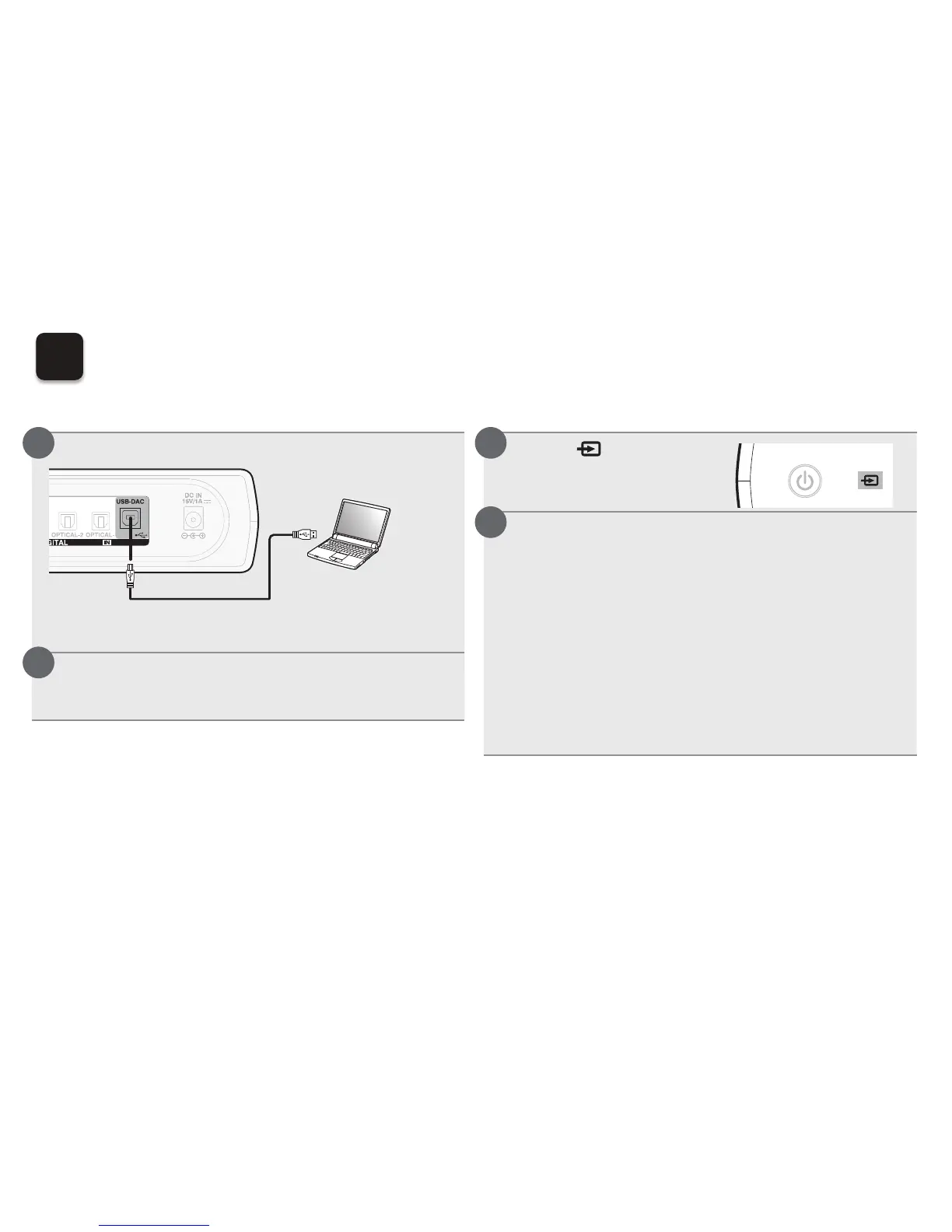
n Connect to PC or Mac
Connect to PC or Mac.
Computer in which the driver and
player software is installed
USB 2.0 cable
(sold separately)
Type B
Type A
Press X on this unit.
tWhen the unit power is turned on, the computer automatically
finds and connects to the unit.
n Listen to PC or Mac Audio
Touch to change the
input source to “USB-
DAC”.
Checking the installed driver.
(Windows OS only)
qClick the “Start” button and click “Control Panel” on the
PC.
tThe control panel setting list is displayed.
wClick the “Sound” icon.
tThe sound menu window is displayed.
eCheck that there is a checkmark next to “Default Device”
under in “Digital Audio Interface” of the “Playback” tab.
tWhen there is a checkmark for a different device, click
“Denon USB Audio” and “Set Default”.
1
2
1
2



 To Next Page