16
2. UPDATE FIRMWARE
(1) Connect the update terminal of AV receiver with the “Writing Kit”.
(2) Set the switch of “Writing Kit" (Refer to the table below).
DSPBOOT CE EPM CNVSS
H H H H
(3) Press the "ON/STANDBY" button to turn the power on of AV receiver.
(4) Set the switch of “Writing Kit" (Refer to the table below).
DSPBOOT CE EPM CNVSS
H H L H
(5) Press the "RESET" switch of “Writing Kit".
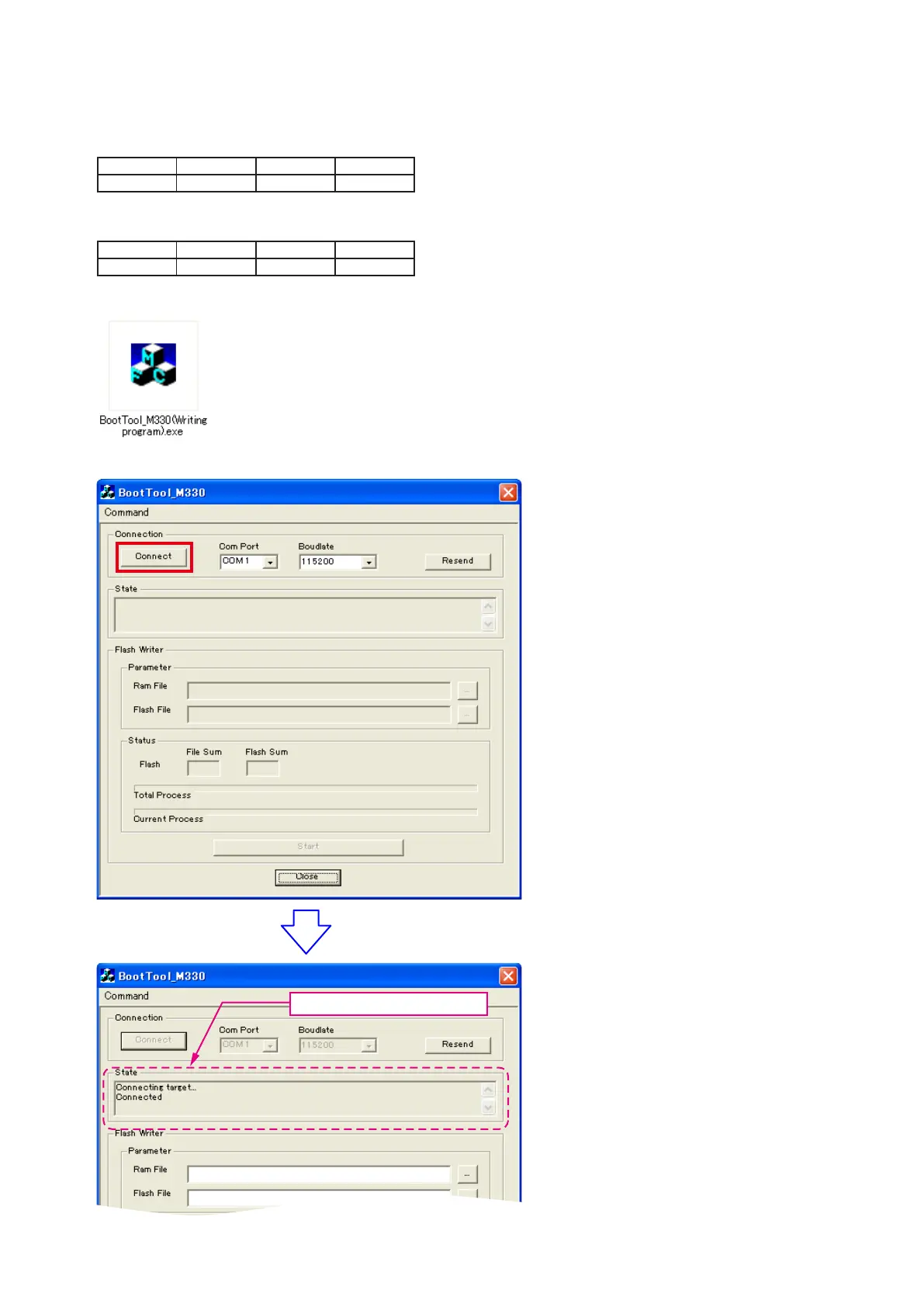
(6) Run the “BootTool_M330(Writing program).exe” on desktop of PC.
(7)-1 Click the “Connect” button.
"Connected" is displayed, it is OK.



 To Next Page