10
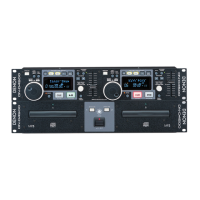
DN-D4500
µCOM UPDATE
With the DN-D4500, the system µcom and DSP can be updated from a disc.
1. Creating the update disc
Use the procedure described below to create the disc for updating the system microprocessor and DSP.
(1) Store the update file on a CD-R or CD-RW disc in ISO9660 Mode 1 format, then finalize the disc.
・Write the distributed update files using the "DISC AT ONCE" CD writing software and finalize.
・Do not record any other software or data on the disc containing the update software.
・Do not change the file names - use the file names as distributed.
2. Updating the system µcom and DSP
(1) Turn on the power and load the disc created in 1. above.
When the update disc is detected, "Version Up" is displayed. And "xxxx → yyyyy" and "Push Play!" are displayed by turns.
xxxx : Old Version No., yyyy : New Version No.
(2) Press the PLAY/PAUSE button. "NowLoading" is displayed and the updating procedure starts.
As updating proceeds, the playback position indicator lights in order from left to right.
NOTE: In some extremely rare cases, the updating procedure is not completed. If the updating procedure has not finished after
three minutes, there could be a problem. Turn off the power and repeat the operation from step 2. (1).
Depending on the problem that occurred, it may happen that no other operations can be performed. If this happens, GU-
3674 IC302 must be replaced. Software must be pre-recorded on the IC302. (When ordering the IC302, order the more
recent system microprocessor version number (GEN 6951).)
(3) When updating is completed, "Complete!" is displayed and the disc tray is opened.
Error Indication
TR MIN SEC FRAM CHARACTER
displays the track No. in
which error occurred.
Displays the time at which error occurred.
H ****Operation count
E ****Error code
マイコンアップデート
DN-D4500 は、ディスクから、システムマイコン、DSP のアップデートを行うことができます。
1.アップデートディスクの作成
システムマイコン、DSP のアップデート用ディスクディスクを下記に従い作成する。
(1) アップデート用のファイルを、CD-R、又は CD-RW ディスクに ISO9660,MODE1 のフォーマットで記録し、ファイナライズする。
・配布されたアップデートファイルを、CD ライティングソフトで DISCATONCE で書き込みしファイナライズする。
・アップデート用ソフト以外のソフトやデータを同一ディスク内に記録しないこと。
・ファイル名は、配布されたときのファイル名をそのまま使用すること。
2.システムマイコン、DSP のアップデート
(1) 電源を投入し、1. で作成したディスクをローディングします
アップデート用ディスクが検出されると、"VersionUp" と表示し、"xxxx → yyyy"、"PushPlay!" の交互表示になります。
xxxx:旧バージョン No. yyyy:新バージョン No.
(2) PLAY/PAUSE ボタンを押すと、"NowLoading" を表示しアップデートを開始します。
アップデートの進行に合わせ、再生位置表示が左から右へ順に点灯します。
注意 ) 大変希ではありますが、アップデート中に、アップデート未終了の異常状態が発生することがあります。アップデートを開始し3
分を経過しても終了しない場合も、異常が発生したと考えられますので、電源を切って、再度、2.(1) から同一の操作
を行って下さい。
発生した異常状況により、以後の全ての動作が出来なくなることがあります。その場合、GU-3674IC302 の交換が必
要になります。IC302 は、予め、ソフトウエアを書き込みする必要があります。(IC302 を発注の際は、最新のシステム
マイコンバージョン No(GEN6951) で発注願います。)
(3) アップデートが終了すると、"Complete!" を表示しディスクトレイがオープンされます。
エラー表示
トラック 分 秒 フレーム キャラクター
エラーが発生したトラック番号 エラーが発生した時間 (A タイム ) H ****動作回数
E ****エラーコード


 To Next Page