3
DN-D4500
DISASSEMBLY
(Follow the procedure below in reverse order when reassembling.)
Main Unit
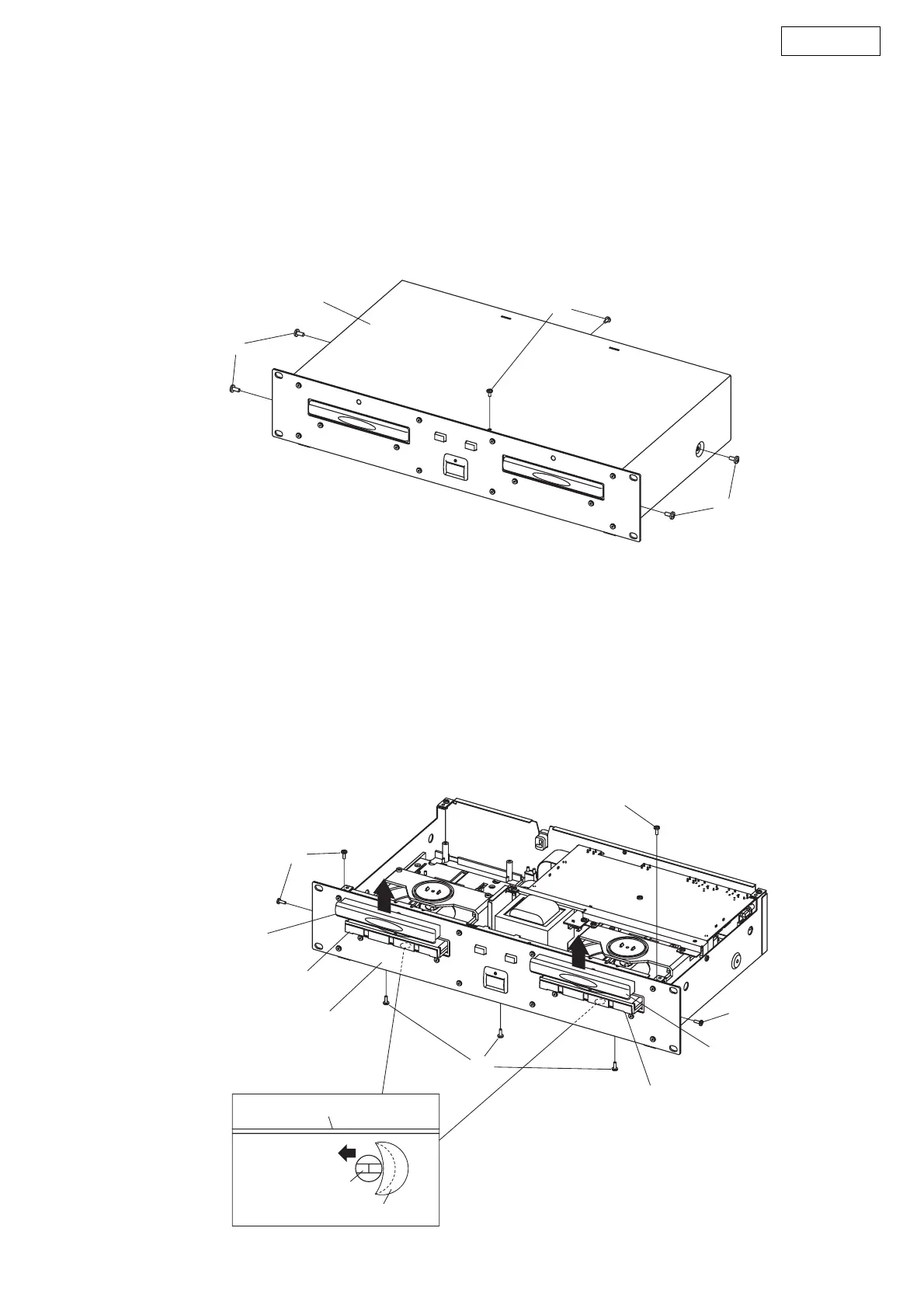
1. Top cover
(1) Remove 4 screws 60 and 2 screws 54.
(2) Pull up Top cover.
2. Front panel unit
(1) Detach 2 Blind labels on the bottom chassis.
(2) Move CD mecha rack in the arrow direction through the label detached chassis opening.
Loader Frame comes out.
(3) Pull up Loader panel while pulling it towards front.
(4) Remove 2 upper screws 54 and 3 lower screws 54, and 2 screws 54 on both sides.
(5) Detach Front Panel.
Top cover
60
54
60
Front panel unit
54
54
54
54
Front panel
Blind label
Loader panel
Loader frame
Loader panel
Loader frame
CD mecha rack


 To Next Page