12
Description of PC Commands (continued)
9. SW on/off IR remote control setting command ( RCC ) ---- Valid when the power is on
<Format> [PC,RCC,ON or OFF]<CR>
<Reply> [PC,RCC,Error code] (For the error codes, refer to the list of error codes on page 6.)
<Details> ・Sets whether to enable or disable the infrared remote control keys.
・When RCC is set to OFF, “IR REMOTE LOCK” lights on the front panel.
・When RCC is set to OFF, operation of all of the keys on the remote control is disabled.
Example: To set RCC to OFF
[PC,RCC,OFF]<CR> →
The command for setting RCC to OFF is sent from the controller.
[PC,RCC,0] ←
Error code 0 (no error) is returned from the DN-V310 and the setting is made.
10.
HDMI Resolution setting command ( SetREZ ) ---- Valid when the power is on
<Format> [PC,SetREZ,HDMI Resolution Code]
<Reply> [PC,SetREZ,Error code]
<Details> ・Send HDMI Resolution code of following the list.
・Select whether HDMI output is ON/OFF, and the resolution.
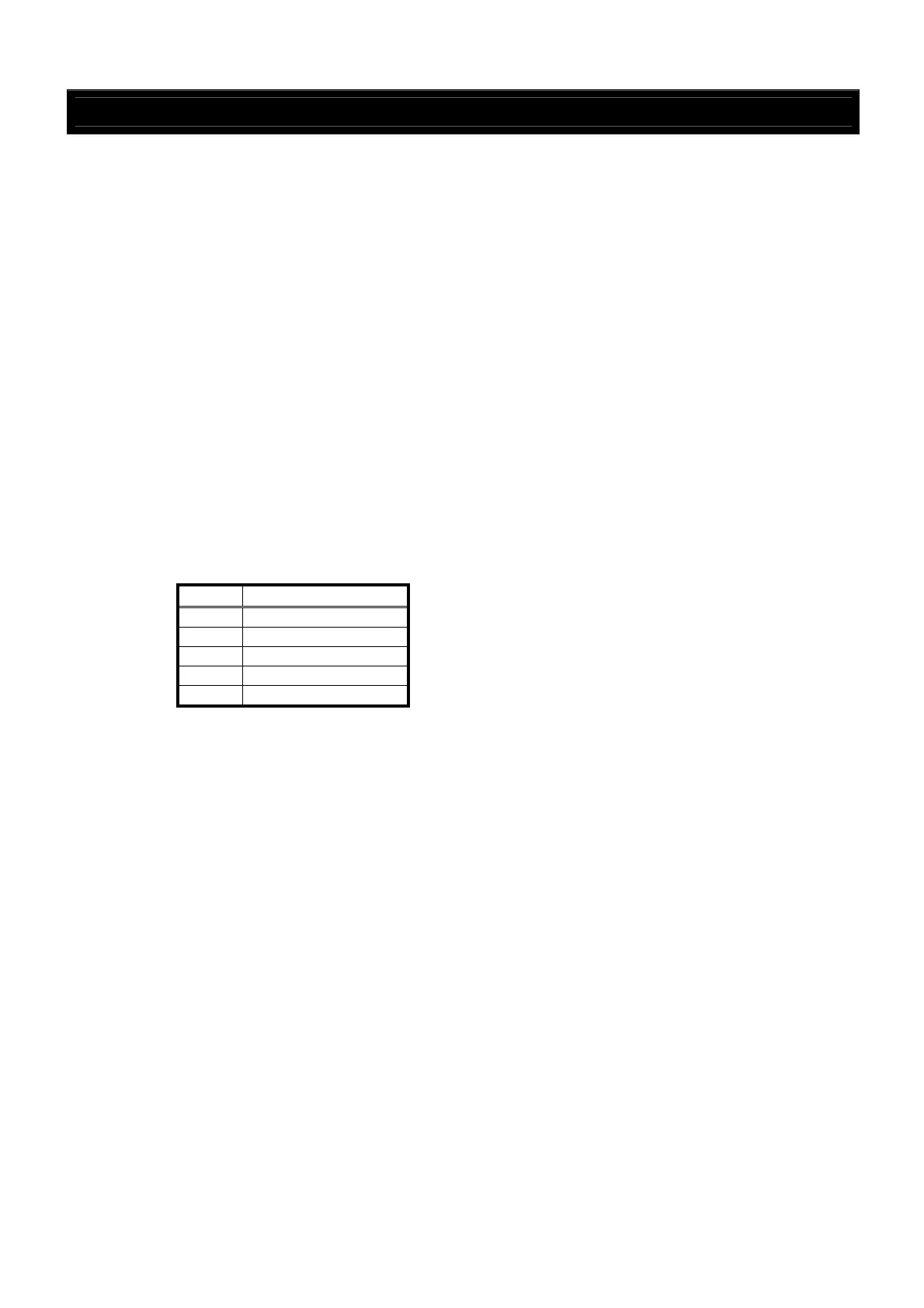
List of HDMI Resolution codes
Code
HDMI Resolution
0 OFF
1 480P
2 720P
3 1080i
4 AUTO



 To Next Page