19
Appendix 1 PR Group Commands and Changes of Status
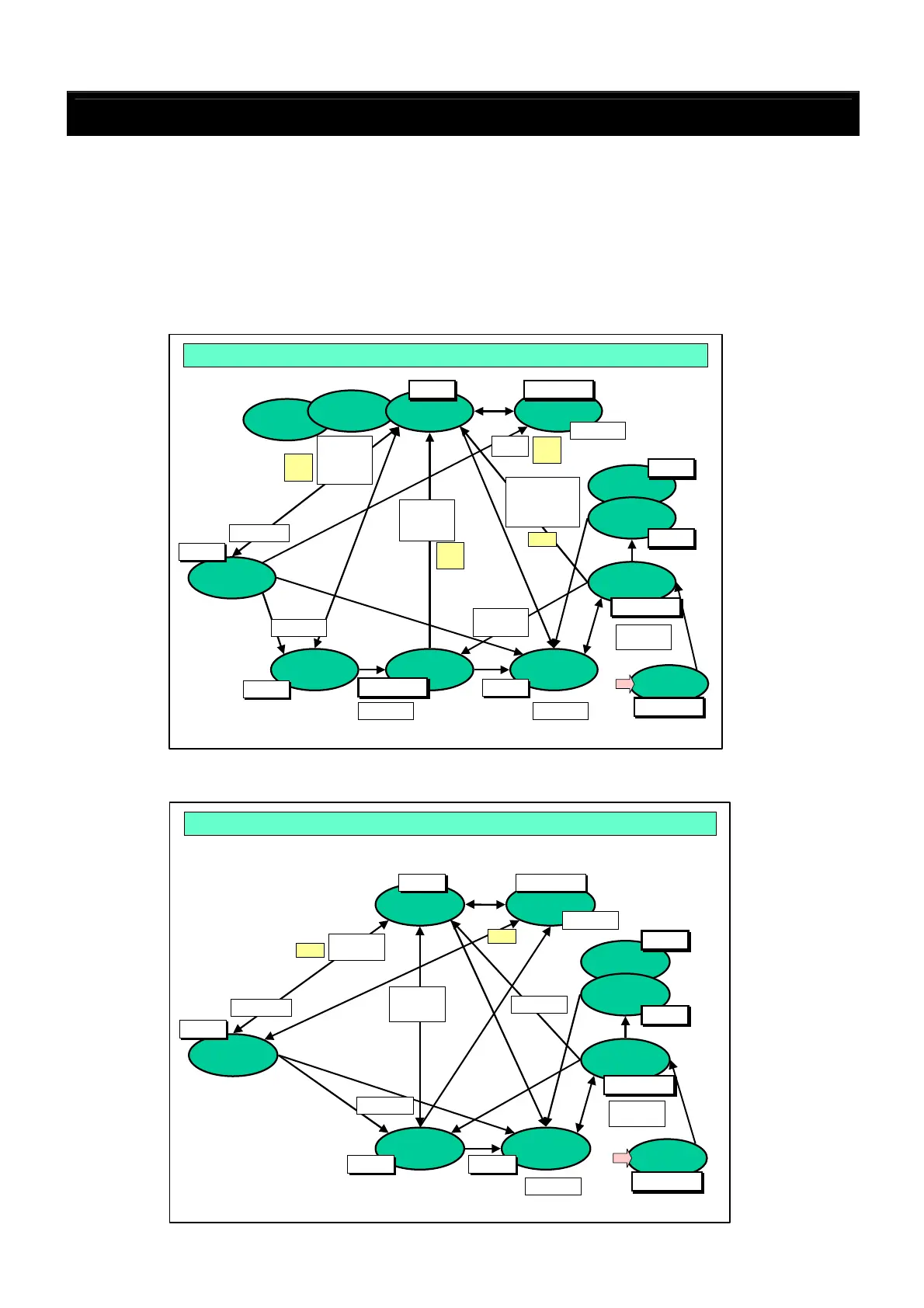
With the DN-V310, the changes of status (or mode) differ for different types of discs. The diagrams below
show the relationship between the changes of status and the commands for the different types of discs.
【Viewing the diagrams】
Example 1: When the DVD is in the stop mode and the [PC,PlayC] command is
received setting the play mode, the status code changes to 4, and
[PR,StatusChange] and [PR,SOC] are issued.
Example 2: When the mode switches from play to pause, the status code changes to 5,
and [PR,StatusChange,5] is issued.
■ Status change diagram for when a DVD is loaded
■ Status change diagram for when a CD is loaded
No Disc
Loading
STOP
PAUSE
/STILL
DiscErr
SKIP
OPEN
/CLOSE
PLAY
Status4
Status4
No Change
No Change
Status5
Status5
Status3
Status3
Status1
Status1
Status2
Status2
Status0
Status0
No Change
No Change
Mode Change & PR command 〔
〔〔
〔CD〕
〕〕
〕
PlayT
RC Play
AutoPlay
RC Close
RC PLAY
RC STOP
RC OPEN
RC Pause
RC Skip
PlayT
RC Play
RC 10key
Power
OFF/ON
No Change
No Change
EOT
EOT
No Disc
Loading
STOPResume
MENU
PLAY
PAUSE
/STILL
Others
PLAY
DiscErr
SKIP
OPEN
/CLOSE
PLAY
RC Skip
RC Pause
RC STOP
RC STOP RC OPEN
Status4
Status4
No Change
No Change
Status5
Status5
Status3
Status3
Status1
Status1
Status2
Status2
Status0
Status0
No Change
No Change
Mode Change & PR command 〔
〔〔
〔DVD〕
〕〕
〕
PlayC
PlayT
Time
RC Play
RC 10key
PlayC
PlayT
Time
RC Play
No Change
No Change
RC Close
RC PLAY
AutoPlayON
→
→→
→ Main
AutoPlayOFF
→
→→
→Menu
Skip
→
→→
→Play
Disc with
no menu
Power
OFF/ON
No Change
No Change
SOC
EOC
EOT
SOC
SOC
EOC
EOT
SOC
EOC
EOT



 To Next Page