25
Appendix 4 Hyper Terminal Settings
When using a personal computer as the control device, serial communications are possible using Hyper
Terminal included as a standard with Windows95™ and later.
When using Hyper Terminal (※), make the settings described below.
1. Connecting the personal computer and DN-V310
・ When connecting the personal computer, use a male-female serial straight cable.
・ To prevent malfunction, make sure the power of both the DN-V310 and personal computer are off
when connecting the serial straight cable to the serial terminals.
2. Launching Hyper Terminal
・ From the Windows “Start” menu, select “Programs” → “Accessories” → “Communications” →
“Hyper Terminal”, then double-click the “Hypertrm.exe” icon displayed on the window that appears.
3. Connections settings
・ A “Connection Description” dialog box appears. Input any name (the project name, etc.) in the
“Name” text box, then select the desired icon and click “OK”.
4. Port selection
・ At the dialog box that appears next, select “COM1” from the “Connect using” pull-down menu, then
click “OK”.
5. Port settings
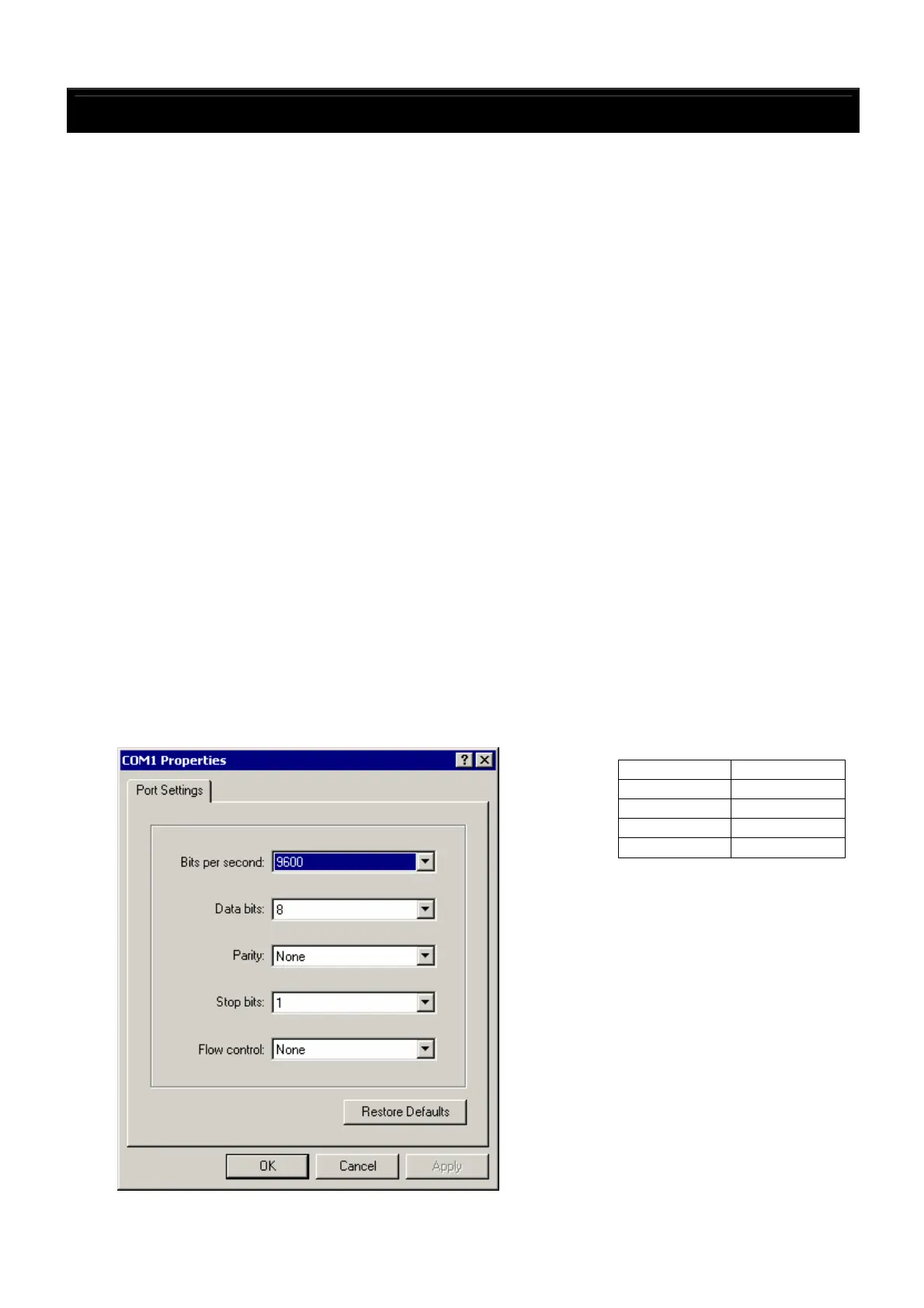
・ Set the items on the “COM1 Properties” window that appears next as shown on the diagram below,
then click “OK”.
※Hyper Terminal is a registered trademark of Hilgraeve Inc.
Baud rate 9,600 bps
Data length 8 bits
Parity None
Stop bits 1 bit
Flow control None



 To Next Page