26
Appendix 4 Hyper Terminal Settings (continued)
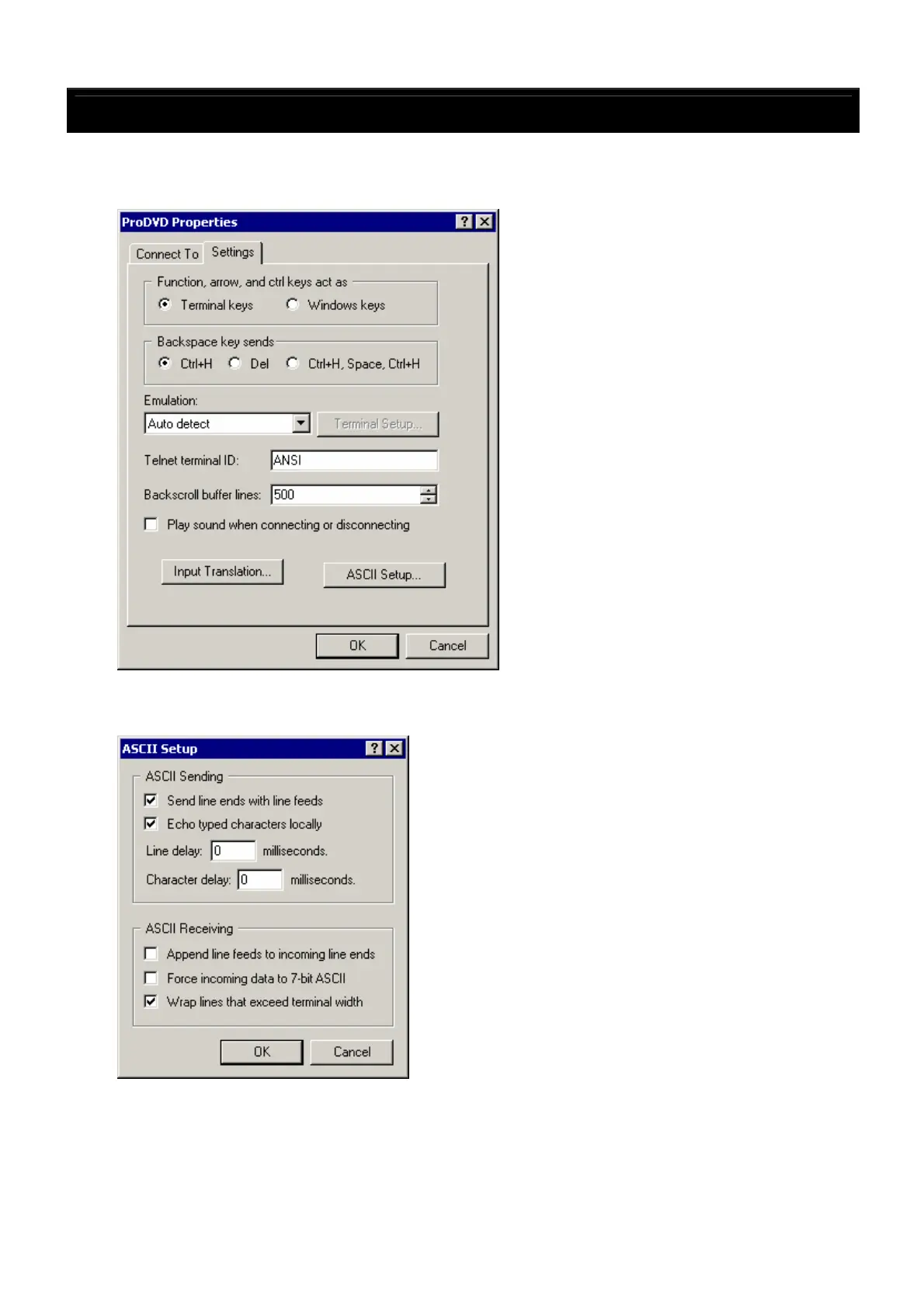
6. Property settings
・ From the Hyper Terminal “File” menu, select “Properties”.
・ Set the items on the window that appears next as shown on the diagram below.
7. ASCII settings
・ Click “ASCII setup”, set the values on the window that appears as shown on the diagram below,
then click “OK”. The window in 6 above reappears. Click “OK”.
This completes the Hyper Terminal settings.
8. Checking the connection
・ When the DN-V310’s tray opens, [PR,StatusChange,1] should appear on the Hyper Terminal
window.
・ When a CD-DA disc is loaded and [PC,PlayT,1] is sent, Track 1 should be played.
If the above operations work, this indicates that two-way communications are being performed normally.



 To Previous Page