23
Appendix 2
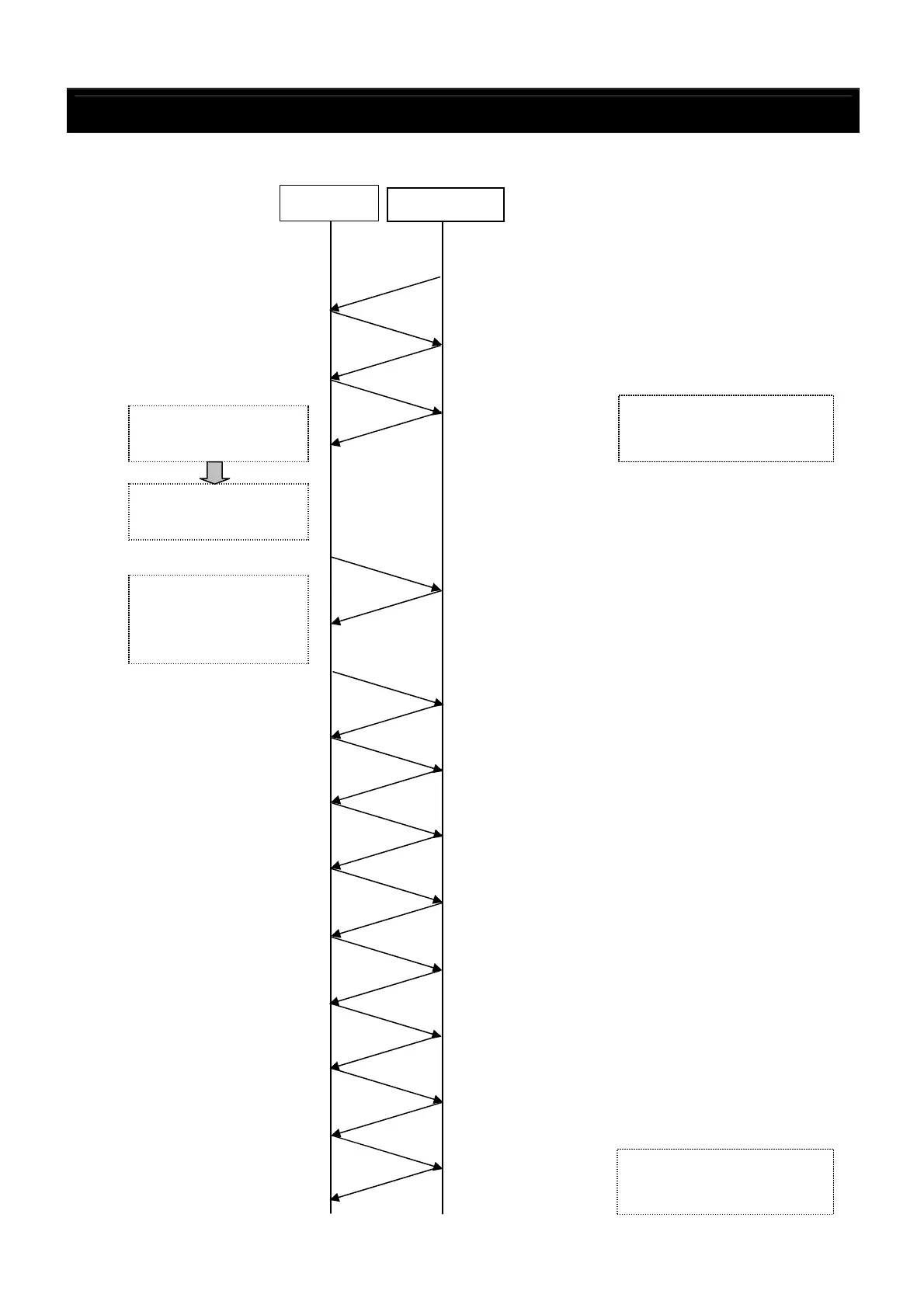
Example of JPEG Pause Playback using the PC RC Commands (continued)
2. Using the SKIP key code
Controller
DN-V310
Power ON
↓
[PR.StatusChange,0,4]
(auto playback when power is turned on)
[PC.RC,0] (No Error)
[PC.RC,0] (No Error)
With this, the track 1
picture is displayed as a
[PS,GetT]
(Track request)
[PS.GetT,1] (Track No. 1)
① Current track no.
acquired.
The screen switches to
track 5, which is displayed
To switch to the track
5 picture next
②
Calculate number of
tracks to be skipped:
Destination track -
[PC.RC,0] (No Error)
[PC.RC,0] (No Error)
[PC.RC,0] (No Error)
[PC.RC,0] (No Error)
[PC.RC,0] (No Error)
[PC.RC,0] (No Error)
[PC.RC,0] (No Error)
[PC.RC,0] (No Error)



 To Next Page