EasyManua.ls Logo

Denon DP-200USB - Service Manual

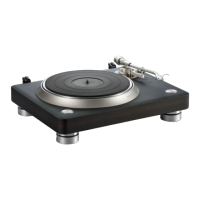
Denon DP-200USB
38 pages
Print Icon
To Next Page IconTo Next Page
Loading...
Deze download wordt u aangeboden door Pick-upnaalden.nl
Fazantendreef 17-19
8251 JR Dronten
T: 0321 769022
E: info@pick-upnaalden.nl
W: www.pickupnaalden.com
W: www.pickupnaald.com
Facebook: www.facebook.com/pickupnaalden
Twitter: twitter.com/Pickupnaalden
Google+ : plus.google.com/114738445546162436900

Other manuals for Denon DP-200USB

Questions and Answers

  • S
    Samantha BarnesSep 7, 2025
    What to do if Denon DP-200USB Turntable doesn't recognize USB flash drive?
    • A
      austinolsonSep 7, 2025
      If your Denon Turntable isn't recognizing the USB flash drive: * Check if the USB flash drive is fully inserted into the port. * Verify that the USB flash drive isn't full.
  • C
    Catherine HerringAug 22, 2025
    Why is there no sound coming from my Denon DP-200USB Turntable?
    • L
      Lisa AndersonAug 22, 2025
      If you're not getting any sound from your Denon Turntable, check these things: Ensure the audio cable is connected correctly. Verify that your amplifier is properly set up for use with the turntable's audio cable. Also, confirm that the replaceable stylus is correctly mounted in the cartridge.
  • B
    bbrownSep 4, 2025
    Why won't track information download on my Denon Turntable?
    • F
      fwagnerSep 5, 2025
      If track information is not downloading on your Denon Turntable, make sure your computer is connected to the internet. Track information cannot be downloaded in cases such as when the record hasn't been released as a CD, when the sound hasn't been properly recorded due to a worn stylus or when the sound quality of the CD version of the record has been enhanced by remastering.
  • S
    Shawn SkinnerSep 3, 2025
    Why is nothing being recorded on my Denon Turntable's USB flash drive?
    • B
      Bethany GreenSep 3, 2025
      If nothing is being recorded to the USB flash drive from your Denon Turntable, check if the USB flash drive is fully inserted into the port and if it is full. Also, verify that the USB flash drive is compatible with the personal computer and that it was not removed during recording without stopping the recording process.
  • T
    Thomas SmithSep 2, 2025
    Why can't my Denon DP-200USB Turntable recognize the USB flash drive?
    • R
      Renee JacksonSep 2, 2025
      If your Denon Turntable isn't recognizing the USB flash drive, check if the USB flash drive is fully inserted into the port and if the USB flash drive is full.
  • L
    Laurie LandryAug 31, 2025
    What to do if the tone arm does not move on my Denon DP-200USB Turntable?
    • R
      Robin RobertsonAug 31, 2025
      If the tone arm on your Denon Turntable doesn't move when you press the START button, check these: * Ensure the power cord is properly connected to the wall socket. * Confirm that the power button is set to “ON”. * Make sure the tone arm is not secured to the armrest.
  • K
    kelliemorganAug 30, 2025
    How to stop my Denon Turntable from sounding scratchy?
    • K
      Kenneth EdwardsAug 30, 2025
      If the sound from your Denon Turntable is scratchy, the stylus skips, or the sound is distorted, check if the stylus or the record is dirty. Also, see if the stylus is worn or the record is scratched.
  • C
    Charles GravesAug 29, 2025
    Why won't the tone arm move on my Denon DP-200USB?
    • A
      Alexandra HigginsAug 29, 2025
      If the tone arm on your Denon Turntable doesn't move when you press START, check if the power cord is properly plugged into the wall socket and if the power button is set to “ON”. Also, make sure the tone arm is not secured to the armrest.
  • L
    Laura ScottAug 27, 2025
    What to do if my Denon DP-200USB Turntable power does not turn on?
    • Q
      qcaseyAug 27, 2025
      If your Denon Turntable isn't powering on, check that the power cord is correctly plugged into the wall socket. Also, ensure that the power button is set to the “ON” position.
  • E
    Elizabeth JohnsonAug 26, 2025
    What to do if the Denon DP-200USB platter does not turn?
    • J
      jennifermooreAug 27, 2025
      If the Denon Turntable platter does not turn, check the following: * Ensure the power cord is properly plugged into the wall socket on the underside of the DP-200USB. * Verify that the drive belt is correctly attached to both the platter and the driving roller. If detached, reattach it to the platter first and then hook it onto the driving roller.

Summary

SAFETY PRECAUTIONS

LEAKAGE CURRENT CHECK

Electrical safety check procedure before returning the unit.

CAUTIONS FOR SERVICING AND INSPECTION

Key warnings and precautions for technicians during maintenance.

IMPORTANT SAFETY PARTS

Identifies critical components requiring specific replacement parts.

DIMENSION

WIRE ARRANGEMENT

CARTRIDGE REPLACEMENT

BLOCK DIAGRAMS

METHOD OF ADJUSTMENT

BELT AND PULLEY RELATIONSHIP

Guidance on ensuring the drive belt is correctly positioned on the motor pulley.

SPEED ADJUSTMENT

Instructions for calibrating the turntable's playback speeds (33 and 45 RPM).

LEAD IN AND LEAD OUT ADJUSTMENT

Steps for adjusting the tonearm's automatic lead-in and lead-out functions.

STYLUS TIP HEIGHT ADJUSTMENT

Procedure for setting the correct vertical tracking force and stylus height.

SEMICONDUCTORS

ICS

Overview of integrated circuits used, with specific chip details.

TERMINAL FUNCTION

FUNCTIONAL BLOCK DIAGRAM

PIN FUNCTION

Detailed explanation of the purpose of each pin on IC203.

PRINTED WIRING BOARDS

REC P.W.B. UNIT

Component layout for the record player's main circuit board.

PH;LI;SPEED;AC SW;AC;DC P.W.B. UNIT

UNIT (2;2)

Component layout for the control/power circuit board (part 2).

NOTE FOR PARTS LIST

Resistors

Explains the coding and types of resistors used in the manual.

Capacitors

Explains the coding and types of capacitors used in the manual.

PARTS LIST OF P.W.B. UNIT

SEMICONDUCTORS GROUP

List of semiconductor components used on the PWB.

RESISTOR GROUP

List of resistors used on the PWB.

CAPACITORS GROUP

List of capacitors used on the PWB.

OTHER PARTS GROUP

List of miscellaneous components used on the PWB.

PH;LI PCB ASSY

SEMICONDUCTORS GROUP

List of semiconductors for the PH/LI PCB.

RESISTOR GROUP

List of resistors for the PH/LI PCB.

CAPACITORS GROUP

List of capacitors for the PH/LI PCB.

OTHER PARTS GROUP

List of other parts for the PH/LI PCB.

SPEED;AC SW;AC;DC PCB ASSY

SEMICONDUCTORS GROUP

List of semiconductors for the Speed/SW/AC/DC PCB.

CAPACITORS GROUP

List of capacitors for the Speed/SW/AC/DC PCB.

OTHER PARTS GROUP

List of other parts for the Speed/SW/AC/DC PCB.

EXPLODED VIEWS

POINTS OF GREASING

PARTS LIST OF EXPLODED VIEW

PARTS LIST OF PACKING & ACCESSORIES

NOTE FOR SCHEMATIC DIAGRAM

SCHEMATIC DIAGRAMS (1;3)

SCHEMATIC DIAGRAMS (2;3)

SCHEMATIC DIAGRAMS (3;3)

Denon DP-200USB Specifications

General IconGeneral
TypeBelt-drive audio turntable
CD playerNo
Product colorSilver
AC adapter frequency50 Hz
AC adapter input voltage230 V
Power consumption (typical)12 W
USB version2.0
USB ports quantity1
Weight and Dimensions IconWeight and Dimensions
Depth98 mm
Width360 mm
Height368 mm
Weight3200 g

Related product manuals