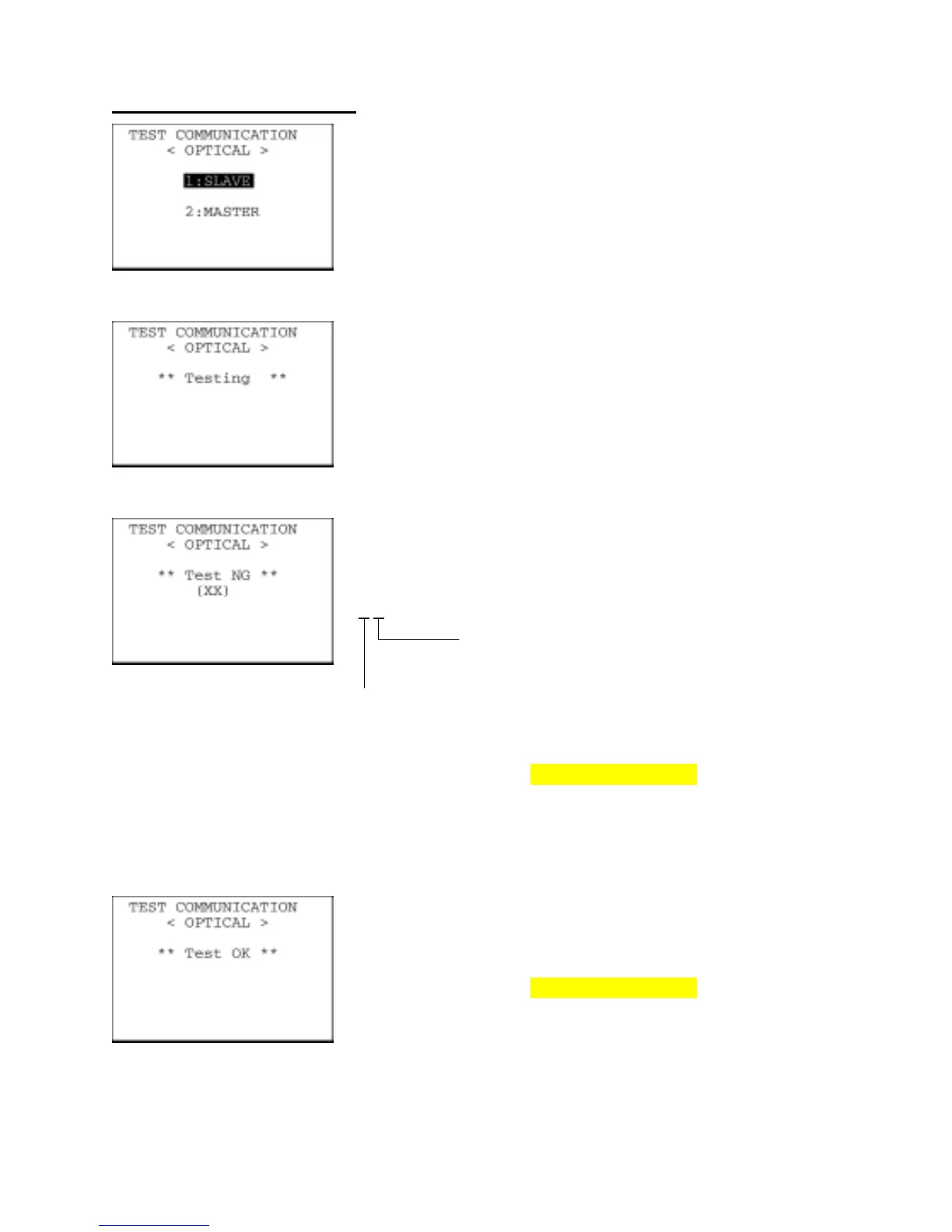
Testing the IrDA interface port
On the TEST COMMUNICATION menu, selecting "1: OPTICAL" calls
up the screen shown at left.
At the slave BHT to be tested, select the "1: SLAVE" and at the
master BHT, select the "2: MASTER." Then press the ENT key.
During the test, the screen shown at left is displayed.
If any error occurs, the tested slave BHT beeps three times and
shows the screen at left.
In parentheses are error codes which have the following meanings:
(X
X)
1: The received data is different from the sent data.
2: A timeout has occurred during standby for data
reception.
1: 2400 bps
2: 9600 bps
3: 115200 bps
The master BHT automatically returns to the TEST
COMMUNICATION menu after 10 seconds from the occurrence of an
error.
Press the C key to return to the TEST COMMUNICATION menu.
Upon normal completion of the test, the tested slave BHT beeps once
and shows the screen at left.
Press the C key to return to the TEST COMMUNICATION menu.
The master BHT automatically returns to the TEST
COMMUNICATION menu.
82



 To Next Page