13
Purpose
With this application program you can add successive weight values. The
cumulative weight can infinitely exceed the capacity of the balance/scale.
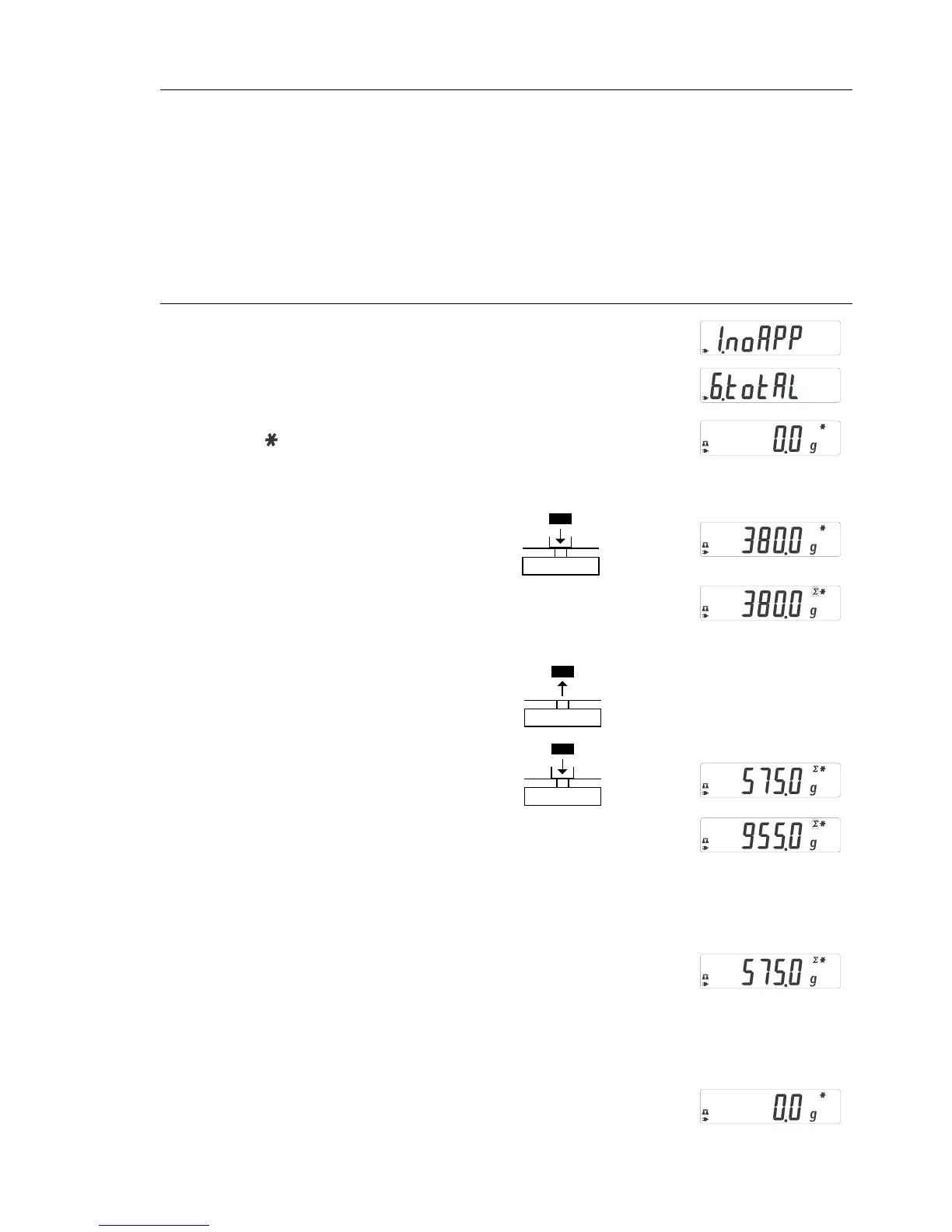
Example: Obtaining the total/formulation
Step Key (or instruction) Display
1. Select application program (ZERO) ≥ 2 sec
2. Select Total (formulation) (F) repeatedly
3. Confirm application (ENTER)
Symbol “ “ on the display:
application is active
4. If necessary: zero the balance/scale (ZERO)
5. Place sample on balance/scale
(in this example, 380 g)
6. Store value in memory. (ENTER)
Total weight is displayed
steadily;
∑ symbol flashes.
If interface is connected, sample
weight is outputted automatically
7. Remove sample or press ZERO
8. Place the next sample
on the balance/scale
(in this example, 575 g)
9. Store value in memory. Total weight is (ENTER)
displayed; along with the flashing
∑ icon.
Note: ∑ symbol remains on, indicating
stored value in memory until cleared
(if interface is connected, sample weight
is outputted automatically).
10. To view current individual weight for (F)
2 seconds (if a printer is connected,
a printout is generated)
11. Clear Total memory (F) ≥ 2 sec
(if a printer is connected, total is printed)
12. Exit Total/Formulation (ENTER) ≥ 2 sec
13. Reactivate Totalizing (if no other (F)
application program has been selected)
(if a printer is connected, total is printed).
14. Repeat procedure starting from Step 6.
Total/Formulation







 To Next Page