16
Purpose: Serveral advanced balance operations can be changed through menu codes. Select
the desired codes from the list below. Then follow the steps to change the menu codes.
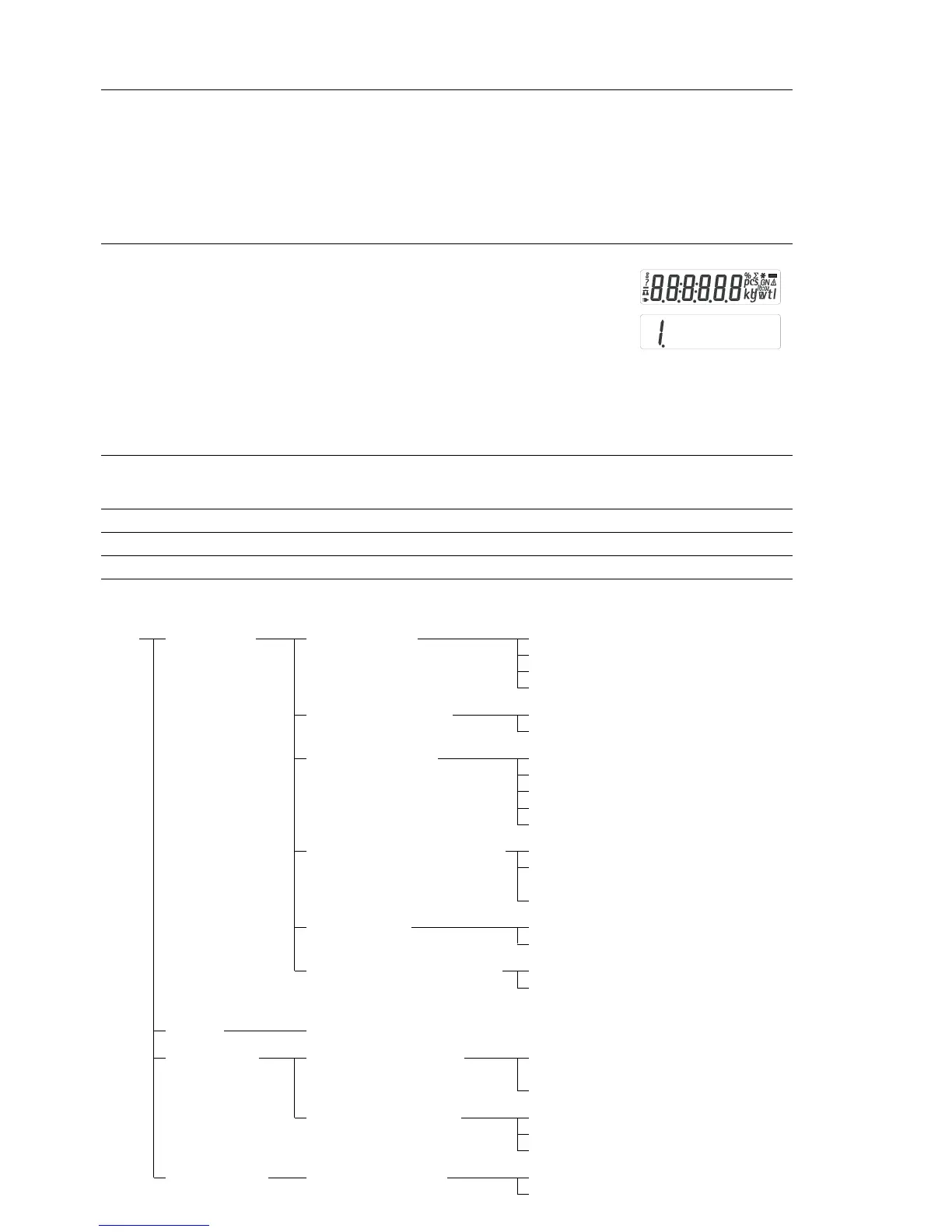
Step Key (or instruction) Display
1. Turn balance off. (ON/OFF)
2. Turn the balance back on. While all segments ZERO
are displayed, press ZERO key once.
3. Increase the number on display to desired value. MODE
4. Move to the 2nd number of the code. ENTER
5. Increase the second number on display MODE
to desired value.
6. Move to the 3rd number of the code (when you ENTER
move to the third number, the previously set menu
code will appear).
7. Increase the third number on display to desired value. MODE
8. Confirm new code Hold down the ENTER key until ”0“ appears after
the desired code.
9. Exit setup menu. Press ZERO for more than 2 seconds
Special Keyfinctions for Menu Code Operation
Key Press briefly Press and hold
(F) Increase a number by one with each press
(ENTER) Moves to the next of three numbers of a code; hold to confirm setting
(ZERO) Moves to the previous number of a codes; hold to exit set-up.
Parameter Settings (Overview) ο Factory setting
Setup 1 Weighing 1.1. Adapt filter 1.1.1 Very stable conditions
menu 1.1.2
ο Stable conditions
1.1.3 Unstable conditions
1.1.4 Very unstable conditions
1.2. Application filter 1.2.1
ο Final readout
1.2.2 Filling
1.3. Stability range 1.3.1 1/4 digit
1.3.2 1/2 digit
1.3.3 1 digit
1.3.4
ο 2 digits
1.3.5 4 digits
1.5. Calib./adjust./linearization: 1.5.1
ο Calibration/span adjustment
Function of the (CAL) key 1.5.2 Linearization: for service
personnel only
1.5.3 Key blocked
1.6. Auto zero 1.6.1
ο On
1.6.2 Off
1.7. 1st weigh unit, or 2nd unit 1.7.1 User-defined unit: see
in Toggle Weigh Units app. to 1.7.23 “Toggling between Weigh
Units”
5. and 6. Interface settings; see manual for interface accessory
8. Additional 8.1. Block key functions 8.1.1 All keys blocked except
functions (with battery use only) for (ON/OFF) and (ZERO)
8.1.2
ο All keys unblocked
8.2. Automatic shut-off 8.2.1
ο After 2 minutes
(with battery use only) 8.2.2 After 5 minutes
8.2.3 After 10 minutes
9. Reset menu 9.1. Factory settings 9.1.1 Restore
9.1.2
ο Do not restore
Advanced Features (Setup Menu)







 To Next Page