Operation
Basic Weighing Function
Features
– Zeroing the balance/scale
You can zero the balance/scale with-
in the entire weighing range, up to
the maximum capacity.
Preparation
§ Switch on the balance/scale:
press the (ON/OFF) key
§ If necessary, zero the balance/
scale: press the (ZERO) key
$ If necessary, change the configura-
tion settings: see the chapter
entitled “Configuration”
$ If desired, reset the factory settings:
see the chapter entitled
“Advanced Features,” menu item
9.– 1
Additional functions:
$ Switching off the balance/scale:
press the (ON/OFF) key
$ Battery operation: automatic shut-off
after 2, 5 or 10 minutes; see chapter
on configuration. Example: 2 min-
utes. If the weight readout remains
unchanged and no keys are pressed
for at least two minutes, the battery
symbol “ “ starts flashing.
After another 2 seconds, the
balance/scale shuts off automati-
cally, unless a key is pressed.
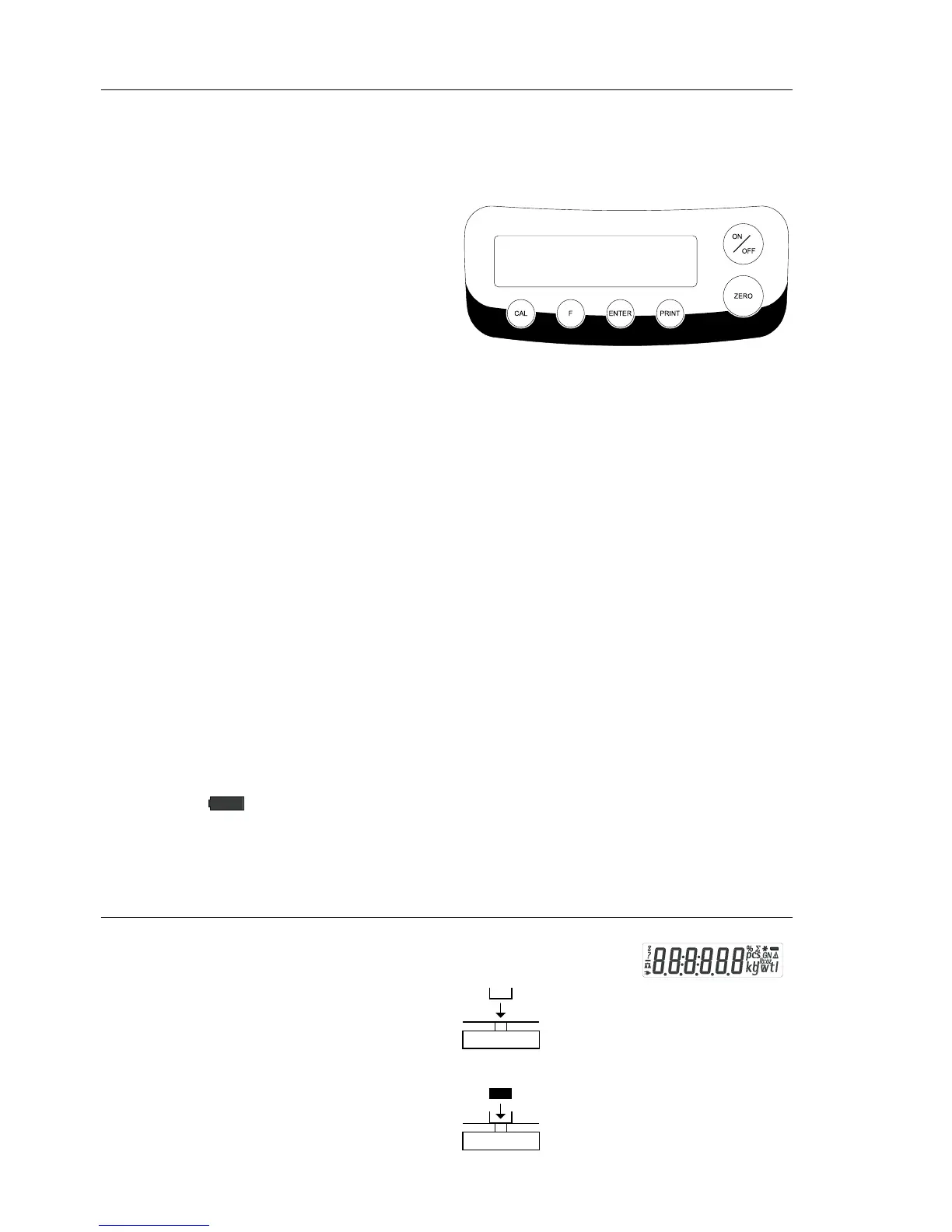
Description of the Keys
(ON/OFF) On/off key: switches the
balance/scale on and off or
switches it to the standby
mode.
Battery operation: on;
turns backlight on; off
(ZERO) Zeros the balance/scale;
press and hold 2 seconds:
enters application menu
(CAL) Starts calibration/adjust-
ment
(F) Starts an application pro-
gram; scrolling in applica-
tion menu, configuration
menu and calibration menu
(ENTER) Confirms the selected
setting; exits application,
configuration & calibration
menu if key is pressed
and held for at least
2 seconds.
(PRINT) Generates a printout or
data output
Example: Determine weight of sample
Step Key (or instruction) Display
1. Switch on the balance/scale (ON/OFF)
Self-test runs
Display: Software version
r 31.01 g
2. Place container on the balance/scale
(in this example, 52 g) 52.0 g
3. Zero the balance/scale (ZERO) 0.0 g
4. Place sample in container on
balance/scale (in this example, 150.2 g). 150.2 g
8







 To Next Page