Original User Guide | Impulse 2.0 Pedelec Version 3 EN-35
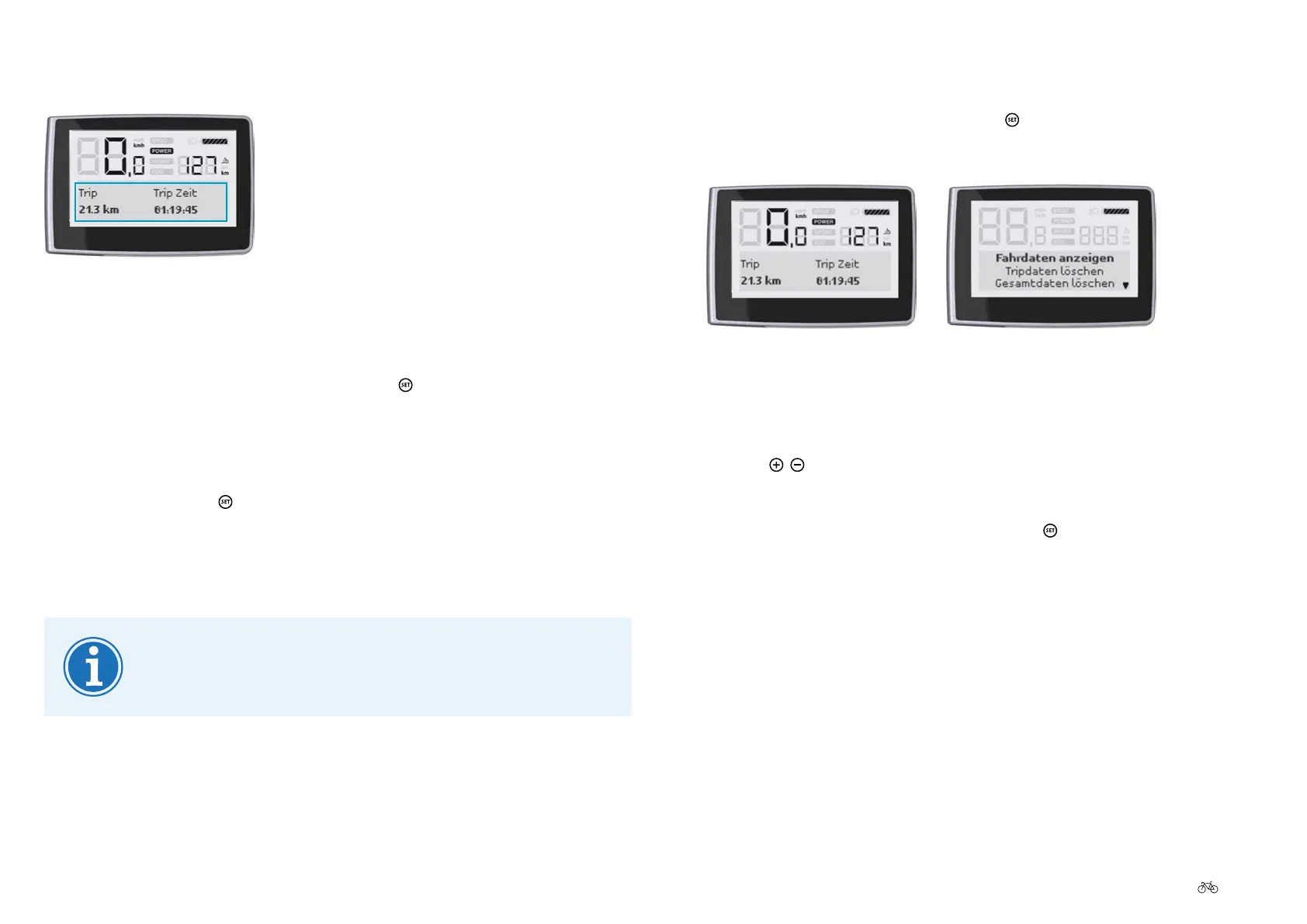
5.7.1 Accessing the main menu
1. If you are in the start menu, press the button for three seconds: You
will go to the main menu.
Start menu Main menu
5.7.2 Navigating within a menu
1. Use the
/
buttons to navigate to the required option.
The selected option is highlighted in bold.
2. Toconrmyourselection,brieypressthe
button.
Youwilltheneithermovetothenextlowestmenulevelorconrmyour
setting.
5.7.3 Returning from a menu
Therearefourdierentwaystoreturntothenexthighestlevelorthestart
menu:
5.6 Displaying favourite settings
Favourite settings
If you are in the start menu and want to change to other favourite settings
proceed as follows:
1. Whileinthestartmenu,brieypressthe
button. If you have
selected several favourite settings in the start menu 6.7.2
Preselecting favourite settings P. EN-43, the next favourite is now
displayed.
2. Keep pressing the
button until the desired favourite setting is
displayed.
5.7 Conguringsettingsinthemainmenu
Youcannotcongureanysettingsinthemainmenuwhile
you are riding.











 To Next Page