EN-40 Original User Guide | Impulse 2.0 Pedelec Version 3
1
2
3
4
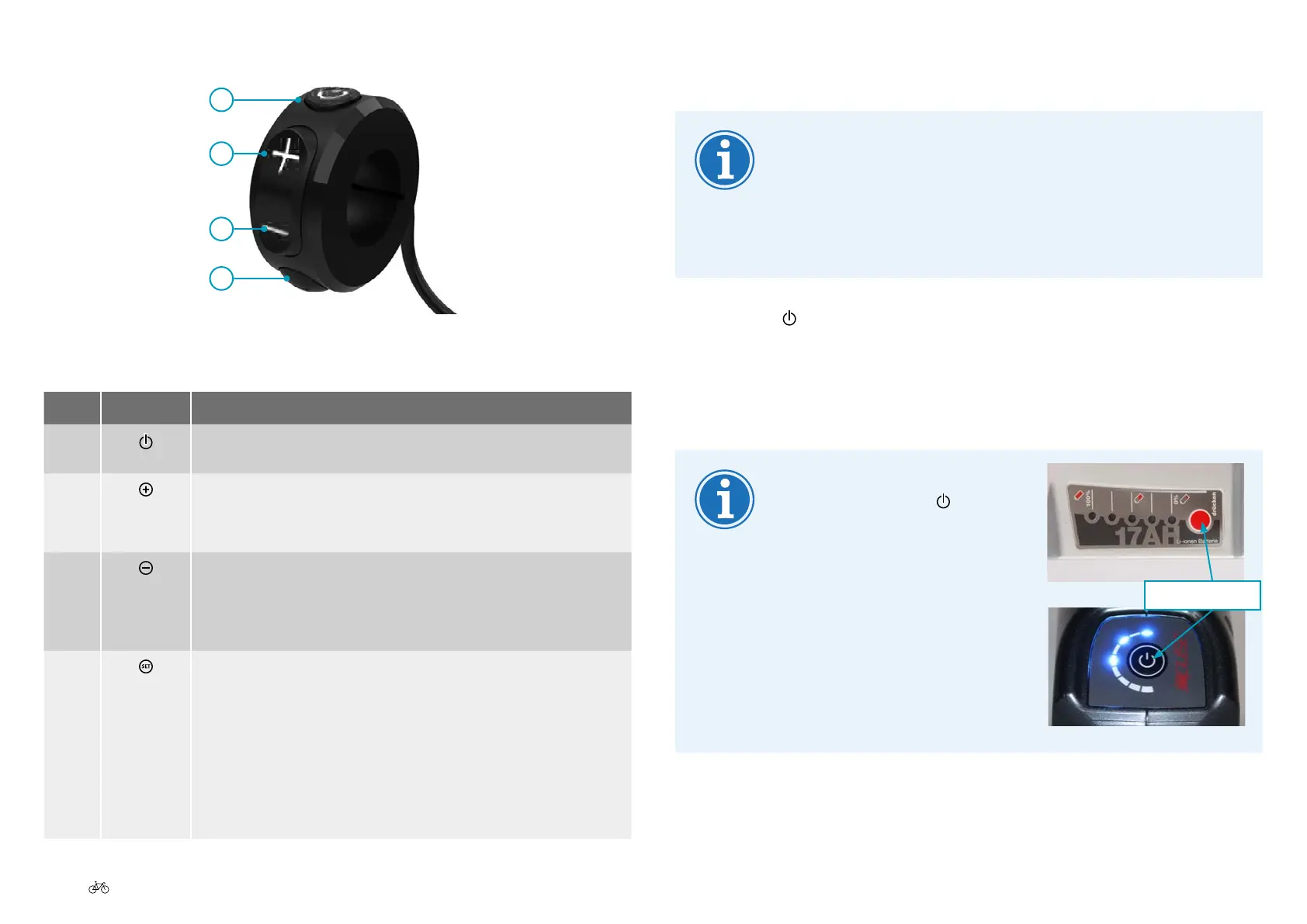
Easy-reach control
NO. SYMBOL FUNCTION
1 a) On 6.3.1 Switching on the pedelec Page EN-40
b)O 6.3.2 Switching off the pedelec Page EN-41
2
a) Increase value/scroll up.
b) Push assist 5.5 Enabling push assist Page EN-34
c) Activates display lighting for 30 seconds.
3
a) Decrease value/scroll down.
b) Activates display lighting for 30 seconds.
c) LCD Compact Display: Reset trip distance to zero 6.6 LCD
Compact Display P. EN-42.
4
a)Congure/conrm.
b) LCD Big Display: Switches between favourite settings in main
menu 6.7 LCD Big Display: Favourite settings Page EN-43.
c) LCD Compact Display: Switches between kmh/km and mph/mi
6.6 LCD Compact Display P. EN-42.
d) Activates display lighting for 30 seconds.
e) LCD Compact Display: Switches between total kilometres and trip
distance 6.6 LCD Compact Display P. EN-42.
6.3.1 Switching on the pedelec
Thesystemcanonlybeactivatedifasucientlycharged
battery has been inserted.
Do not switch on the pedelec when you are riding. Other-
wise, the motor can stop and you will not be provided with
the full assist level.
1. Press the
button on the easy-reach control for one second. The
display lighting comes on for about 30 seconds. A welcome message
appearsintheinformationeldofthedisplay.IfyouhaveanImpulse
2.0 system with a back pedal brake the screen shows: "Please start
pedalling"or"PEDAL".Youcancongureothersettingsfromhere.
If the system does not switch on
despite pressing the
button,
press the battery button for 1
second. The pedelec will switch
on. If it still does not switch
on, check the battery 7.3.1
Display panel P. EN-66.
Battery button
Down tube battery
Seat tube battery











 To Next Page