Original User Guide | Pedelec Impulse Evo Version 1 EN-37
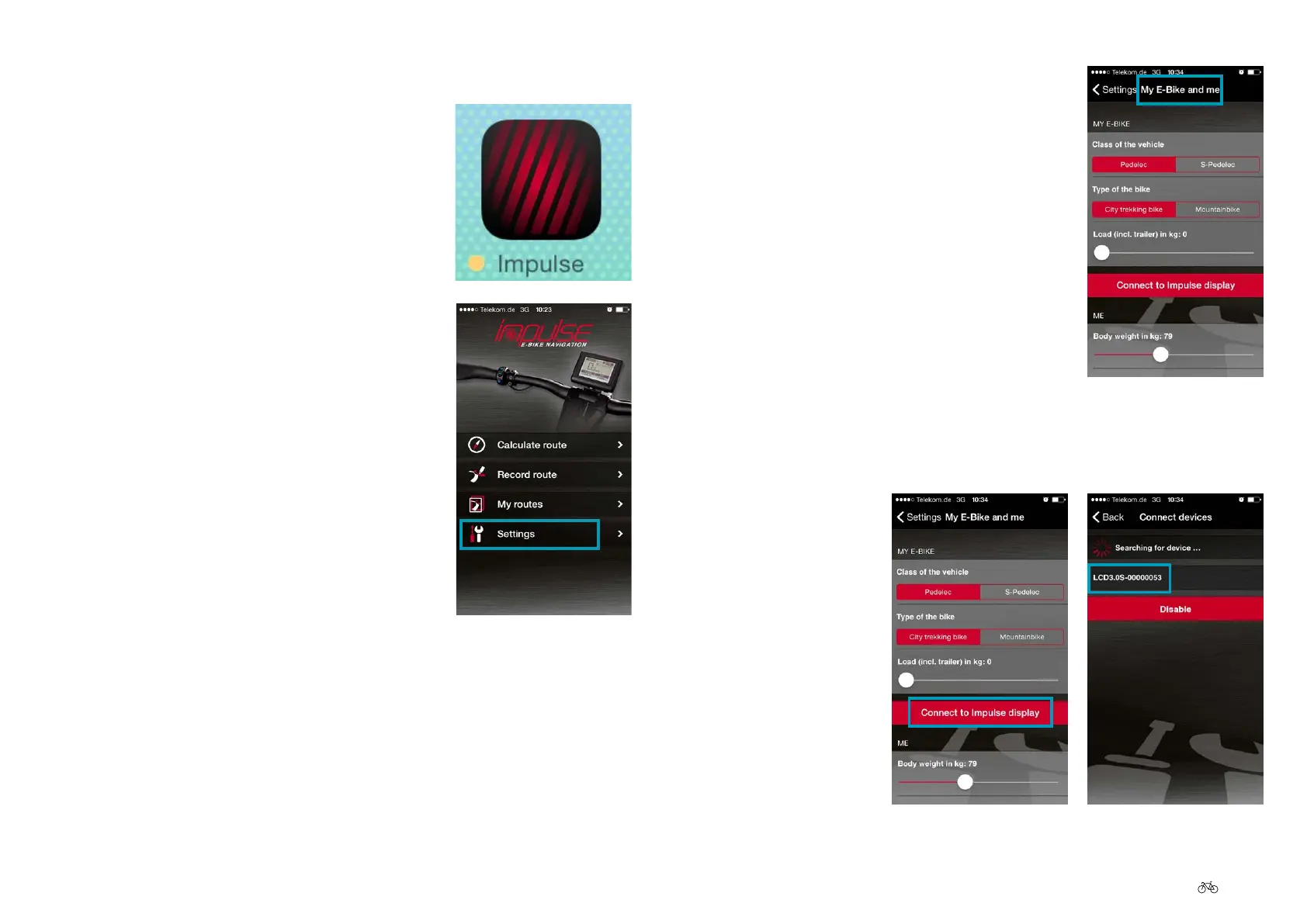
4. Select "My E-Bike and me"
5. Select "Connect to Impulse display". The App starts to look for the
Pedelec. After a short time, all Bluetooth-capable Pedelecs are
displayed in the form of a number combination.
1. Switch on the Pedelec 3.3.1 Switching on the Pedelec Page EN-19.
2. Open the "Impulse E-Bike Navigation" App
3. Go to "Settings"











 To Next Page