EN-38 Original User Guide | Pedelec Impulse Evo Version 1
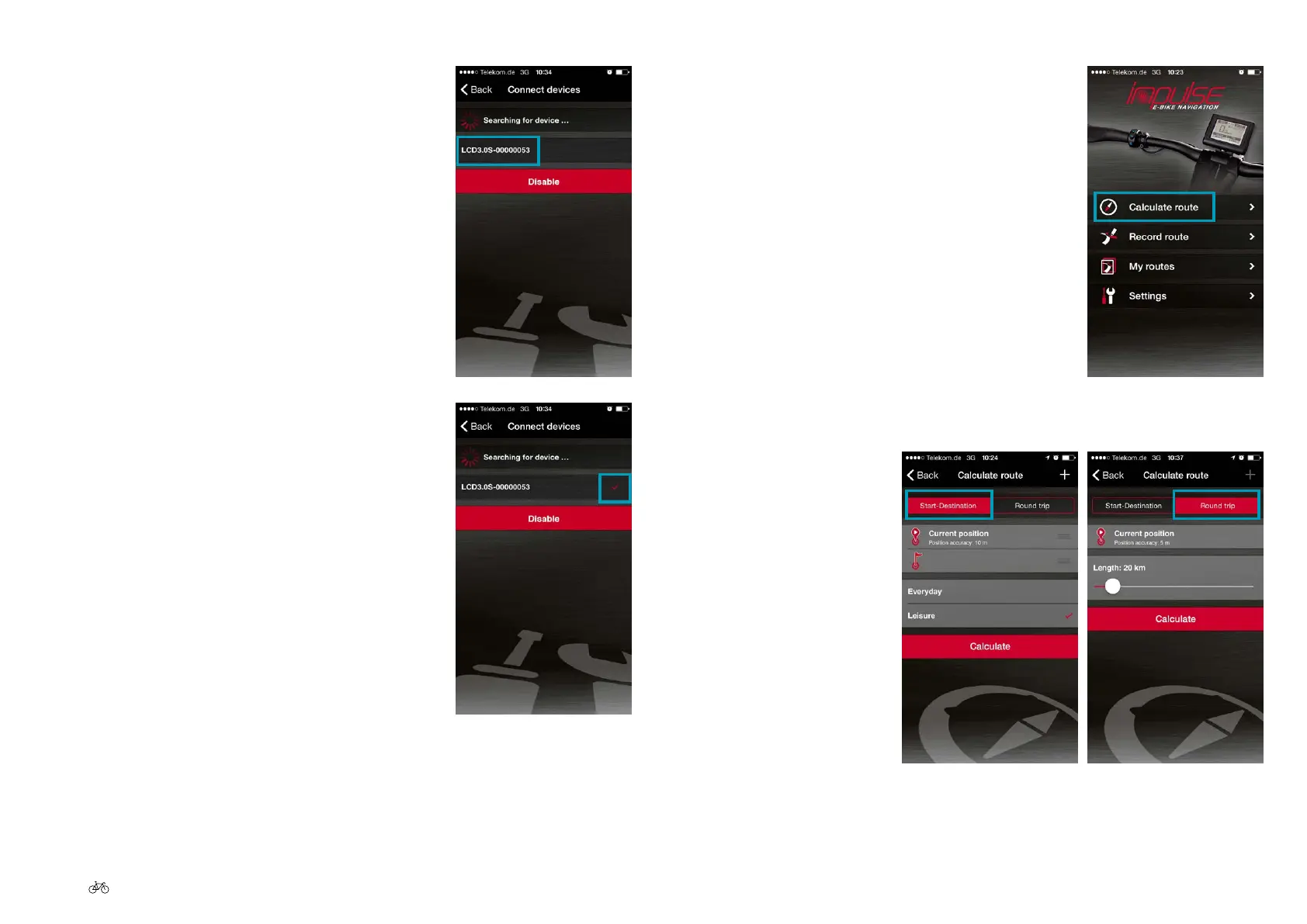
8. Now go to "Calculate route"
9. Enter the start and destination, or the round
trip
6. Select the Pedelec you want to connect to
your smartphone. The number of your
Pedelec is on the back of the display. This is
an 8-digit serial number. Use the last digits of
the number.
7. Once you have selected the required Pedelec
in the App, the selection is ticked red. The
smartphone is connected to the Pedelec.











 To Next Page