Original User Guide | Pedelec Impulse Evo Version 1 EN-39
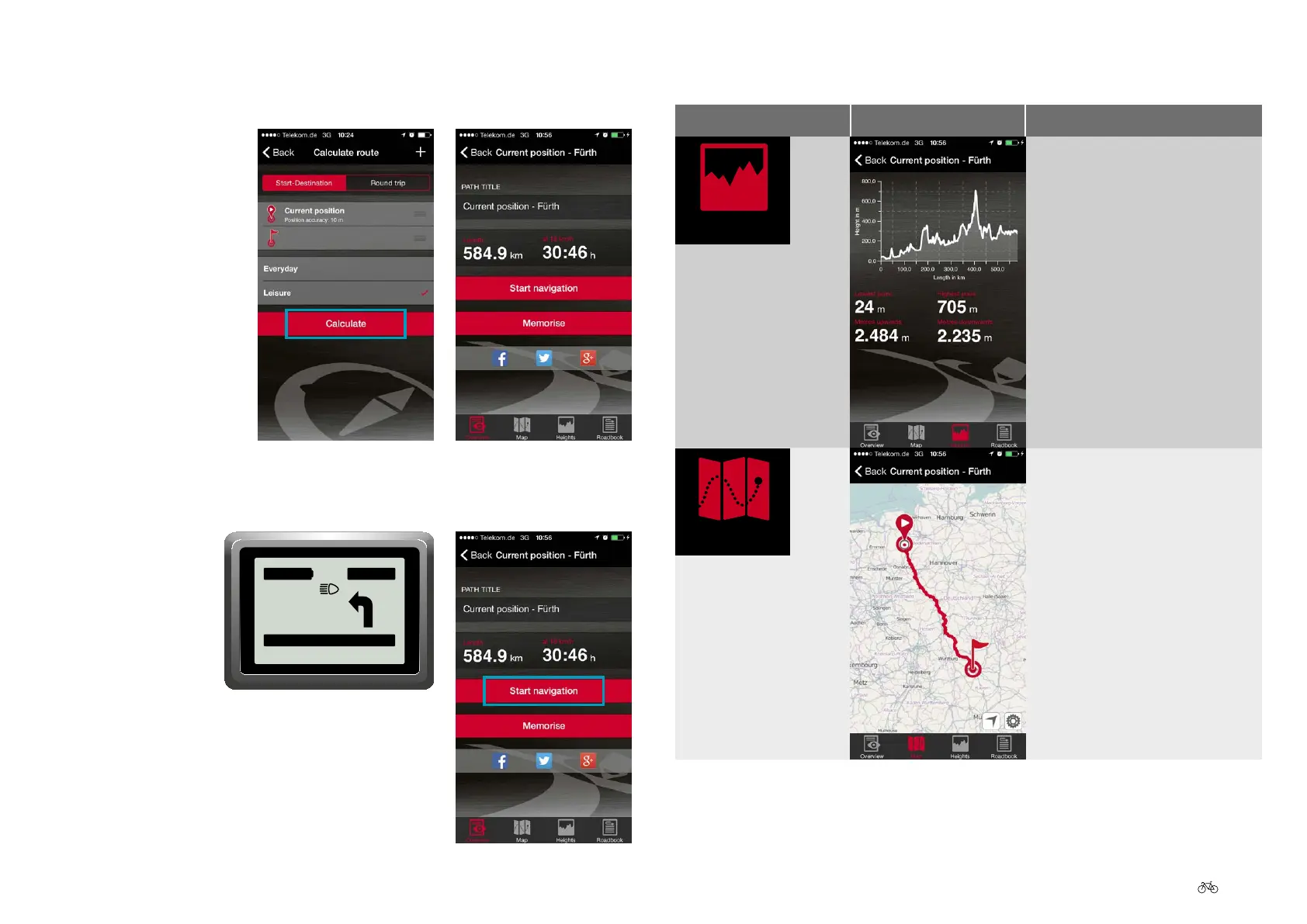
12. Select how you want the route displayed on the smartphone:
Symbol Display Meaning
As elevations: A chart provides
information on elevation changes
over the entire route. Also
displayed are the highest and
lowest points on the route, and
the steepest uphill and downhill
inclines.
As a map
10. Select "Calculate". The title, length (in km) and journey time (in h) of
the route are displayed.
11. Select "Start navigation". Navigation is shown in partial steps on the
Impulse Evo Smart display.
0
.0
km/h
10:20
56 km
55m
Dieselstraße
POWER











 To Next Page