Website: www.devicewell.com Email: support@devicewell.cn 30
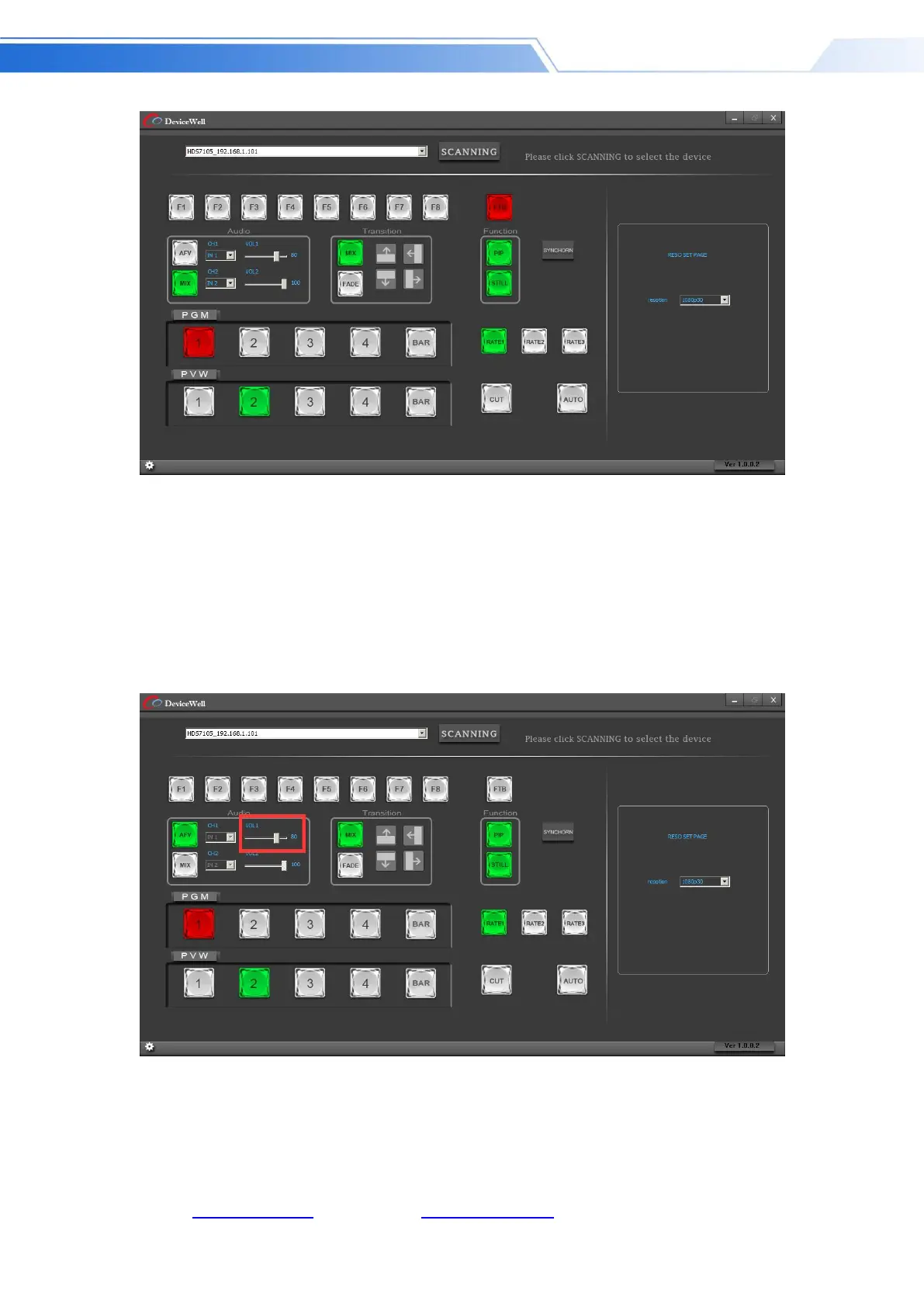
Audio control area (default is AFV follow mode)
(A) AFV follow mode
Press AFV follow mode (green light is displayed). The channels of audio follow mode are
IN1-HDMI1, IN2-HDMI 2, IN3- HDMI3, IN4-HDMI4. By default, it follows the audio of PGM
live channel. At this time, you can only adjust the audio volume. Size, you need to increase or
decrease the volume. You can set the volume from 0 to 100 through the slider. As shown
below
(1) MIX mixing mode
Press the MIX mixing mode (green light is displayed) to support the two-channel mixing mode.
The assigned channels for the mix are IN1-HDMI1, IN2-HDMI 2, IN3- HDMI3, IN4- HDMI4,
RCA_IN, MIC_IN1, MIC_IN2, which can be accessed through Press CH1 and CH2 on the control



 To Next Page