Website: www.devicewell.com Email: support@devicewell.cn 32
Integrated control area
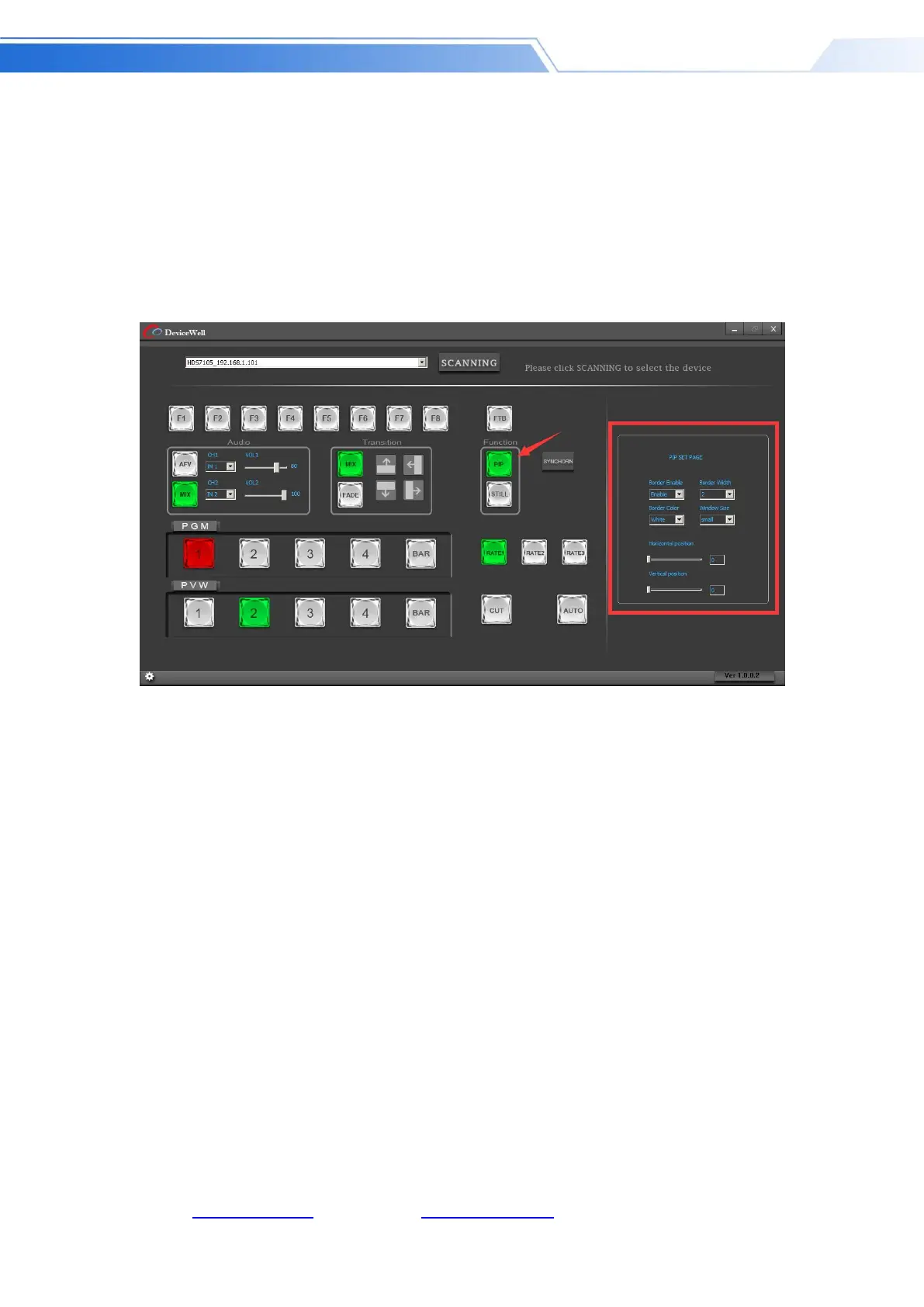
(I) PIP Picture-in-Picture Settings
Press PIP (display green light) in the software control panel to enter
picture-in-picture settings. At this time, you can set the horizontal position,
vertical position, display size, border switch, border width, and border color of
the screen. As shown
below
(1) STILL screen freeze setting
Press STILL (display green light) in the software control panel to enter the picture freeze setting.
At this time, you can freeze the live output picture. Click STILL again to cancel the freeze effect.
As shown
below



 To Next Page