neoprobe
TM
GDS Operation Manual
AW-000639 Page 13 of 38
Operational Note
Events that may occur during product use:
Target Count Button [11] is pressed while
Target Count is calculated
Overflow Symbols”/////” displayed on
Target Count Readout [7] and varying beep
is heard
Target Count Button [11] is pressed while
Target Count or 10 Second Count is
displayed
Target Count function returns to Dynamic
Pitch Mode and displays Count Rate data
Calculated Ratio is greater than 99.9
Overflow symbol “///” is displayed [9]
4. BINARY PITCH MODE (OPTION)
Binary Pitch Mode sound tells physician when radioactivity is significantly above Background Count of
nonradioactive area.
Press and release power standby button [1]
System should begin normal operation
within 20 seconds
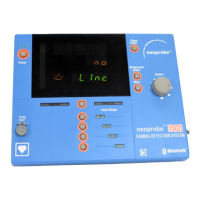
Operation of BLUETOOTH
®
: message
“no linc” indicates problem with probe,
console or serial port adapter. See
troubleshooting instructions below.
For a cabled probe: If there is no probe or
cable attached message “error no Probe” is
displayed. See troubleshooting instructions
below.
System function indicator lights and
“error 2” through “error 6” are
displayed. See troubleshooting instructions
below.
Conduct
performance
check
Press and release Binary Pitch/Dynamic
Pitch Button [4]
Binary Pitch Symbol is lit
Background Count changes to 7 counts per
second
Radionuclide automatically set
99m
Tc, and
radionuclide symbol is lit
Press and release Radionuclide Selection
Desired radionuclide is lit
Artwork No: AW-000639 Revision: A Artwork Status: Released Lifecycle Name: Artwork
PCO No: N/A ECN No: ECN-000214 Release Date: 10/09/2012 Effective Date: 10/09/2012


 To Next Page